
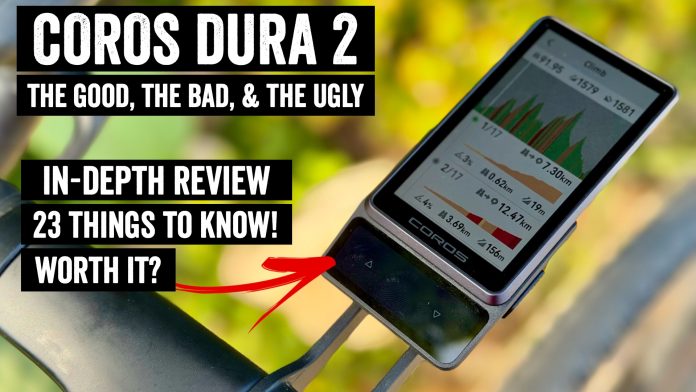

COROS has just announced the new COROS Dura 2, a unit that more than doubles the price of the existing and now discontinued Dura 1, while still maintaining its industry-leading battery life claims. Atop that, there’s a handful of new features in here, along with a reduction of mounting hardware. I’m going to dive into everything that’s new, and more critically: Whether it actually works.
As is often the case with new products, there are both things that work super well, and things that fall short. In the case of the Dura 2, it’s not hard to figure out which things fall into which camps. So, let’s get right into it!
What’s New:
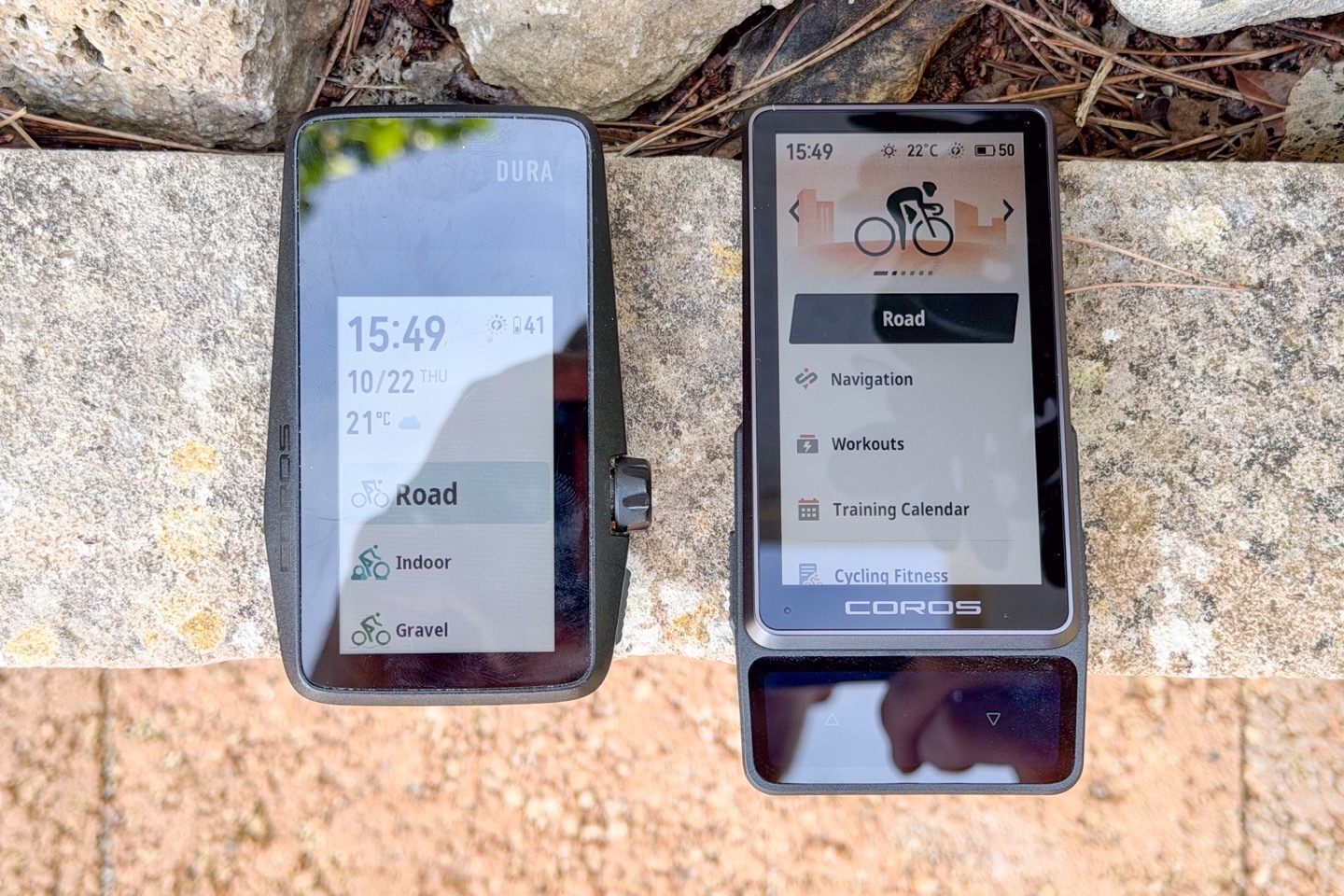
Unlike some products where you can’t tell at a glance if it’s new, there’s absolutely no denying the COROS Dura 2 is a totally different product. Heck, I’d have said it came from Motorola, not COROS. But yes, it’s both visibly new, and features-wise new. So let’s get into it:
– Completely new external design:
— Ditched the rotating Digital Crown (thank fudge!)
— Shifted solar panel to bottom of unit
— Placed two new touch areas (kinda like buttons) atop solar panel
— Added left-side button
– Added full speaker
– Added bike bell feature
– Added turn-by-turn voice prompts (e.g. Turn Left)
– Added Microphone
– Added voice control (with button held)
– Added ability to save voice pins
– Added ability to cancel manual laps
– Added power curve chart
– Added tire pressure sensor support
– Added media control page on device (e.g. to control phone music)
– Slightly revamped on-device user interface
– Revamped COROS App data page customization piece
– Increased screen size from 2.7″ to 3.5”
– Increased refresh rate to 38hz (38 times a second), claims fastest of any MIP display
– Can now do some offline re-routing (but uses/requires phone)
– Doesn’t include any mounts of any sort (even tiny cheap rubber ones)
– Price increased from $249 with mount to $549 with mount (or $499 without any mounts)
– Available to purchase November 3rd, 2026
Now, as is the trend for many products these days (Apple and Google especially), companies have shifted new features to later dates, rather than including them upfront. In this case, COROS is promising additional features coming later this year, which include:
– Will add multiple bike profile support
– Will expand support for up to 32 sensors
– Will add cycling-specific heart rate recovery metric for interval workout rest period and post-activity analysis
– Will add Campagnolo electronic drivetrain support by end of 2026
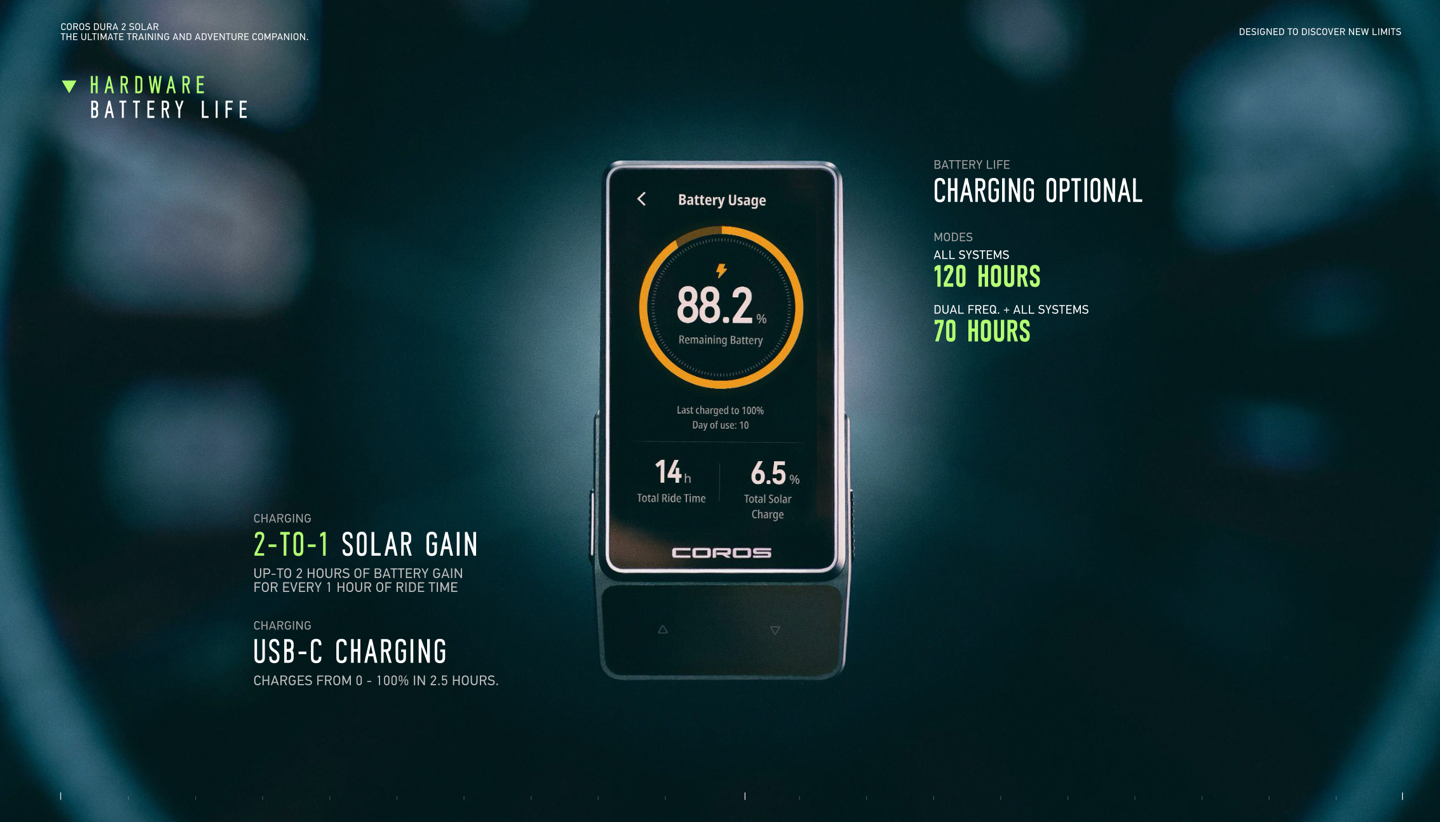
In any case, beyond all the new/coming features, here are the current battery chart claims (but see my battery section below for the real-world testing on that):
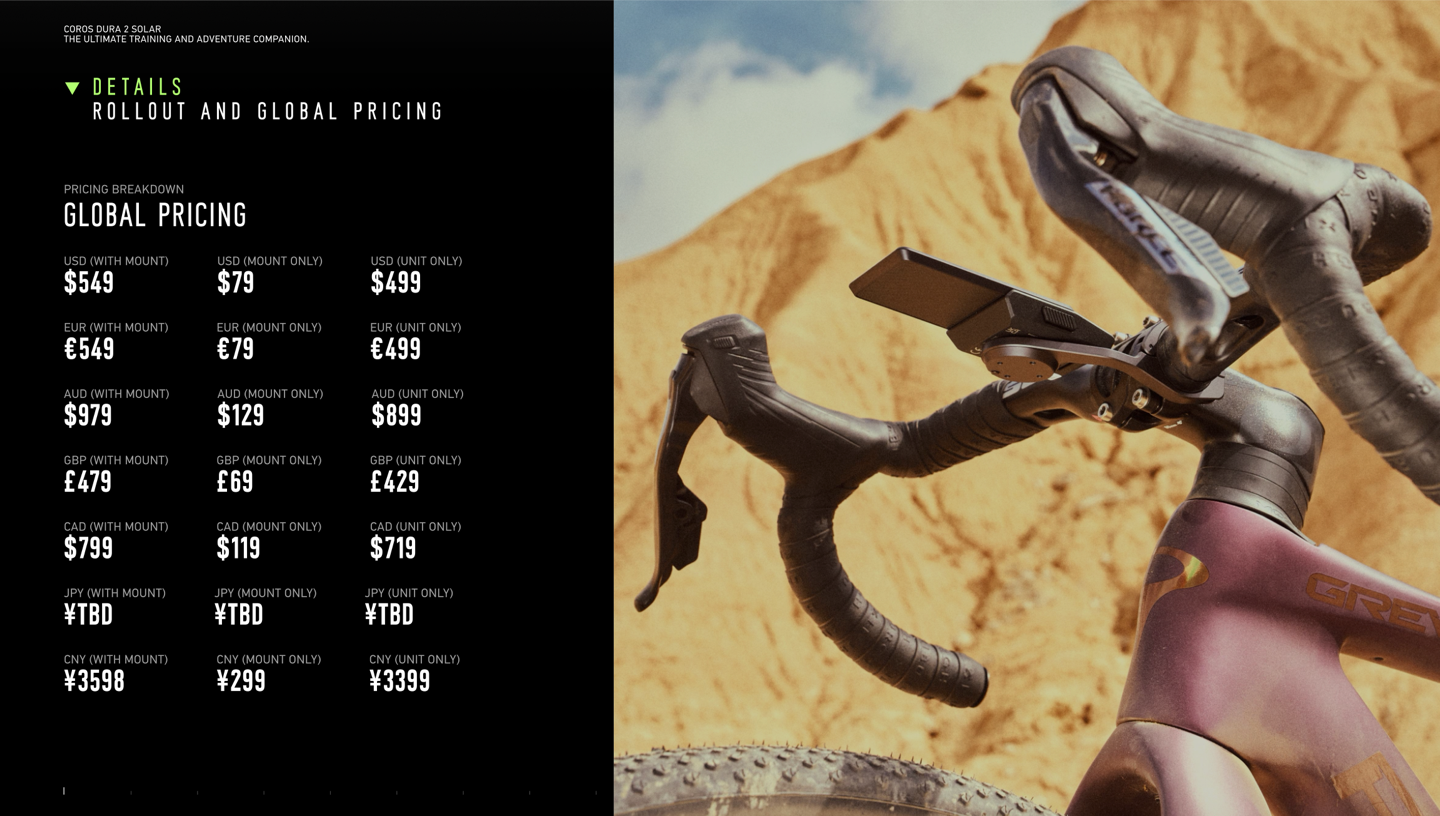
And finally, here’s all the global pricing information:
Ok, with that, let’s get into the box.
In the Box:
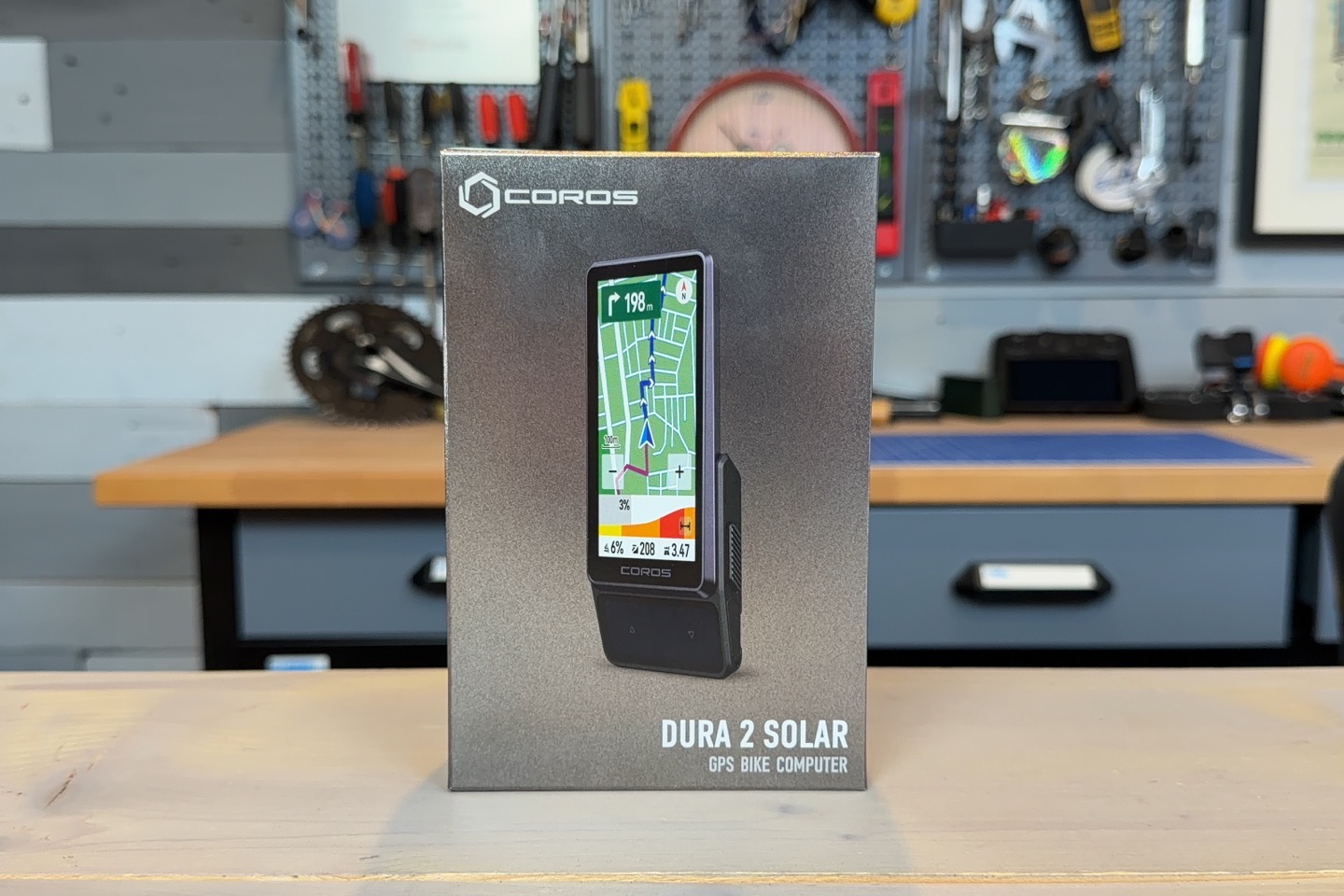
As you can see below, this is pretty straightforward. There’s the unit itself, a lanyard, some paper junk, and a nice braided USB-C cable. But no mounting pieces, not even cheaper rubber mounts. I’d have traded that nice braided USB-C cable for a crappier one (or none at all), and then included a pack of cheap rubber mounts.
Again, as a reminder, there are zero mounts in here. Not even simple rubber/plastic on-handlebar ones that cost pennies to make. Your best bet for finding such things is ironically a bag of Garmin mounts. You can get the Garmin-made one for $9 (pack of one), or a no-name brand pack of two for $7. I haven’t tried the no-name one in terms of durability or such, but some reviews are mixed on the long-term durability of the bands.
Either way, again, it’s ridiculous that COROS isn’t including at least one rubber-mount in the box of a $500 bike computer.
In any case, here’s the back of the unit, with the Garmin standard quarter-turn mounting hardware:
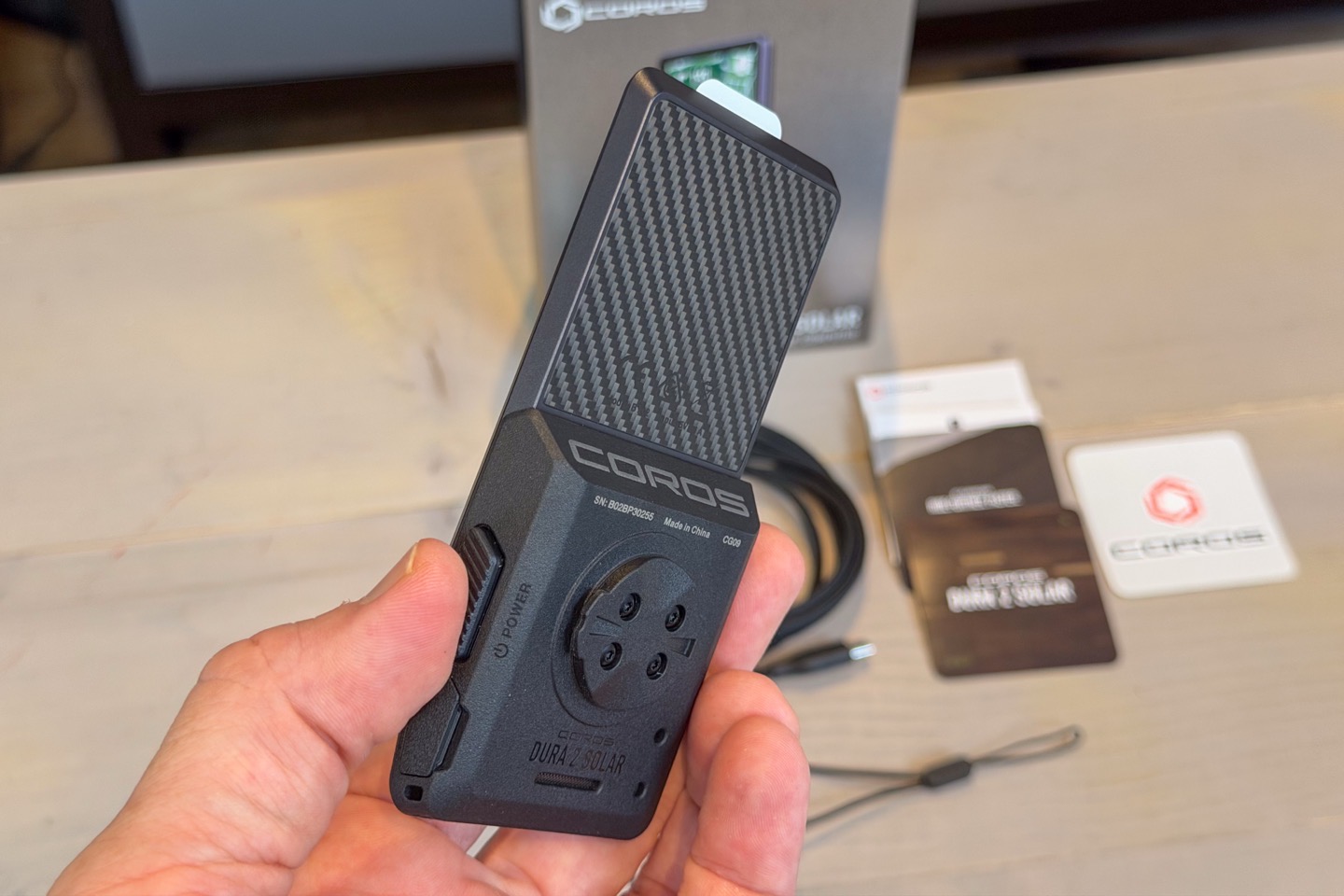
It is removable in case of breakage, which is good to see.
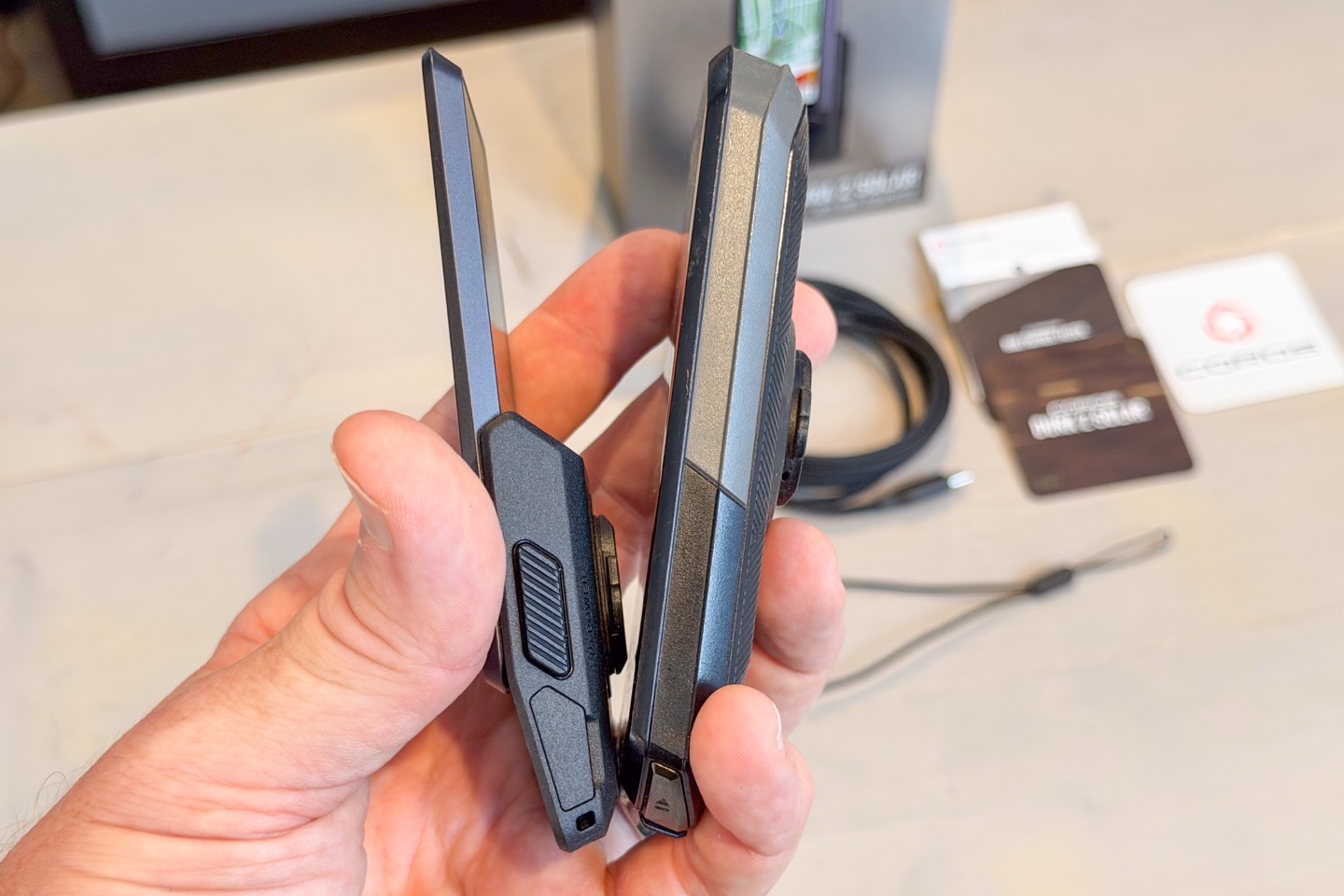
And for fun, here’s the thickness compared to an Edge 1050 I had handy sitting nearby at the time. They’re roughly the same length, but clearly the Dura 2 is much sleeker.
With the box bits sorted, time to ride.
The Basics:
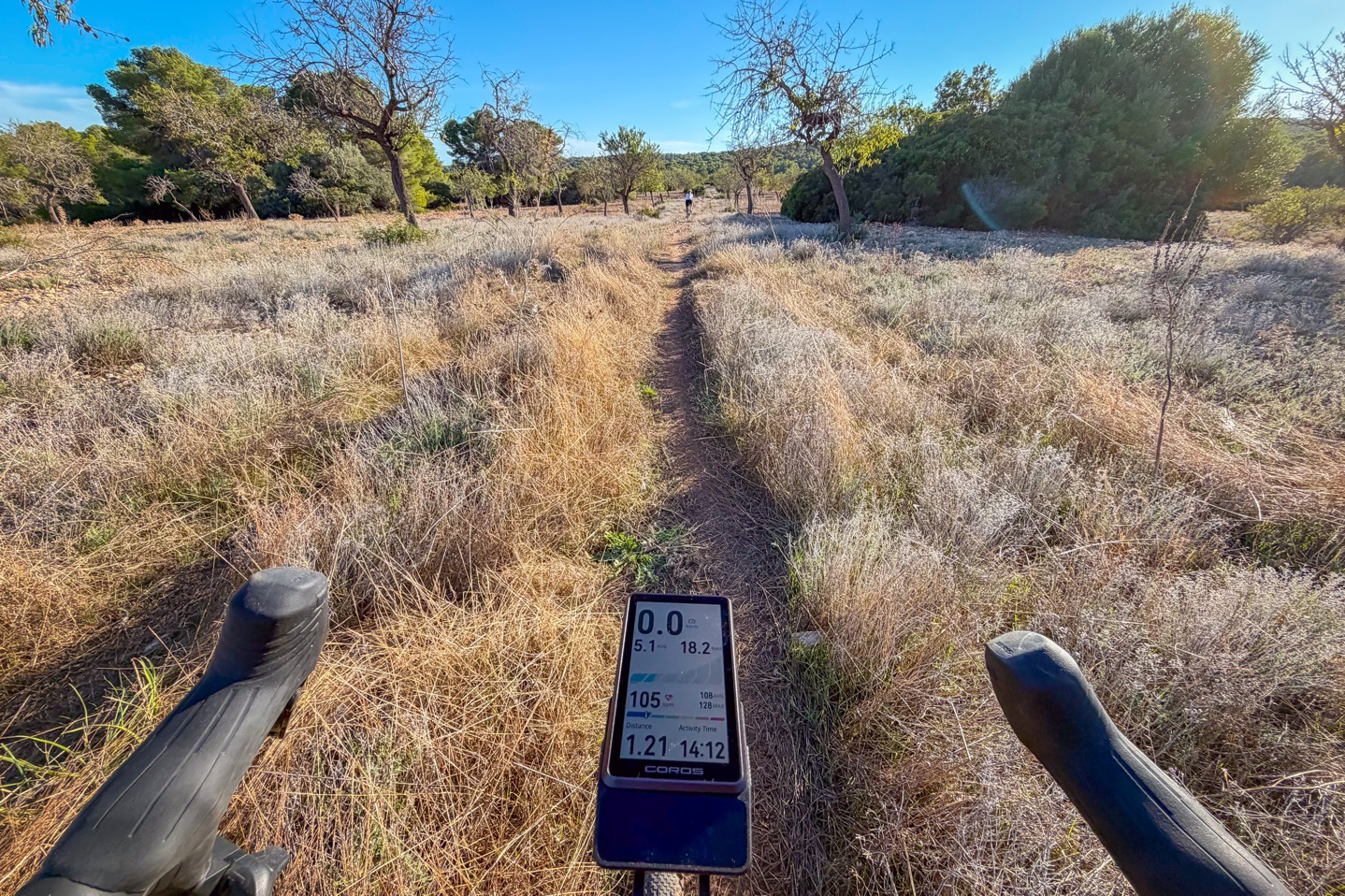
With everything unboxed and mounted to your bike, you’re good to go. In my case, I have an existing Garmin-compatible mount on this bike, so I just placed it there. Though ironically, on my mountain bike I have a Garmin-branded out-front mount that I solidly stripped the screw on years ago and can’t exactly get removed without snapping it, so out of humor (and to make a point about lack of mount) I probably should have shot the review on that bike.
In any case, as you can see, the unit itself looks stunning. Mount-gate aside, this is one of the nicest-looking form factors out there. Some have compared it to a Motorola Razr phone in terms of styling, and I’d agree; I see some aspects of that. Either way, it looks nice case-wise.
Next then to discuss are the display, buttons, and solar touch area. Starting off with the buttons, there are two physical buttons on the side. The left-side one is purely for marking laps, though COROS says in a later firmware update it’ll allow customization there (which is good, cause right now other button functions would be helpful). Meanwhile, the right-side button is for start/stop/select.
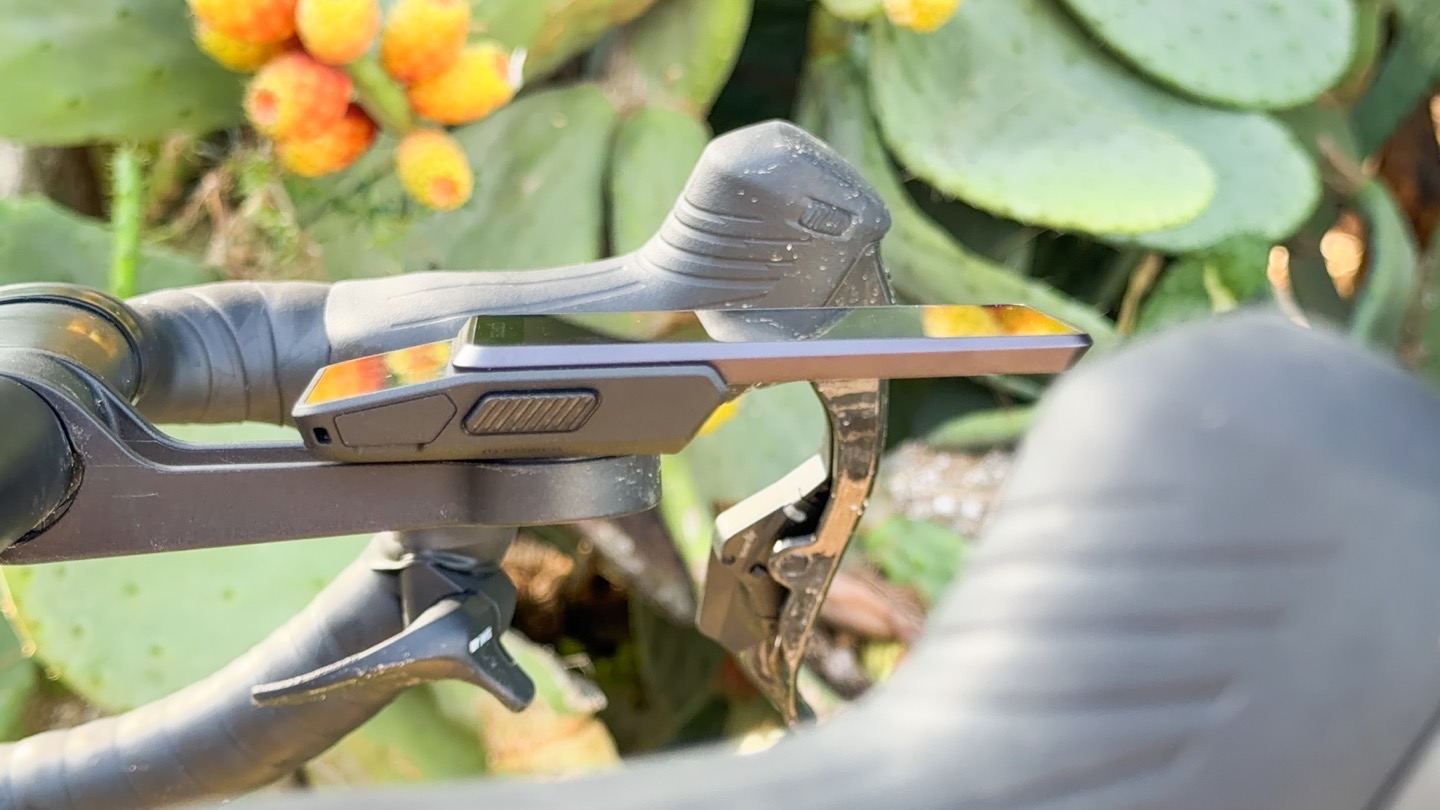
Then, down at the bottom, you have the solar touch area. Basically, the solar piece that was on the older Dura 1 was on top, causing a larger ‘forehead’ look. Now it’s down at the bottom and feels much more natural, like other bike computers with a larger ‘chin’. Now, I’ve got a section entirely on solar/battery burn reality down below. Instead, I want to look at the buttons here. There are two pressure-sensitive buttons, which act as up/down buttons. These change menu items in menus, and then change data pages while riding.
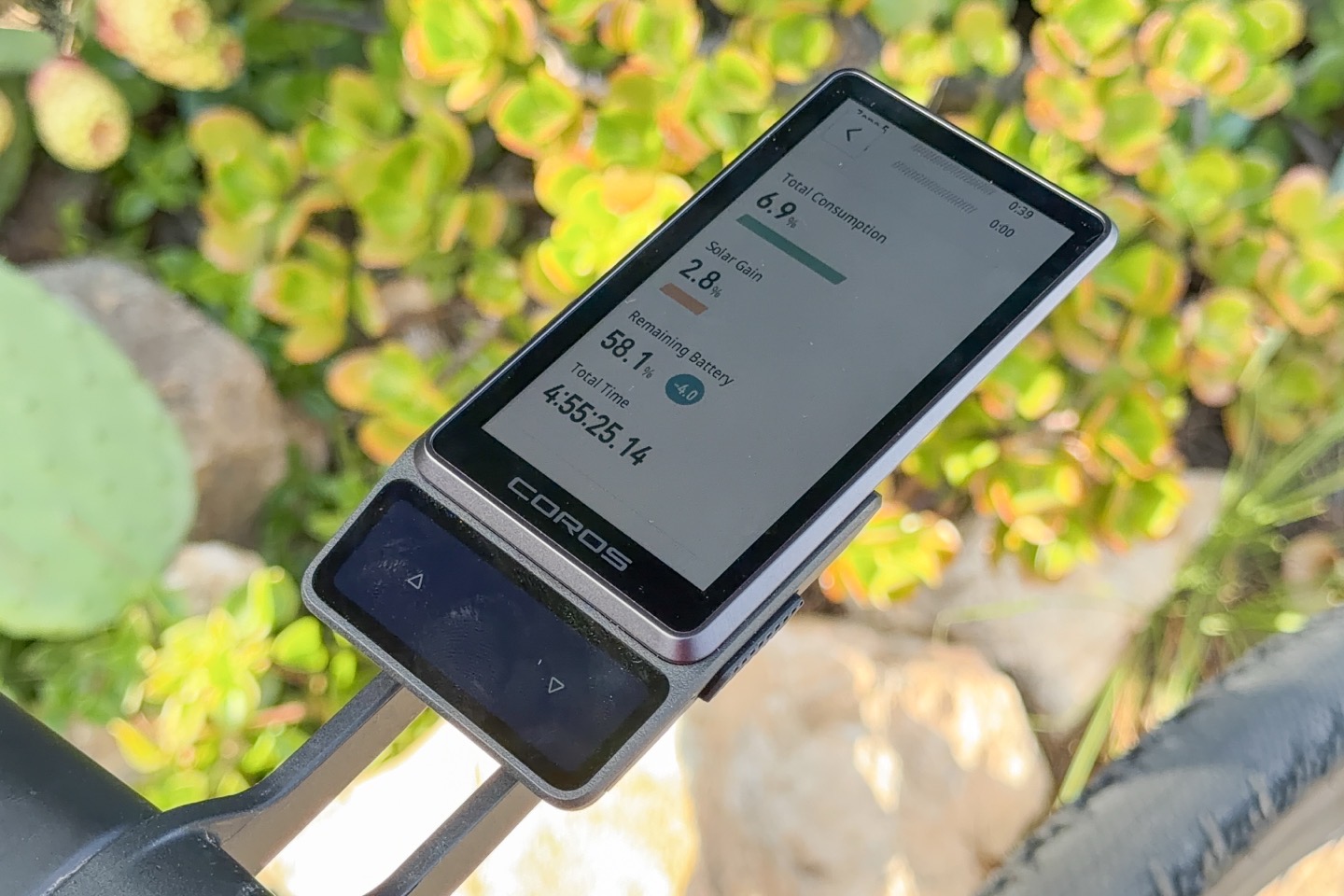
Note these are *NOT* capacitive buttons, which means they work just fine with rain, gloves, etc. That’s because they feel for pressure. Once you get past one ride with them (in terms of the right amount of pressure), they’re good. But if sitting inside on a couch, you might press a bit too lightly and it won’t register.
But again, rain with gloves? Zero issues. For better or worse, all those Spain rainstorms you heard about in the news the last few weeks? Yup, I was out testing in the rain – zero issues on the pressure buttons.
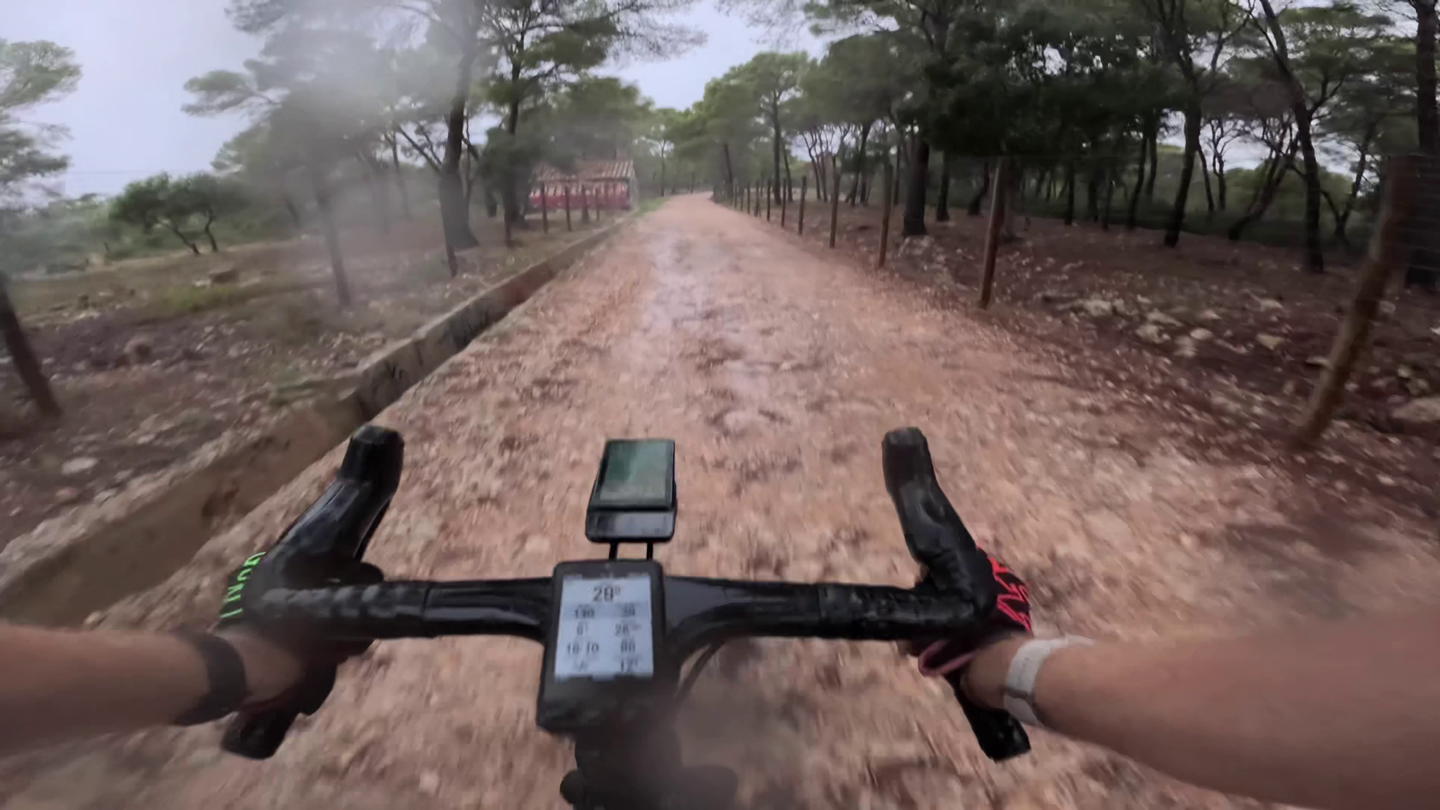
However, that’s not the only touch surface. Then you’ve got the screen itself, which is also a touchscreen. And if you want to swipe-down from the top to access a menu, you *have* to do that with the touchscreen swipe. And when it comes to those same rains there? Not as awesome. Generally speaking, I found that with light rain, it was fine. However, as the rain got heavier, or in cases where water pooled a bit, then the touchscreen was mostly useless.
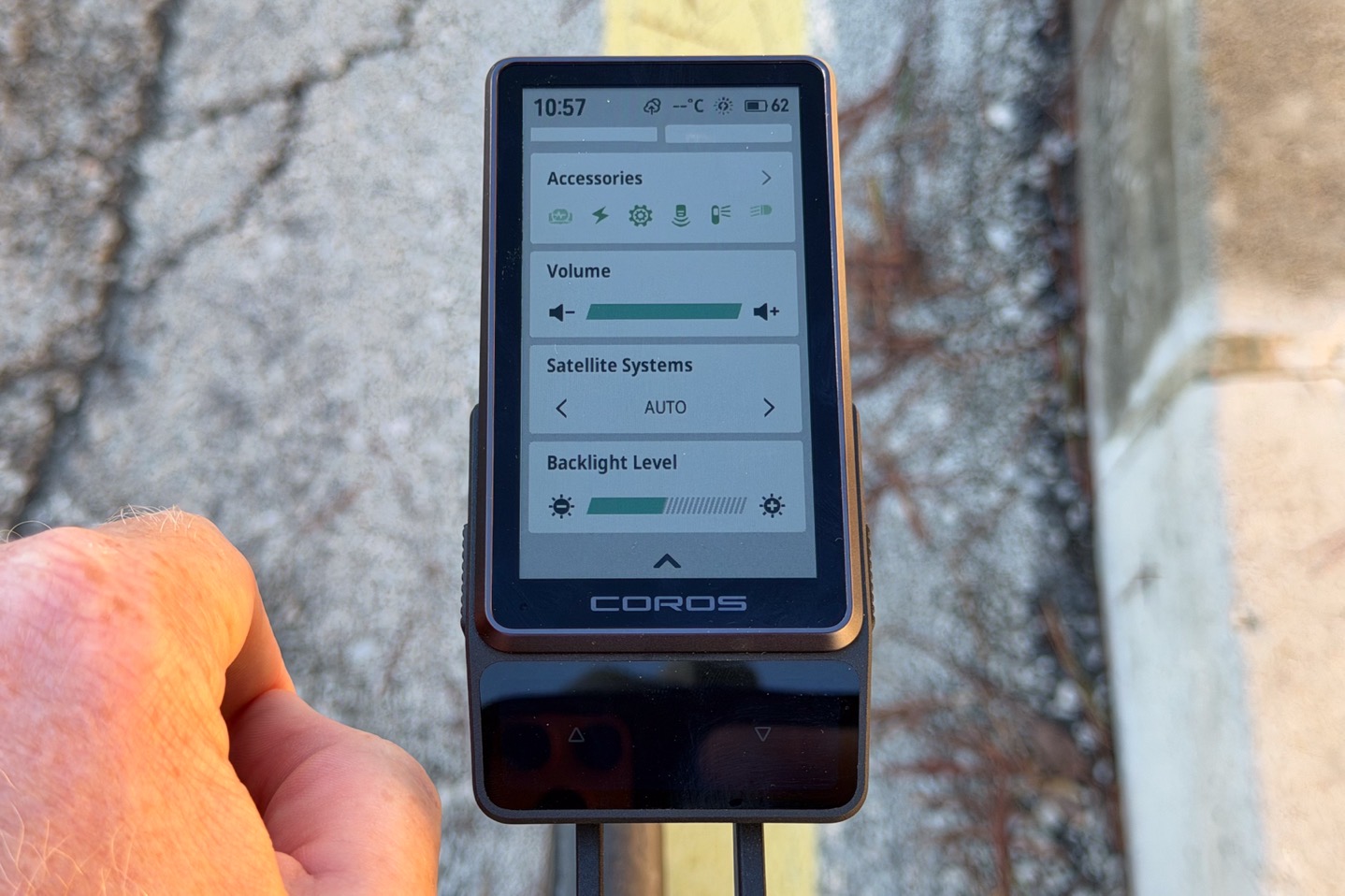
While touchscreens becoming useless is hardly a new thing in bike computers, the main difference is that most other bike computers still have the ability to get to every menu feature via buttons. The COROS Dura does not. So adjusting things like display brightness (because the automatic brightness feature doesn’t work well), or volume, or bike alarm, or system, or satellite settings, etc., can’t be done without the swipe-down, which brings you to this menu:
Which now seems like a good time to talk about screen clarity/brightness/etc. Overall, on a nice sunny day, it’s quite good. Zero issues there at all, easy to read, nice and large, and virtually identical to the screen size on the older Edge 1040 Solar (it’s a smidge shorter, but also a smidge wider…so a wash).
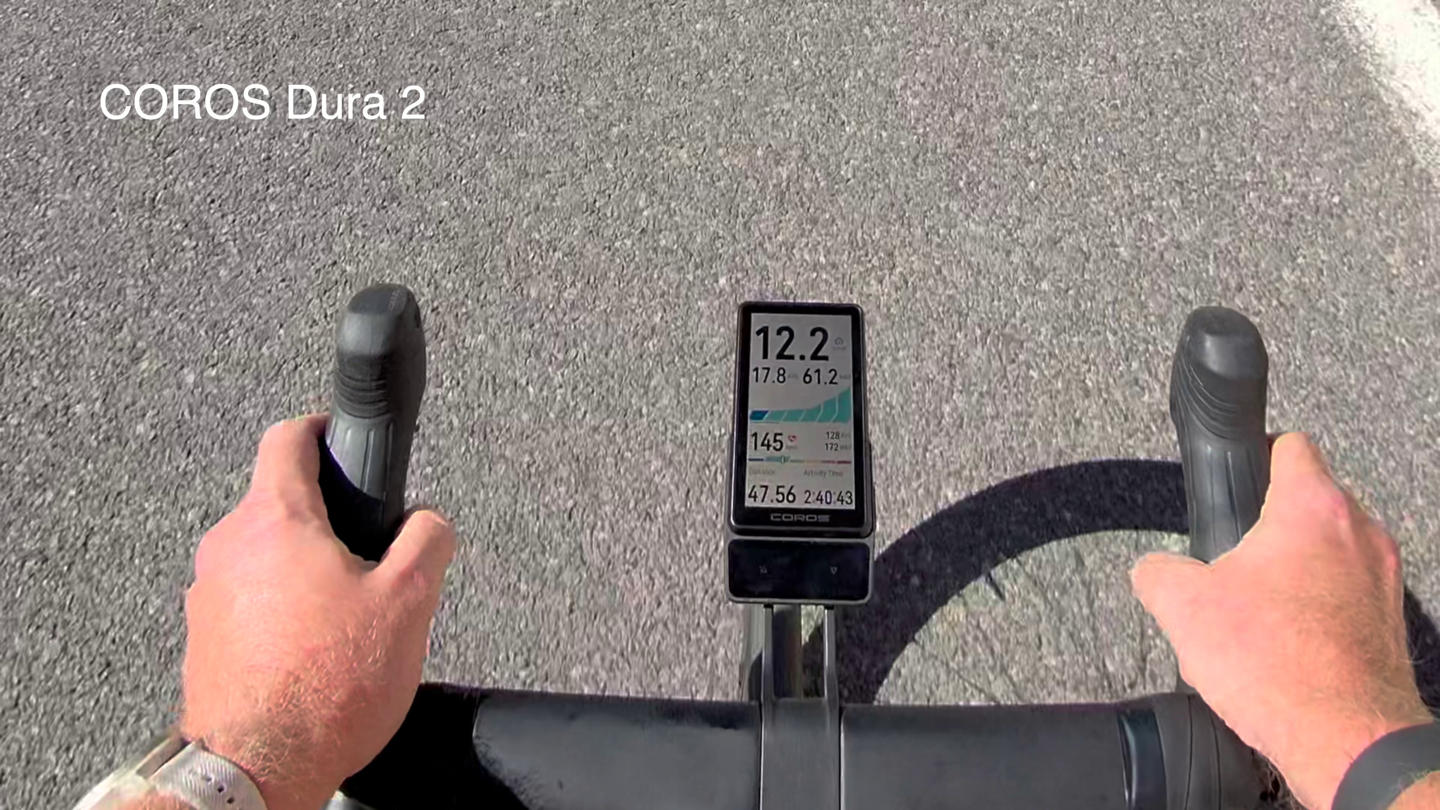
(Full sun on the screen, no problems!)
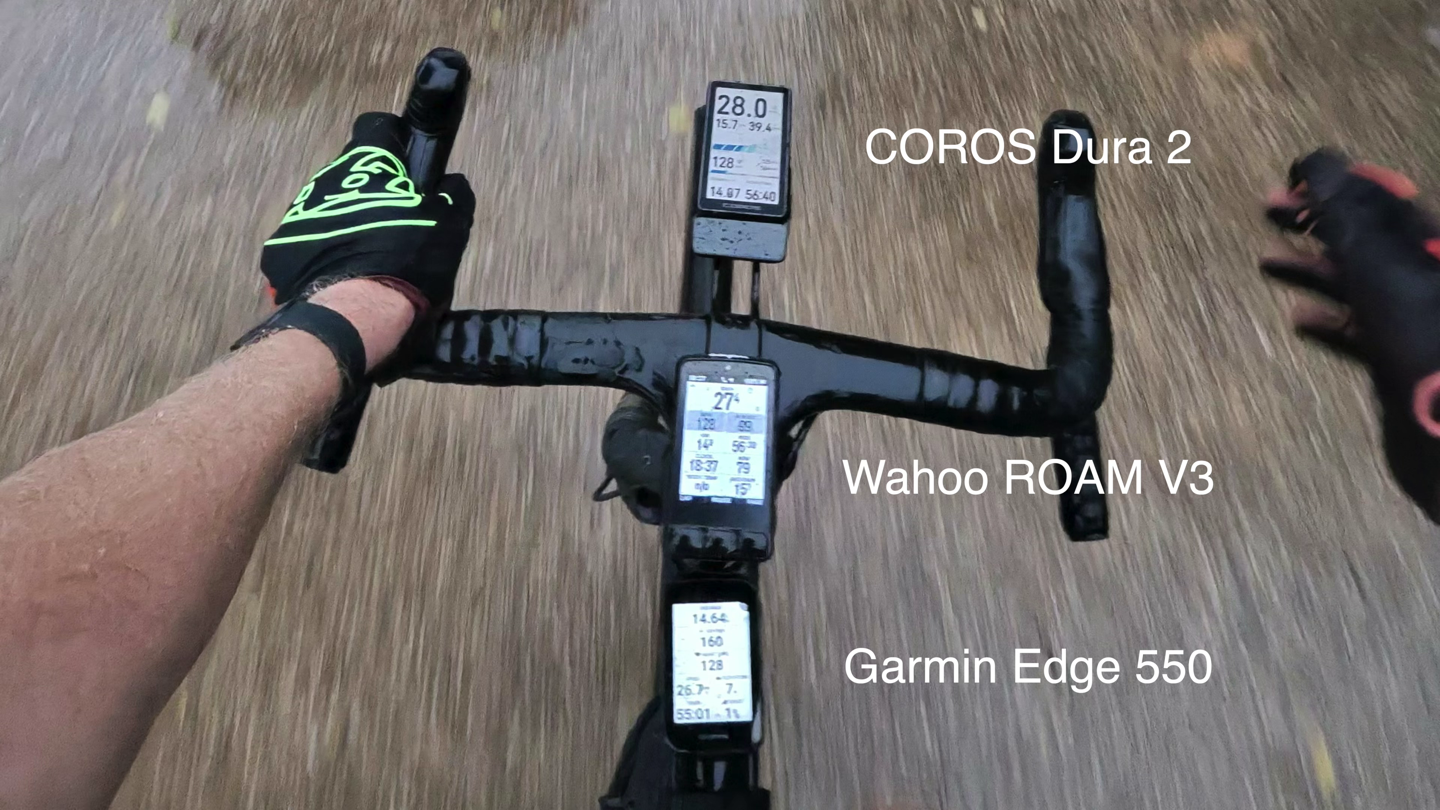
Meanwhile, on cloudy days, things are fine, or even in early evening, still fine. Sure, you can see below the Wahoo & Garmin units are (in automatic mode) brighter than the COROS Dura 2 even on its brightest setting, but I had no issues seeing any units here.
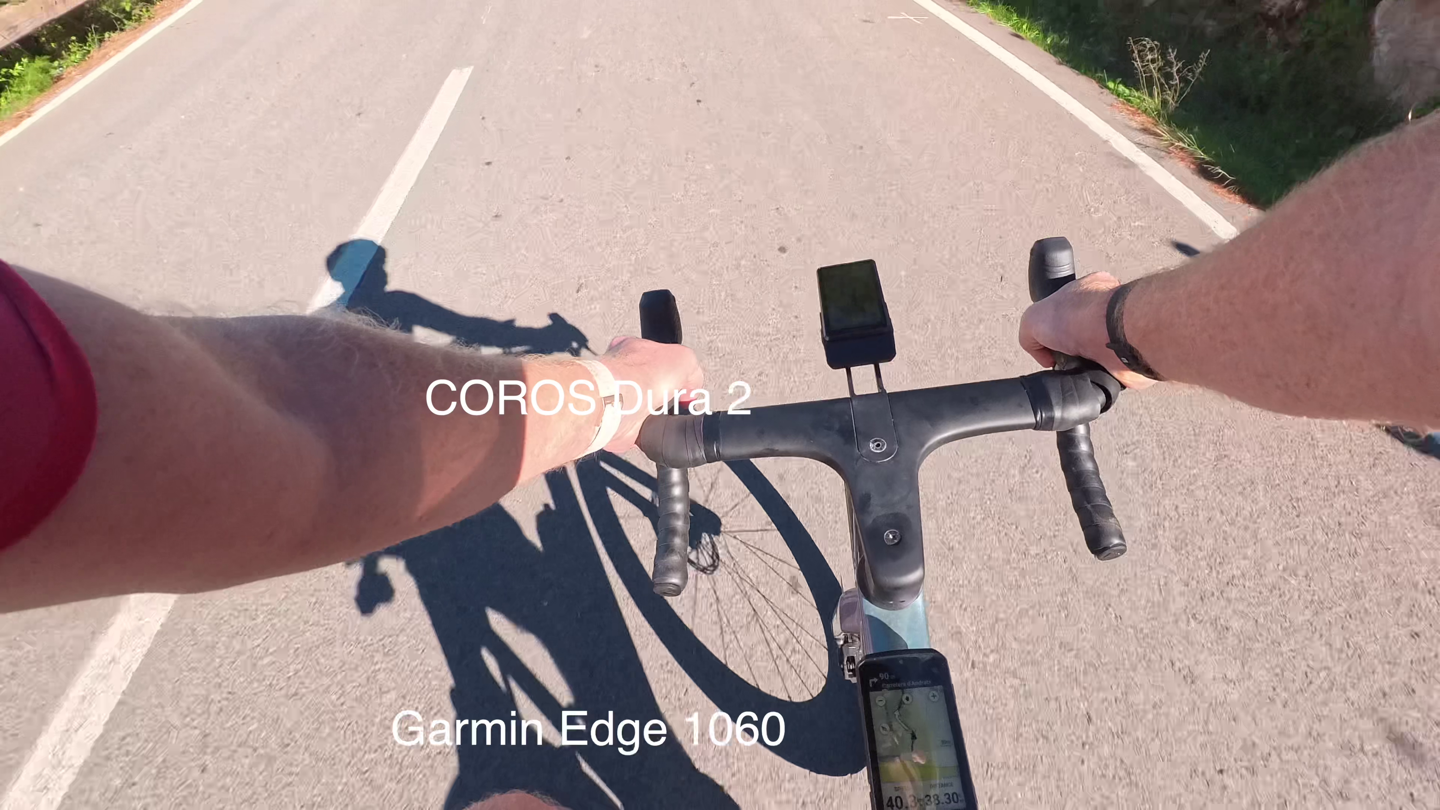
Where things fall apart, though, is anytime the unit is in the shade on a bright day. For example, when the sun is behind me and my body is blocking the screen. Here it’s unreadable:
And likewise, something like this, where you’re quickly in/out of the shade by trees), the screen is far dimmer than most others.
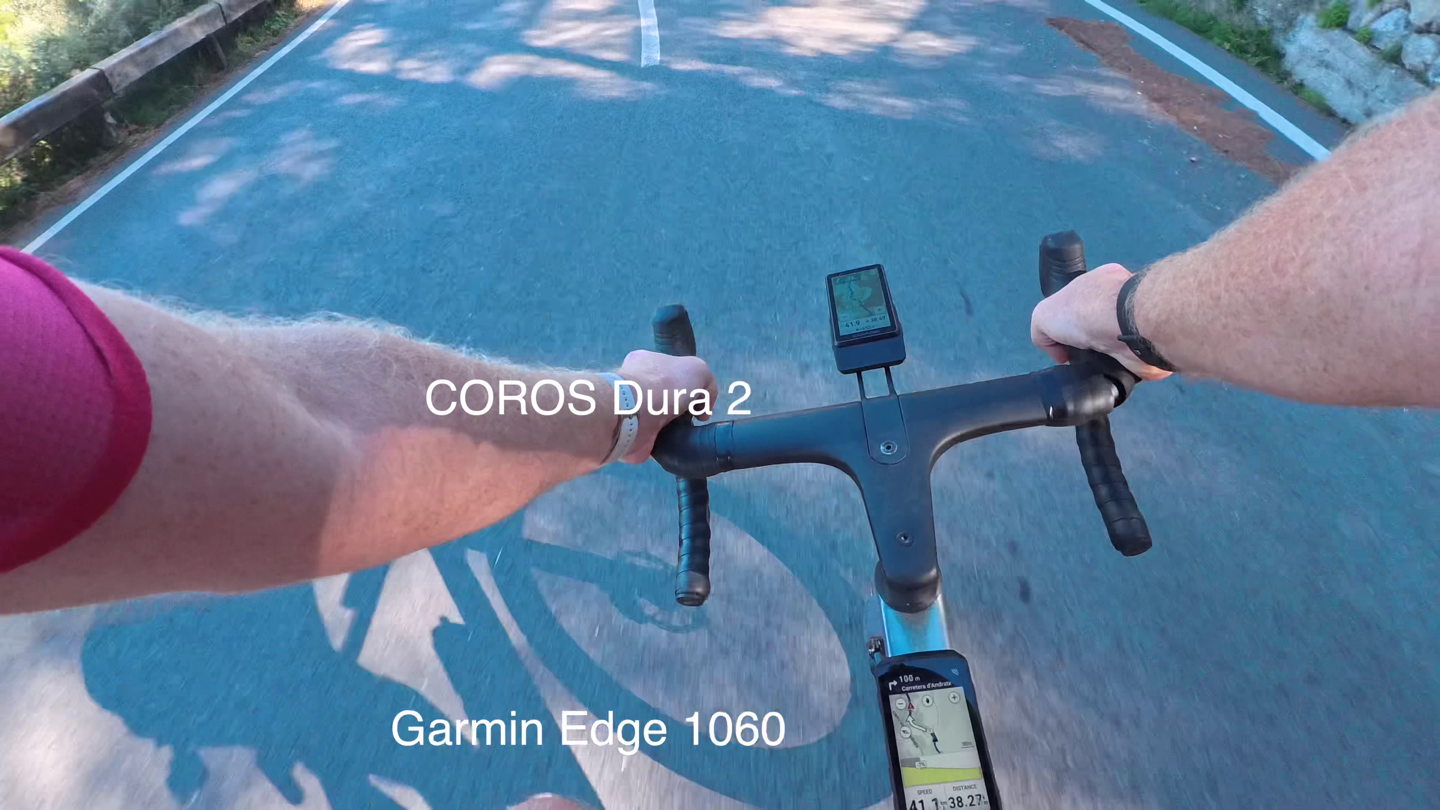
To be clear (because I know people will get all upset about things like this), you can still see the COROS Dura 2 display. And my better than 20/20 vision eyes can still read it. However, there is a difference there. Pretending there isn’t is silly.
The key thing is you’ll pay for that difference, though, in battery life. Those other units above were set to ‘Default’ auto backlight settings, so they adjust based on the outside brightness. No matter which backlight setting you choose, you’re gonna burn more battery on the Wahoo ROAM V3 & Garmin Edge x50 series than the COROS Dura 2. So again, there are trade-offs.
Ok, with that out of the way, let’s talk about sensor pairing. In terms of sensor types the Dura 2 supports, it’s got all of the following:
ANT+ & Bluetooth Heart Rate Sensors
ANT+ & Bluetooth Power Meters
ANT+ Radar
ANT+ Lights
ANT+ eBikes
ANT+ drivetrain/shifting Support (SRAM)
Bluetooth FTMS Smart Trainers
Shimano drivetrain/shifting support
Pairing up is pretty easy. Note that any other COROS wearables you have paired in your account will ‘count’ towards a limit of sensors. COROS automatically pulls these in, and they can’t be removed/disabled (which…is kinda annoying). This should be somewhat resolved in the upcoming update to increase it to 32 sensors.
Next up then is the bike bell, which follows Garmin, Hammerhead, and Wahoo in adding an electronic representation of a bike bell. To ding the bell, you just double-tap the screen. This works well enough, and the bike bell sounds like a legit bike bell.
Generally speaking, this is good, but it’s not quite as loud as the others. I measured it with a decibel meter, and it’s just slightly below each of the others. However, while the ‘tone’ of the bell is quite pleasant, it’s not a pitch/sound that travels well at the lower volumes of the speaker. Even when set to the highest volume, virtually nobody ever turned around due to the bell. Compare that to the Garmin Edge bike bell, and people in the next town turn around. While COROS probably can’t fix the overall volume, they could certainly change the pitch to make it more ‘piercing’, which might help the situation. Again, this is hardly a big deal, and I think it should be easy for COROS to tweak.
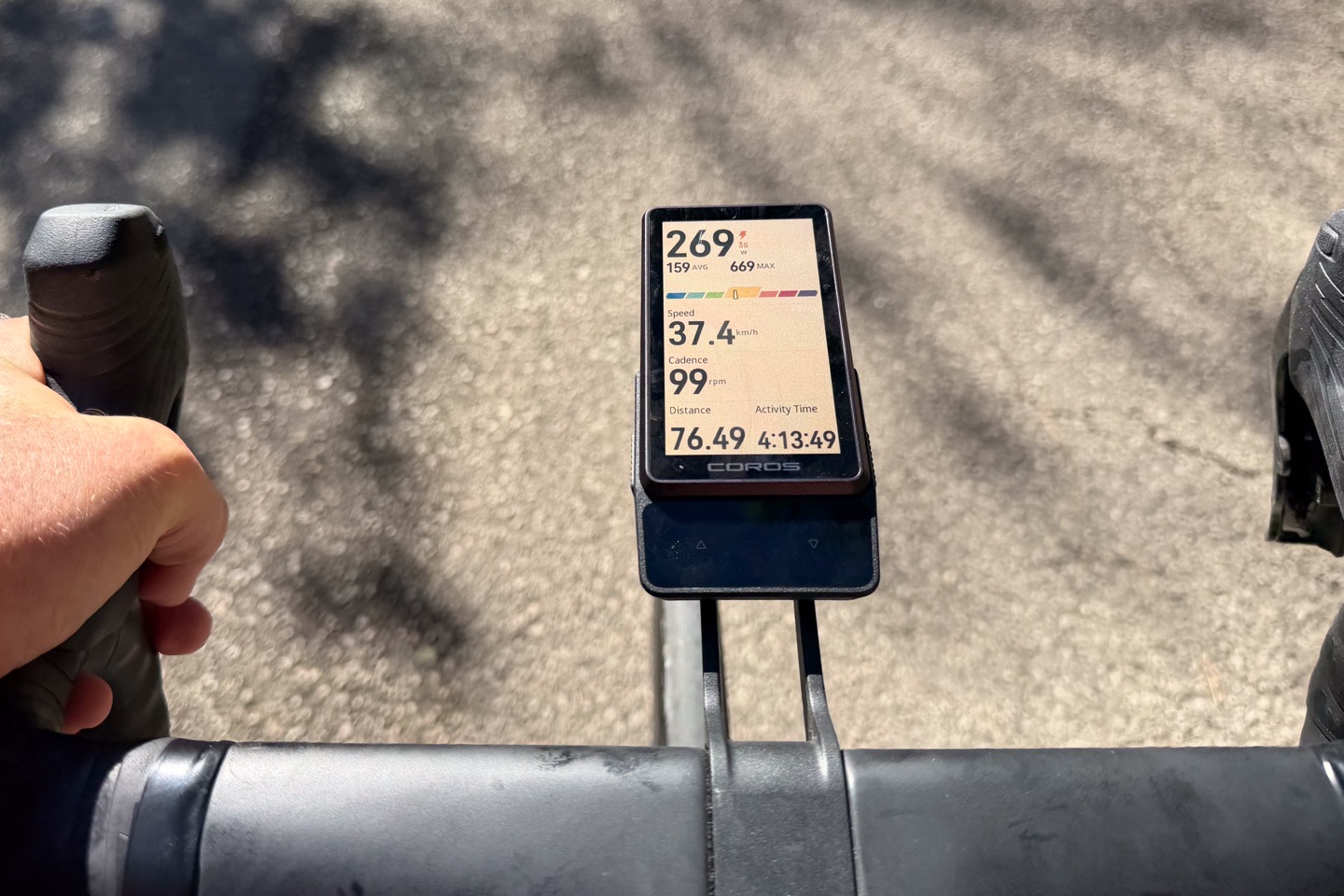
The other catch is that unlike those other units, COROS doesn’t have any SRAM/Shimano button integration. For example, in the case of the others, you can tie the extra buttons on your handlebars to the bike bell. Meaning a simple tap of the bonus button on my SRAM handlebars (near the shifters) will trigger the bike bell. No need to take your hands off the handlebars (especially when trying to navigate around people with dogs/etc.)
Meanwhile, we have to talk about voice control. The idea here is that you long-hold the lower left button down (side button), and then speak your mind. From there, the unit can perform certain tasks. But there are so many problems that the feature is beyond useless. Setting aside the fact that you need to hold a button for what should be a hands-free feature, once you do, you can ask it to do something:
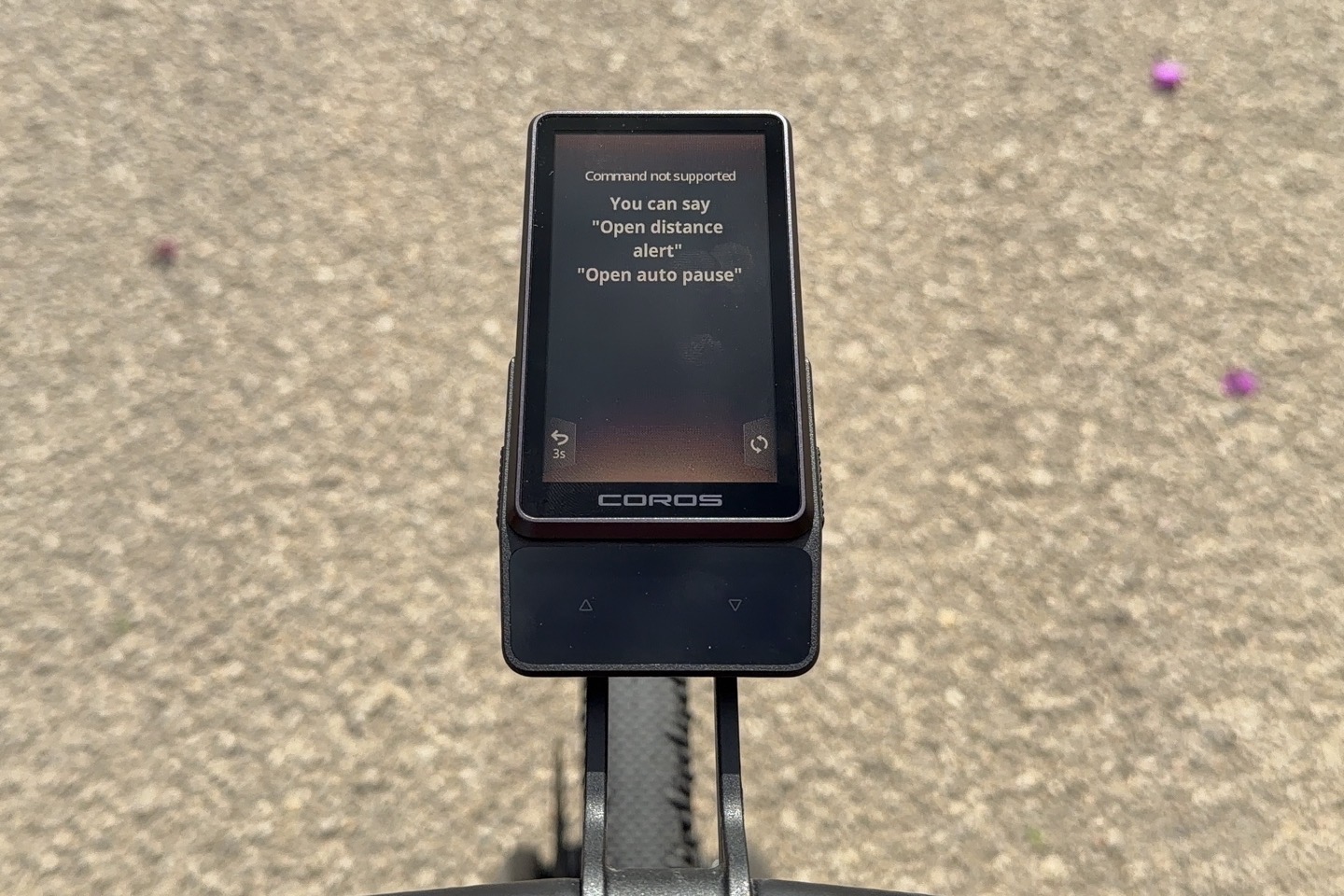
And while that might work sitting at a desk pretending to do a review, it definitely does not work out on the road with any wind noise at all. Even just 15-20KPH renders the feature useless, never once correctly understanding basic things:
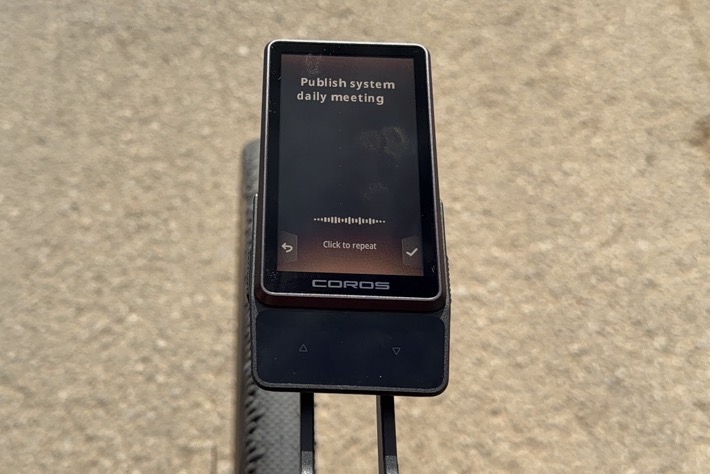
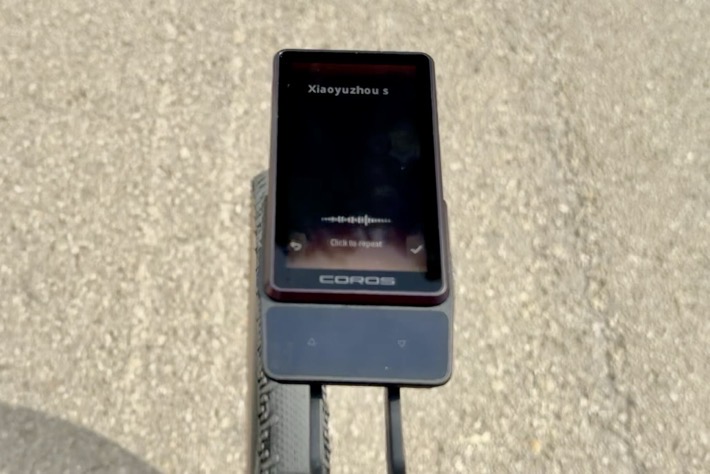
As you can see, even at just 15KPH here doing these test photos, it didn’t work. Let alone all the crazy things it thought I said at normal riding speeds. Only when I slowed down below 15KPH (10MPH), and slowly spoke one of the handful of phrases below, could it get it right.
But let’s pretend it did understand you. That’s still useless, because the list of commands that it actually knows/support is so limited, and so silly. It doesn’t support things like asking how much distance remains (in a route), or ascent remaining (in a route), or any number of other things that might not be easily on your current data page:
- Start an activity/ride
- Open navigation, End Navigation, Navigate Back to Start
- Navigate to pin
- Set Heart Rate Alert
- Set Nutrition Alert
- Media control
- Control Smart Trainer Resistance/Power
Instead, it has a few leftover options from COROS watches that you just wouldn’t do via voice control. The only one that you might use is ‘Back to start’, but as you’ll see, the last thing you want your COROS Dura 2 is off-the-cuff navigation. For example, if you were to say ‘Navigate to London’, you’d literally have no idea where in London it’s navigating you to or how it’s doing that (likely the official city center, but c’mon…). Instead, voice control features should be for things you want to know but require extra swipes, or might be messy to get to/find out.
Again, as I said in the Edge 1060 piece regarding voice control, I’m not entirely sure how often I’d use voice control. Though, at least when I asked the Edge 1060 how much distance was remaining (while descending at 50KPH), it easily and correctly understood me perfectly. And I never had to take my hands off the handlebar to hold a button down either. Point being, if a company is gonna waste our money putting voice control in a bike computer, at least make it work.
Navigation & Mapping:
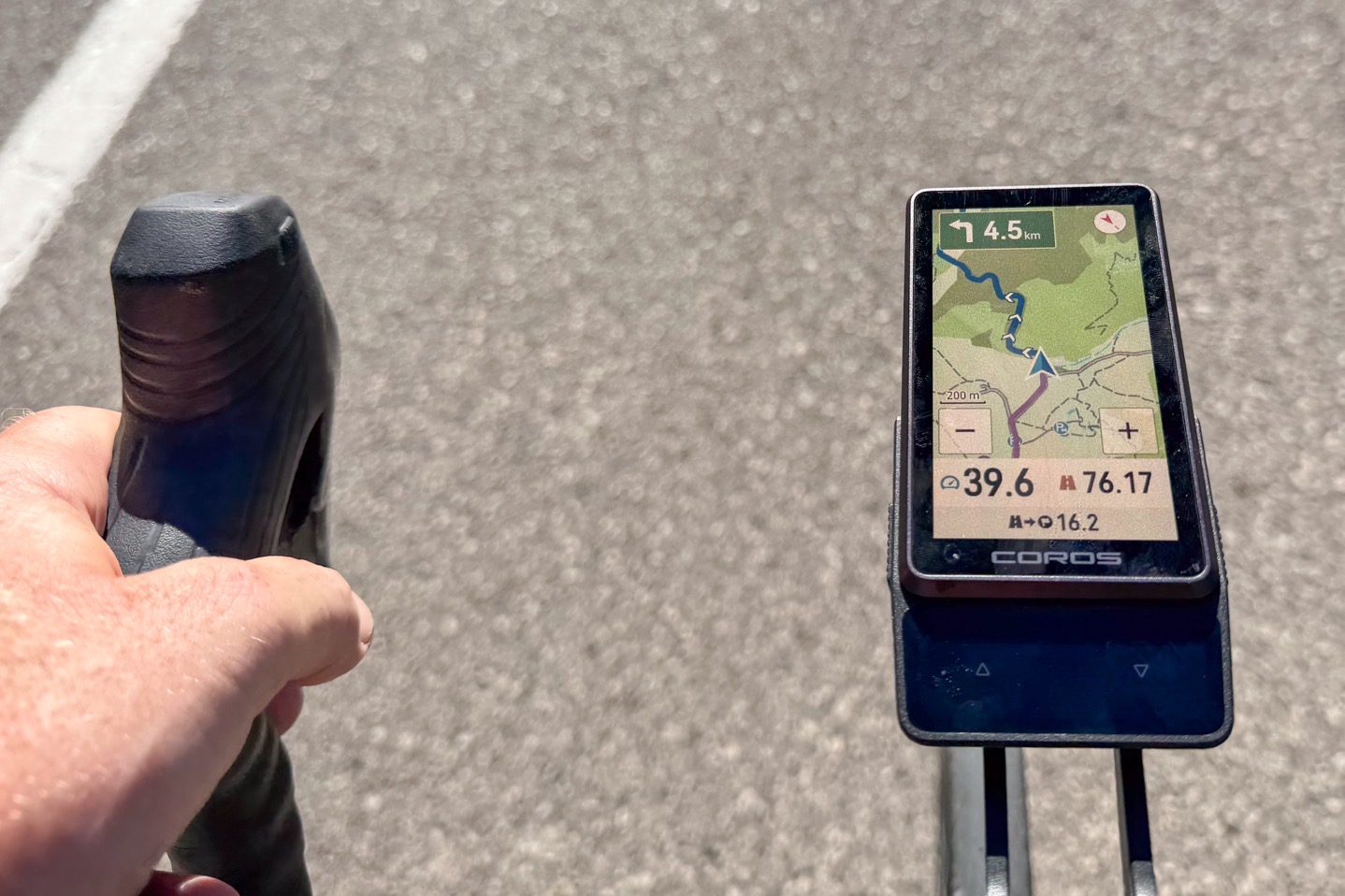
When it comes to navigation, the COROS Dura 2 can take an existing route and navigate it, or navigate on-demand to certain locations if your phone is connected.
In my case, I mostly navigated with routes from Strava, which synced from Strava to the COROS App, and then I had to manually push them to the COROS Dura 2 (as I’ve noted before, please, COROS, just let favorited/starred routes automatically show up on my device like every other bike computer).
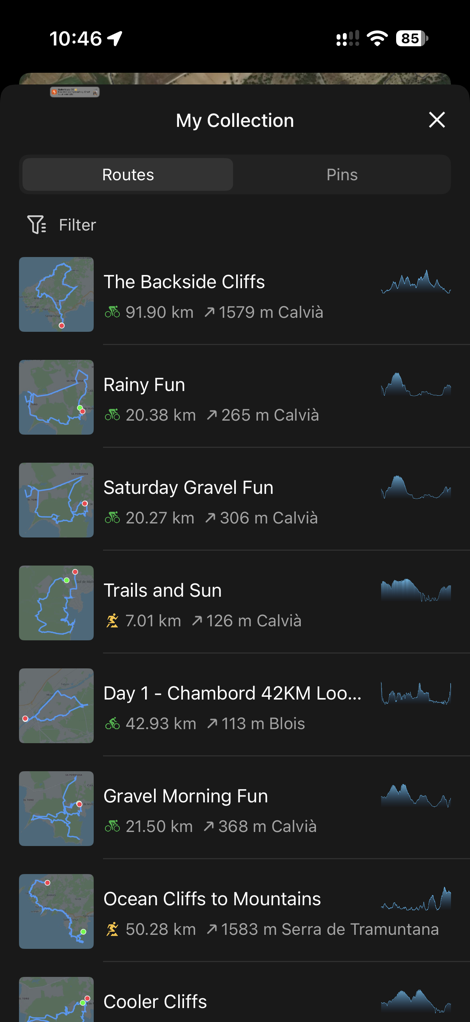
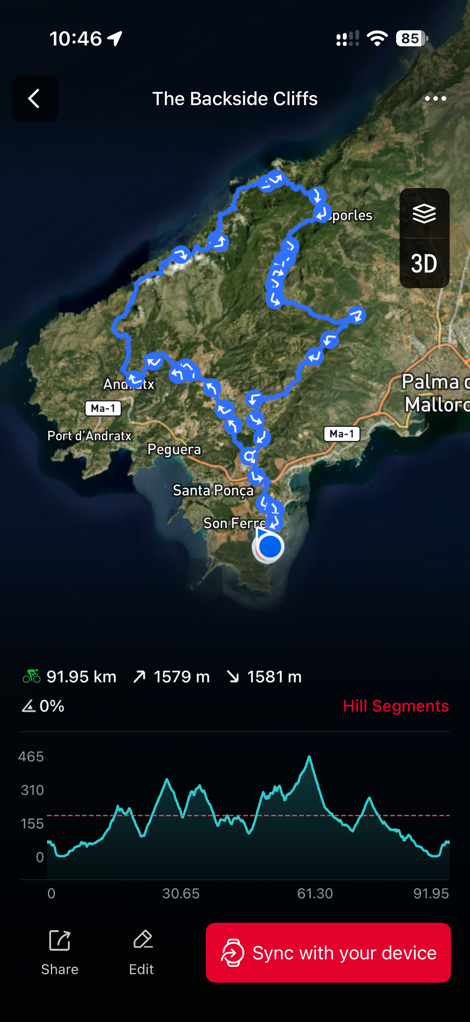
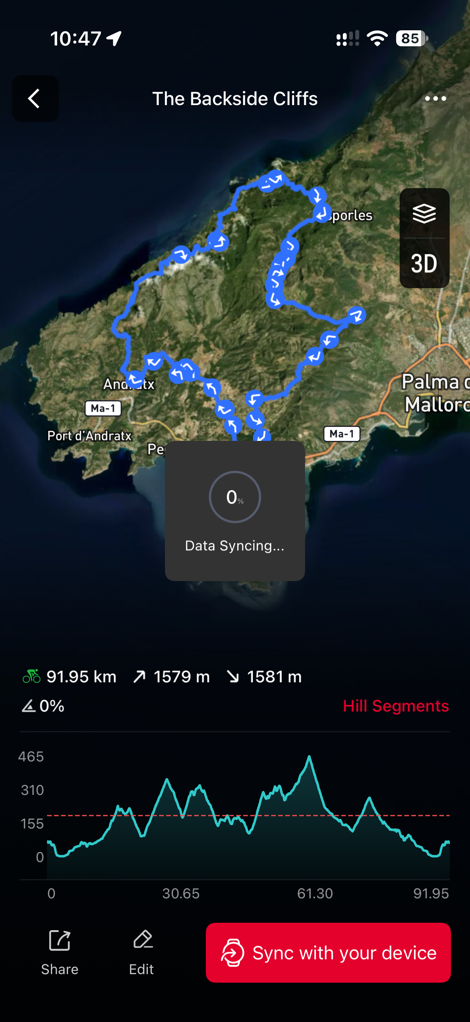
Once that’s done, then you can select a route to see more details about it, as well as toggle some of the navigation settings – such as whether or not to re-route automatically.
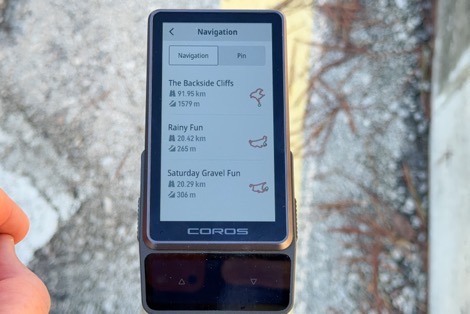
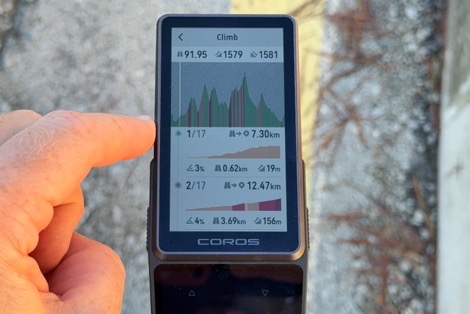
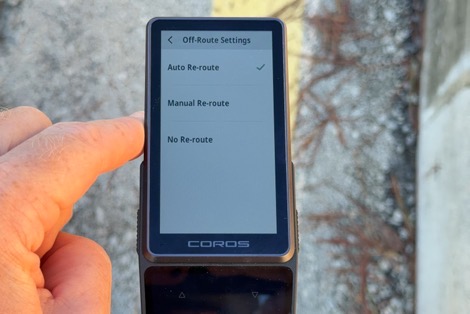
And from there you can start navigating. The unit will give you a turn prompt 100m before a turn, which is generally OK at normal speeds, though while descending fast, it could use a bit more warning (fwiw, Garmin is 200m out). Still, unlike with the Dura 1, this actually correctly told me all my turns. Previously, the Dura 1 would often miss turns entirely, tell me to turn the wrong direction (literally, left instead of right, etc.), so this is an improvement.
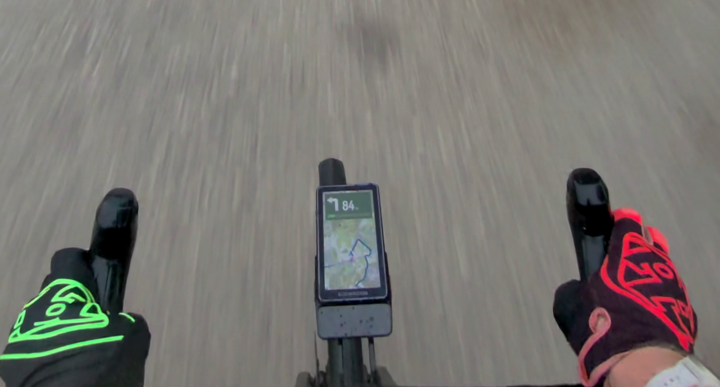
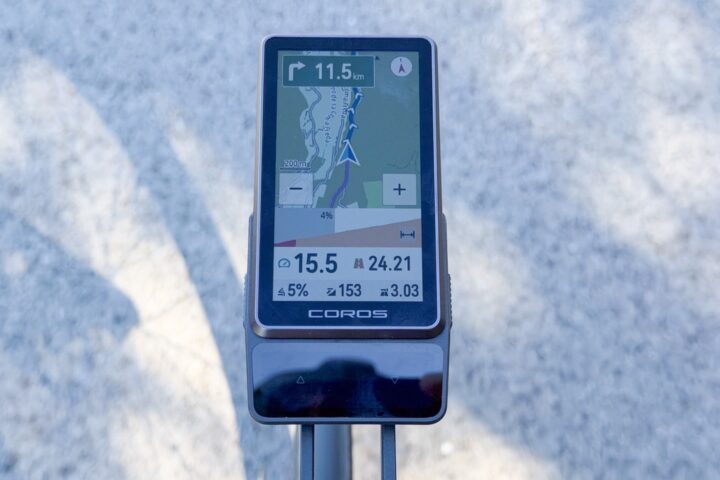
The maps here are super easy to read (setting aside display brightness issues), so I’m happy with that. Likewise, I like that on the main map page, if you hang out there, it shows distance till your next turn – nice and clear (even if that’s 11.5km away).
Additionally, if approaching a climb, you’ll get notified of a climb. However, oddly, it won’t change your data page to the Climb page. Something every other bike computer does. Instead, the map page (below) gets some extra bits on the bottom showing climb status (including distance/ascent/grade remaining), and you can manually change to this page:
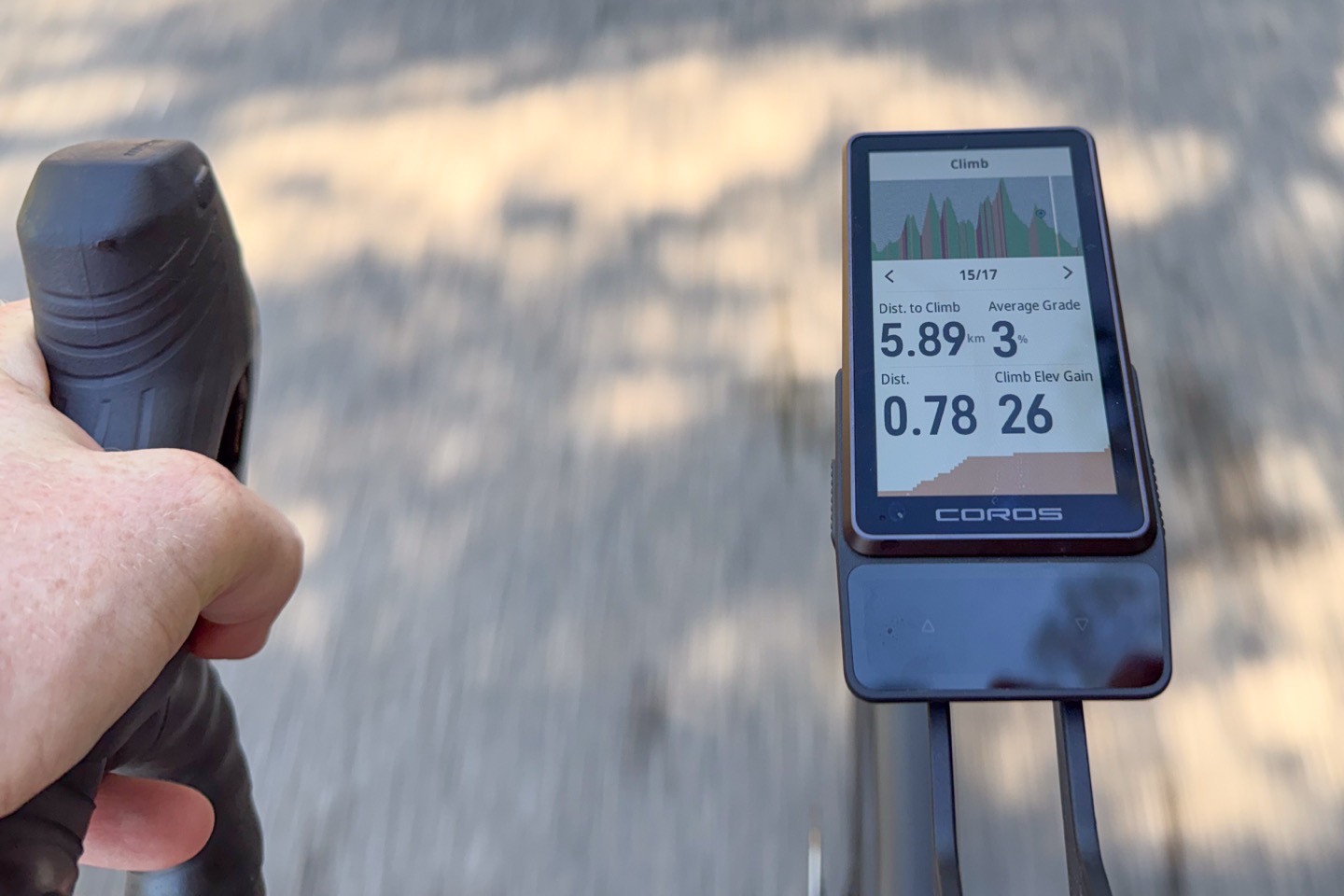
But there’s also the dedicated Climb page, which you can manually change to. But that incorrectly shows my distance to the start of the climb I’m already on, increasing. Huh? Why would I care about the distance to the start of the climb behind me? Show me distance remaining, ascent remaining (the ascent field below stays static), etc. Sigh.
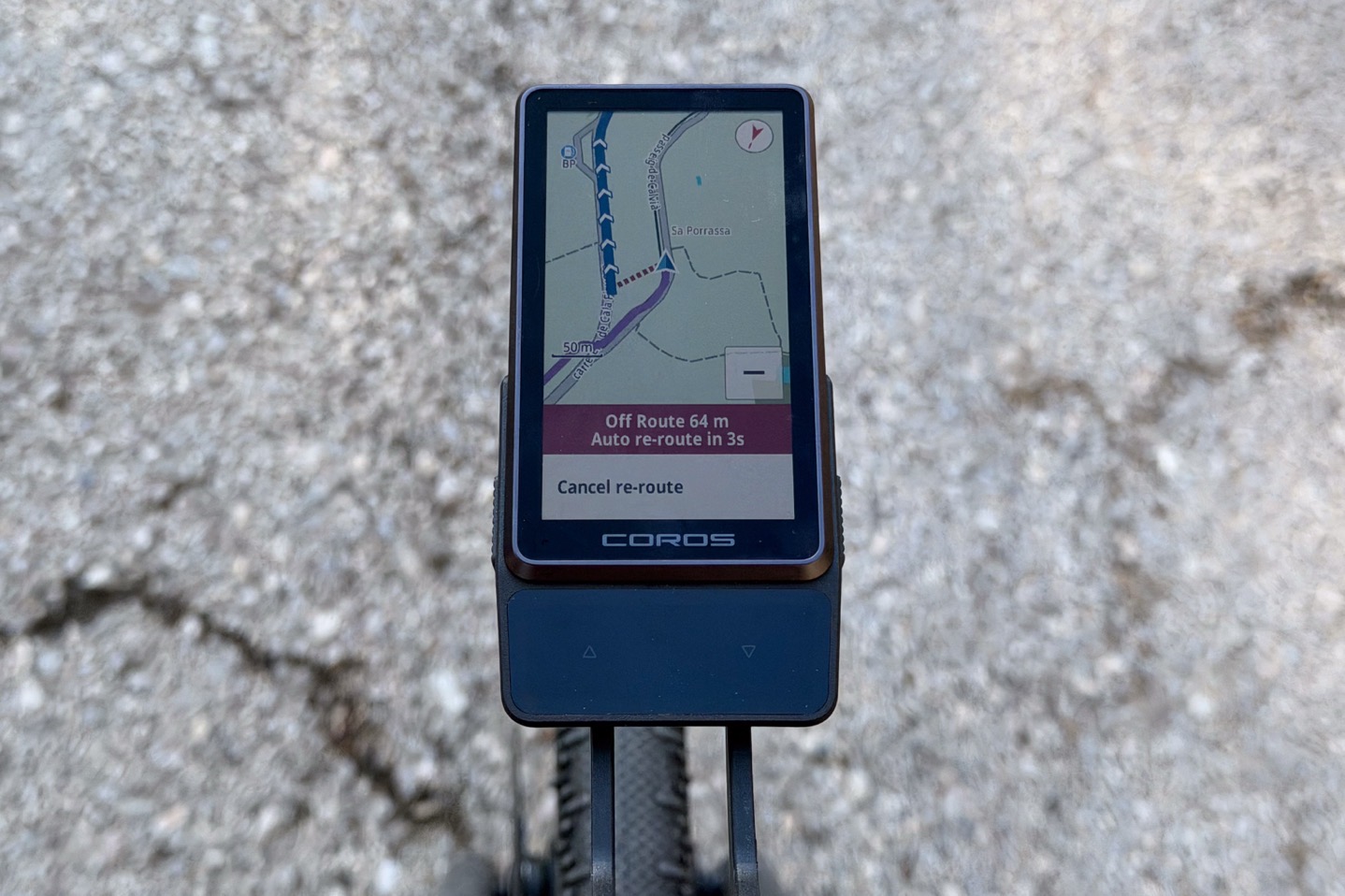
In terms of re-routing, things get a bit rough there. To begin, whether or not it re-routes me is certainly a question – regardless of cellular coverage (remember, it can’t re-route without your phone connected, but it is able to re-route without cellular coverage). However, pretending it does successfully do so, my experience in the routes it chooses are very hit or miss. Sometimes the re-route is downright wonky.
For example, this re-route here worked perfectly fine. I missed the turn I had on my route slightly, and it was easy to catch back up at the next block. You can see it counting down the 3 seconds till it reroutes.
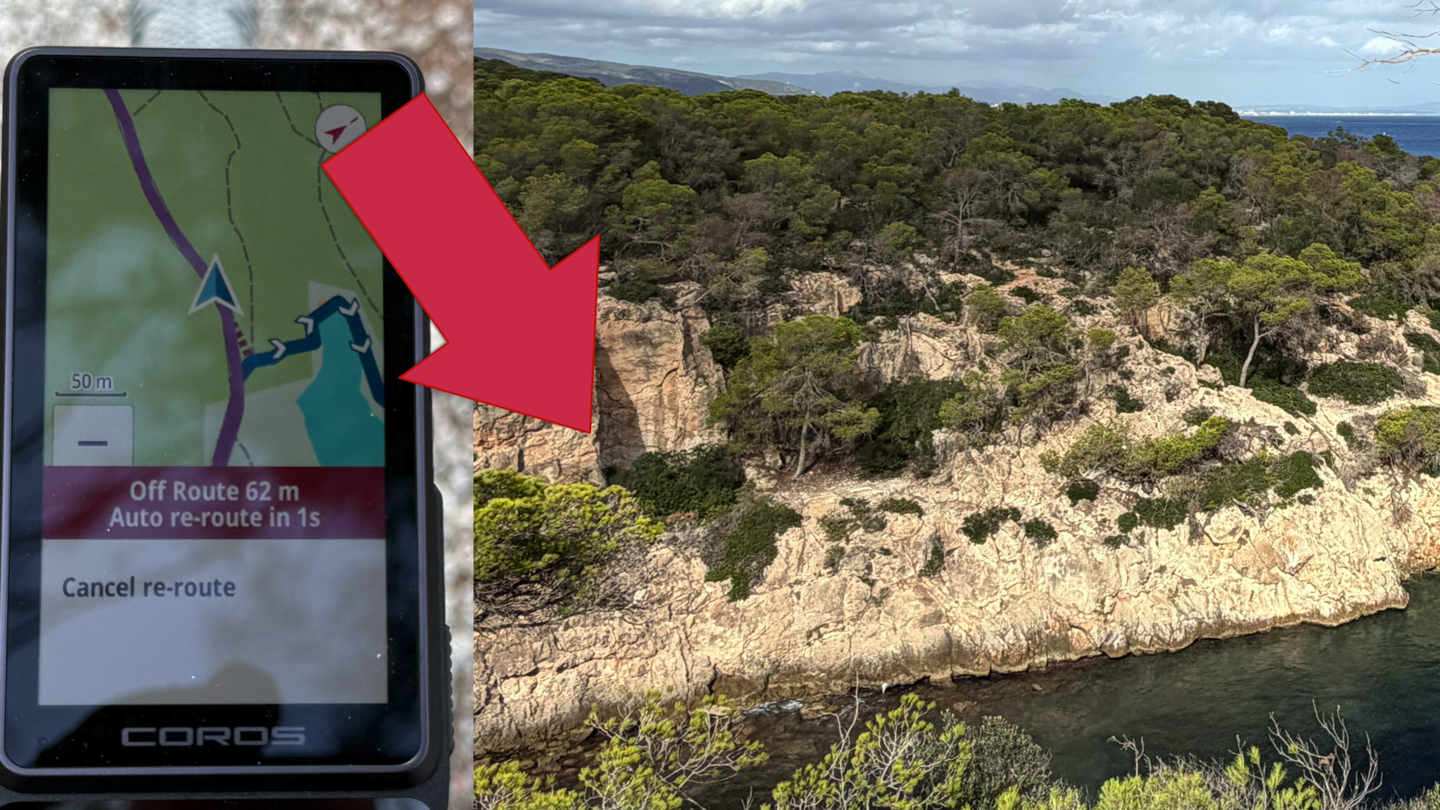
Yet this one below? It’s literally asking me to take a tiny trail running goat path that includes bouldering/climbing up actual cliffs above the ocean. This is the actual picture of what it wants me to do.
But all of this still assumes it actually re-routes. Yesterday on the final firmware, I went out and did some super simple tests in my neighborhood, including missing a turn. I have full cellular coverage, big simple grid streets; all it had to do was pick the next block and be done with it. Yet, it can’t. Like, it just can’t:
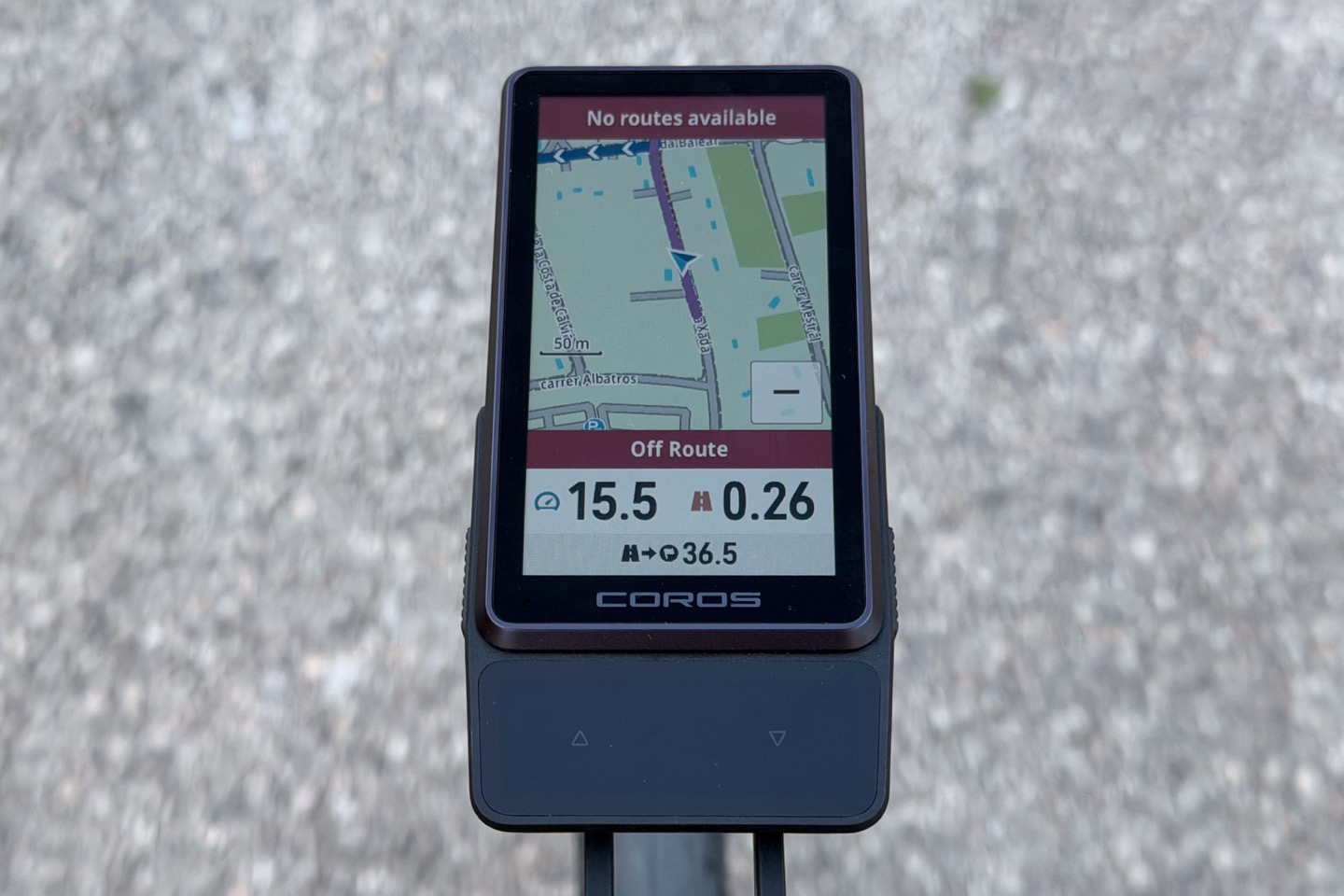
No matter how many times I tried, it simply failed to re-route. Which then takes it into a re-routing hell loop.
And look, I know there is a sliver of the ultra-riding population that keeps saying re-routing doesn’t matter and somehow isn’t even wanted. But for the remainder of the world (which is 99.9% of people), re-routing due to road blocks, or just missing a turn and not realizing it, is important. And while this is definitely better than Dura 1, it’s still clearly far behind what Wahoo and Garmin have had for a decade in their bike GPS units (with no phone required).
Solar & Battery:
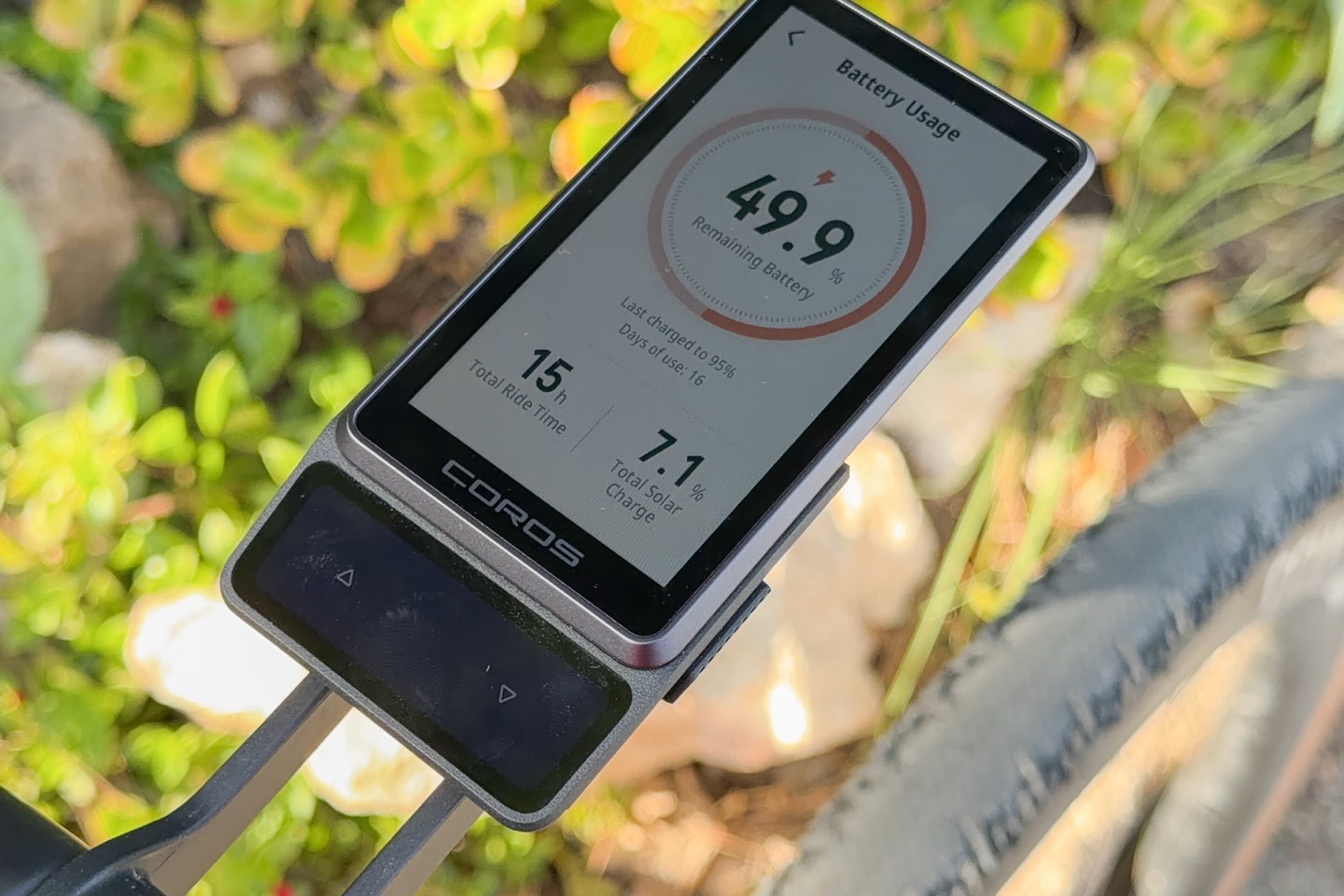
When the going’s good, things are really good on the battery side here. But as is often the case with solar gains, it only really happens when you’ve actually got sunny days. Otherwise, the battery life is still very good, but much more in line with existing units.
Further, and most critically, there’s a simple balance here that exists between COROS Dura and other units: Other units trade battery life for a more easily viewable screen. COROS trades that screen for better battery life. This is not debatable. It’s factual, and you can see it out on the road (or…err…you can’t see it).
As a reminder, here are the battery claims:
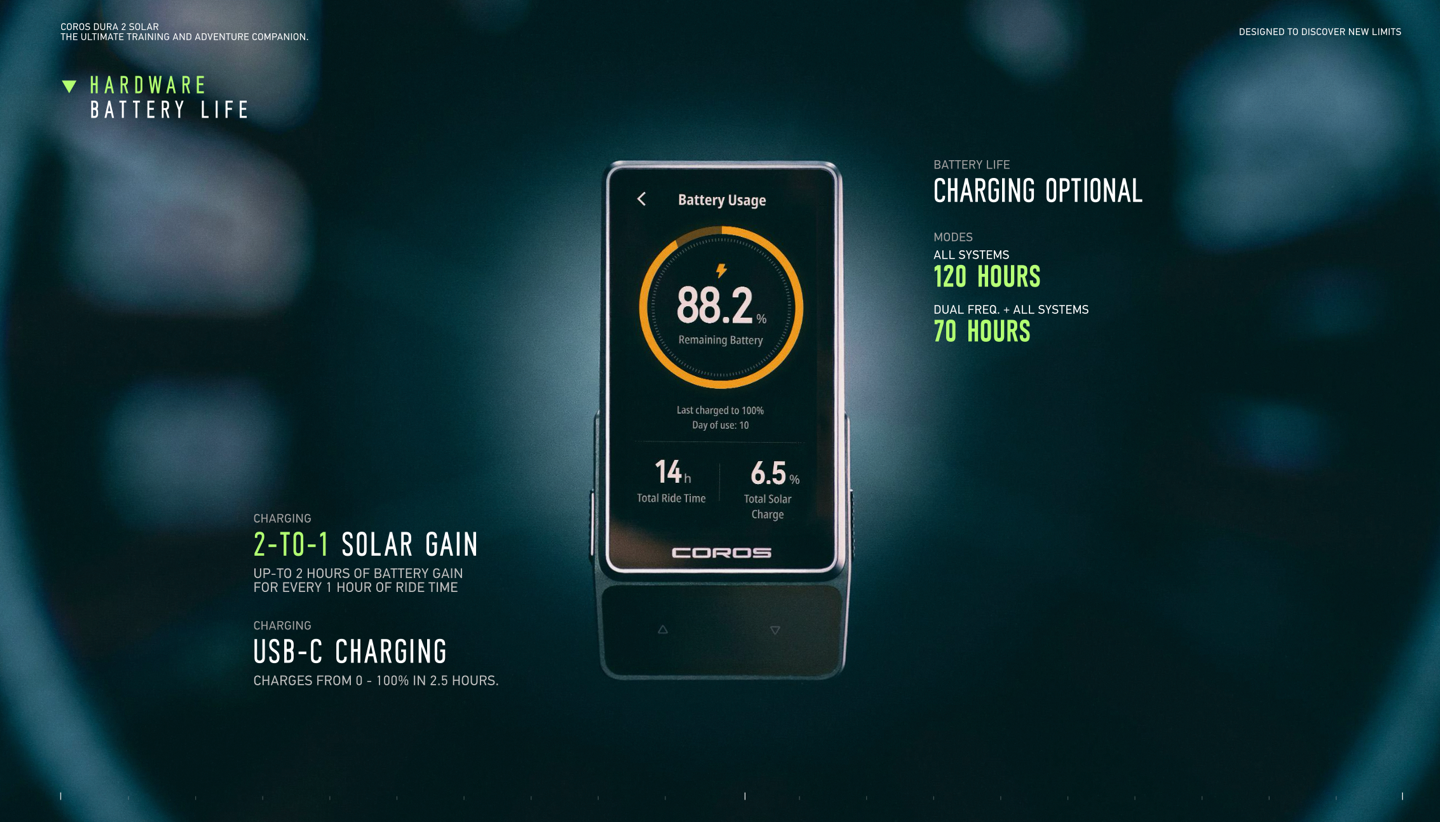 (COROS says the claims are without any solar added)
What’s cool here is that COROS automatically tracks battery life in two ways. First is that at the system level, there’s this nifty page showing battery usage since last charge, solar gains, and so on:
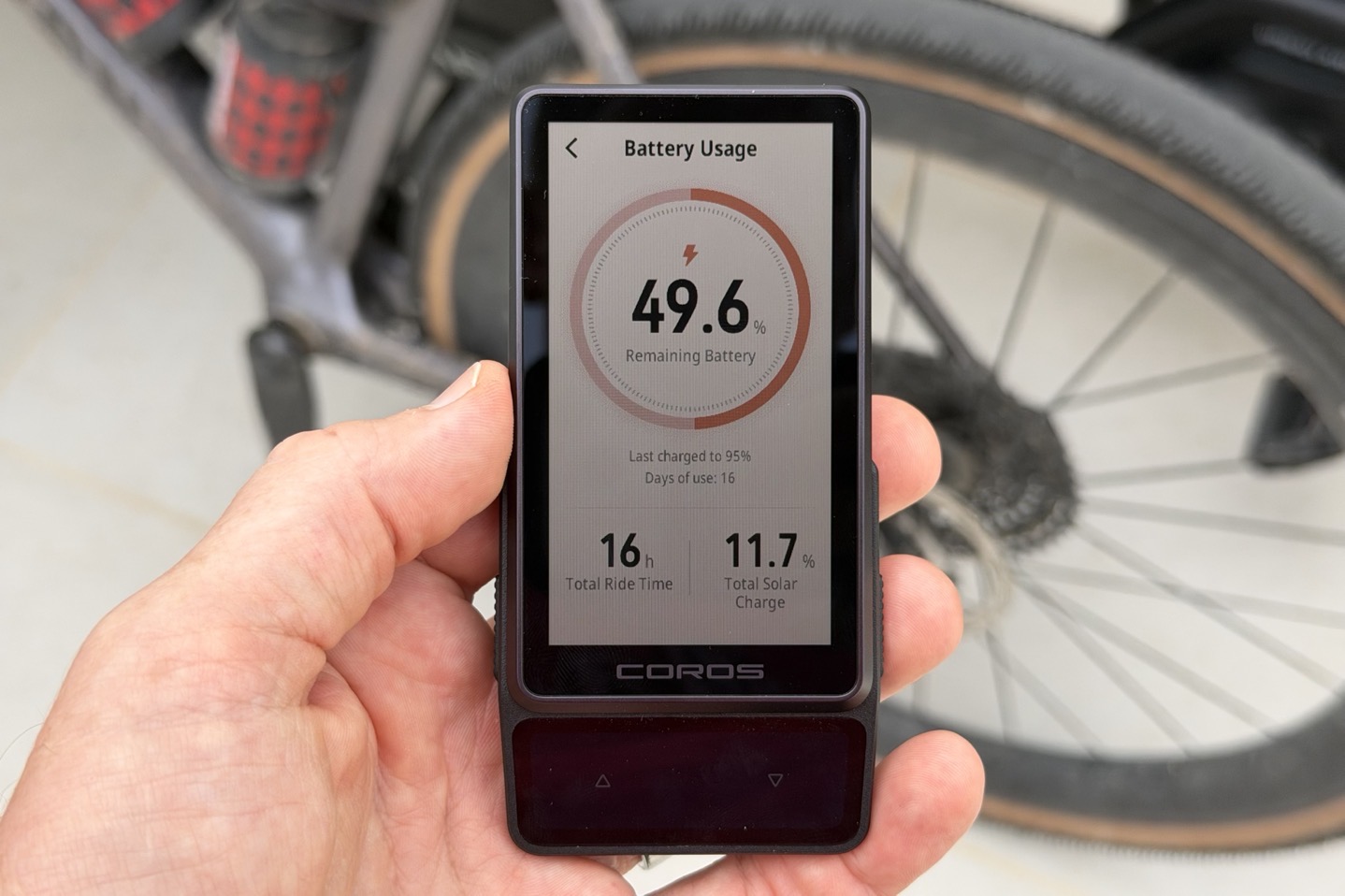
I did play around with some testing in direct Mallorca sun, off the bike, and it seemed to gain about 0.5%/hour in battery life. That’d be actually quite meaningful if you just left it in the sun each day for many hours, given how little battery life it consumes per hour. Of course, that assumes you live in a vaguely sunny place.
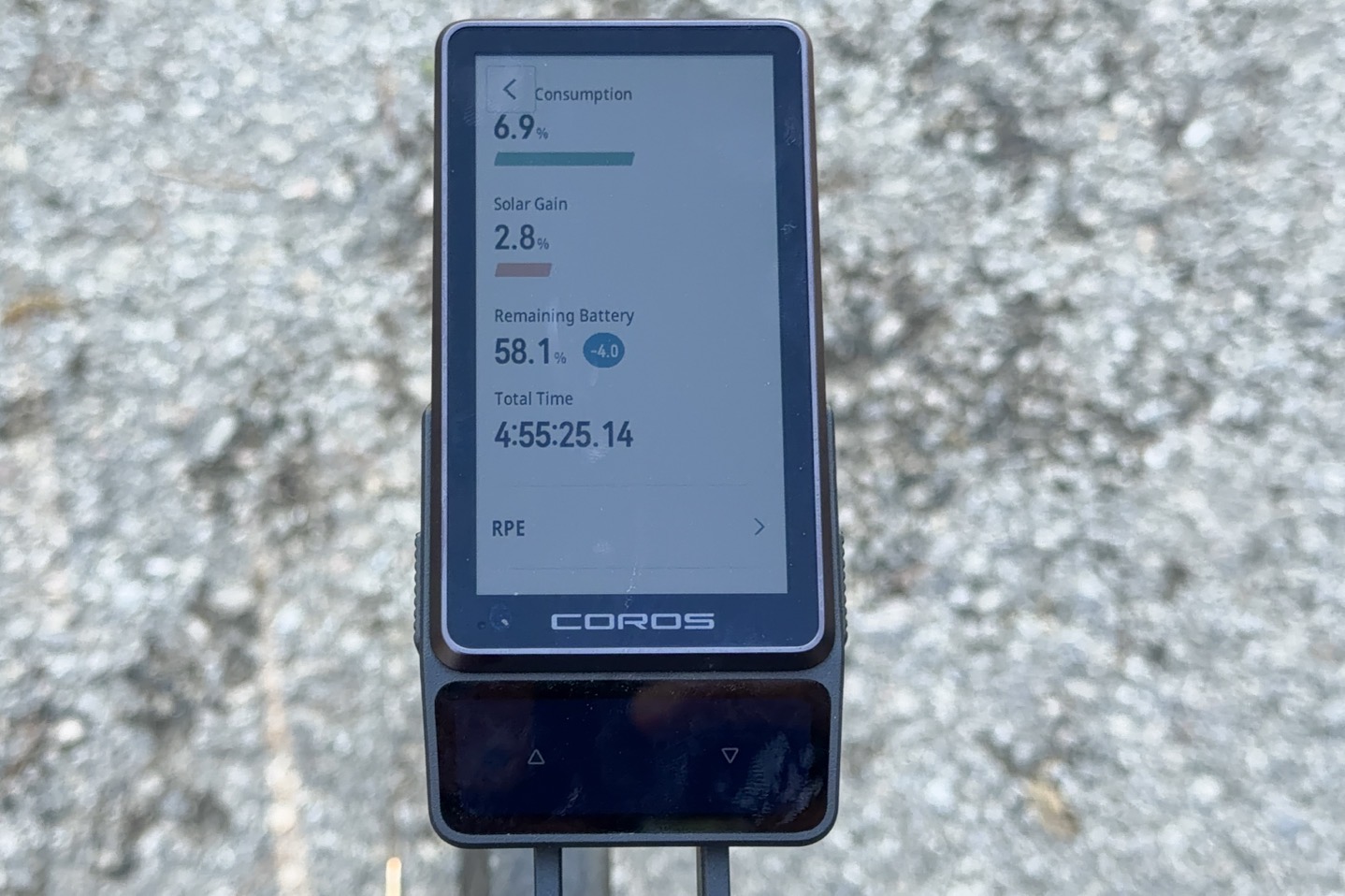
The second area it shows you solar gains is at the end of each ride; it lists exactly your battery usage and solar gains:
From there, I can input these values into the DCR Analyzer, and it’ll show me how this tracks against other units, but also just total estimates, such as this:
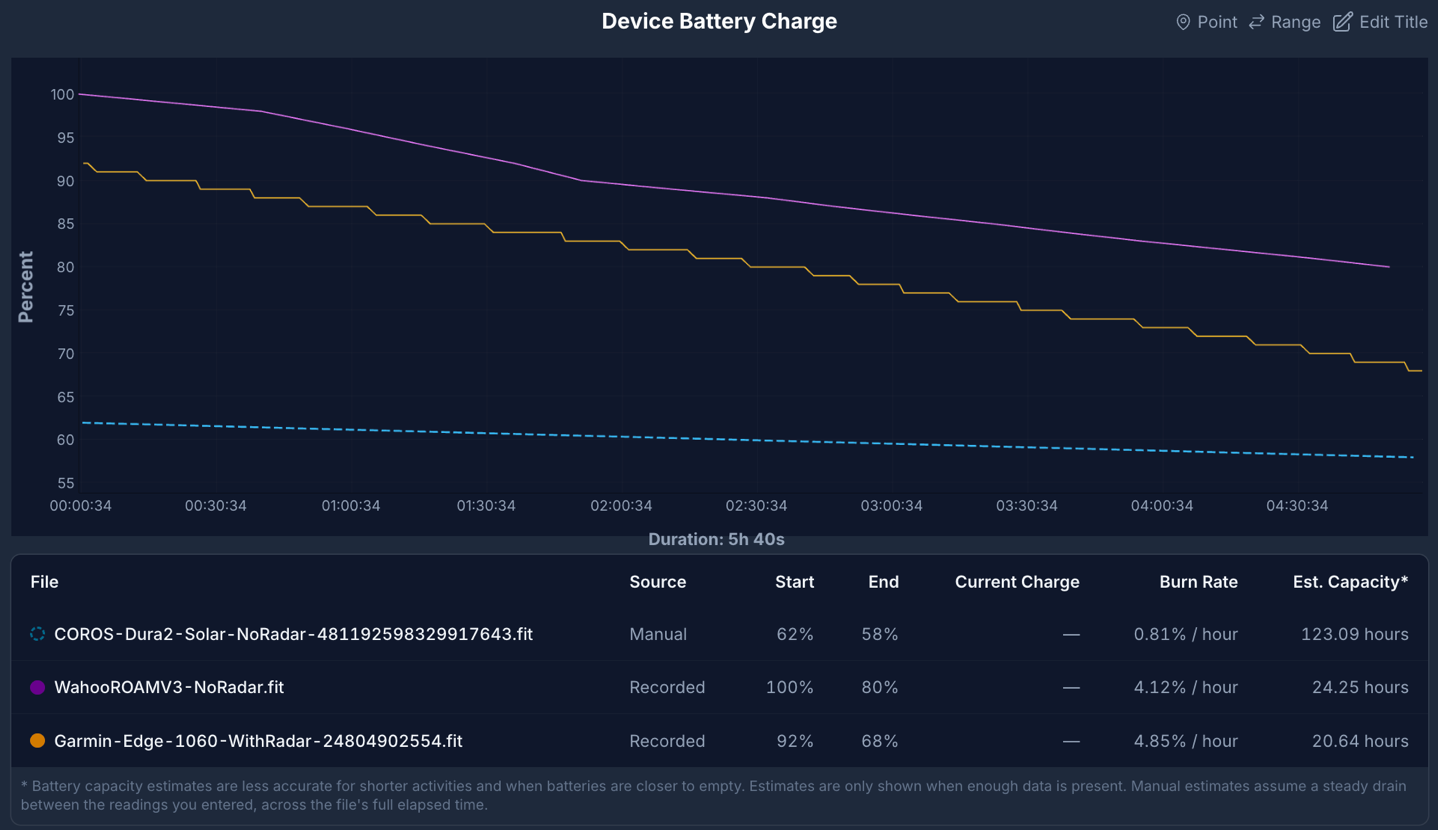
So, looking at all my rides, they’re basically broken into the following categories:
Full blue-sky sunny Mediterranean conditions
Very thin clouds, but mostly sunny conditions
No sun at all, either rain, dark clouds, or night conditions
For the most part, the first two conditions are relatively similar in my testing in terms of solar gains. I just don’t see much difference there. Whereas the last one essentially removes the solar piece from the equation, and simulates UK or Netherlands mode. Thus showing what non-sunny users should expect.
Then, within that, you’ve got basically two different battery burn levels:
Without navigation (free riding)
With navigation (following a route)
When it comes to battery burn, following a route is pretty high on the list of things that drive battery burn. There are also aspects like sensor connectivity, though that tends to be quite minimal for most bike computers in terms of battery burn. In the case of all my testing, I had a simple heart rate (Bluetooth) and power (ANT+) connection to the COROS Dura 2. Sometimes I had shifting connected, but again, that’s even more negligible since data is quite infrequent there.
So with all that backstory, here’s where things stood overall on rides just focused on the last week alone:
Fully sunny blue-sky day with navigation (previous firmware, tons of solar gain): Burned ~4% in 5 hours, battery estimate of 123 hours (previous firmware)
Fully sunny blue-sky day with navigation (latest firmware, tons of solar gain): Burned 1.6% in ~50mins, battery estimate of 47 hours
Rainy day thunderstorms with navigation (no solar gain): Burned 5% in 62 mins, battery estimate of 22 hours
Overcast early evening with navigation (virtually no solar gain): Burned 1.3% in 60 minutes, battery estimate of 80 hours
Point is, things are all over the map here. There are obviously some crazy good days, like yesterday (albeit on the not-final firmware), and then we look at today with the exact same setup, and it’s half the battery life. I suspect some of that is due to orientation and length of ride. Sometimes you’re perfectly facing the sun, other times you’re blocking the sun.
When it comes to no-sun days, the battery burns a heck of a lot faster. I also have another ride that’s very similar to the 22-hour one, where I had tossed it in my back pocket (because I was riding with people). In that case, with no sun, it was estimated at 29 hours (no navigation, no sun, rainy anyways). But I typically don’t include data sets like that when they are typical usage. Still, it’s a data point in line with some of the other no-sun data points.
Still, while it can be all over the map – that map is still really good in terms of battery life. Yes, I think on the whole it falls short of COROS’s official 120-hours sans-Solar claims (since my best numbers above still required Solar). But equally, even setting aside those claims, this still has incredible battery life on most days. There’s no disputing that.
(P.S. – Relatedly, back this past summer I did a fun test comparing Dura vs the Edge 1040 Solar, might be interesting if long battery is your jam. Maybe I’ll do it again soonish.)
Accuracy (GPS & Elevation):
Good news, folks! Everything is good here across all my rides. I’m going to save you a whole lot of charts and such for the moment, and show a few quick ones from my longer 5-hour ride into the mountains, which covers lots of terrain, as well as altimeter data.
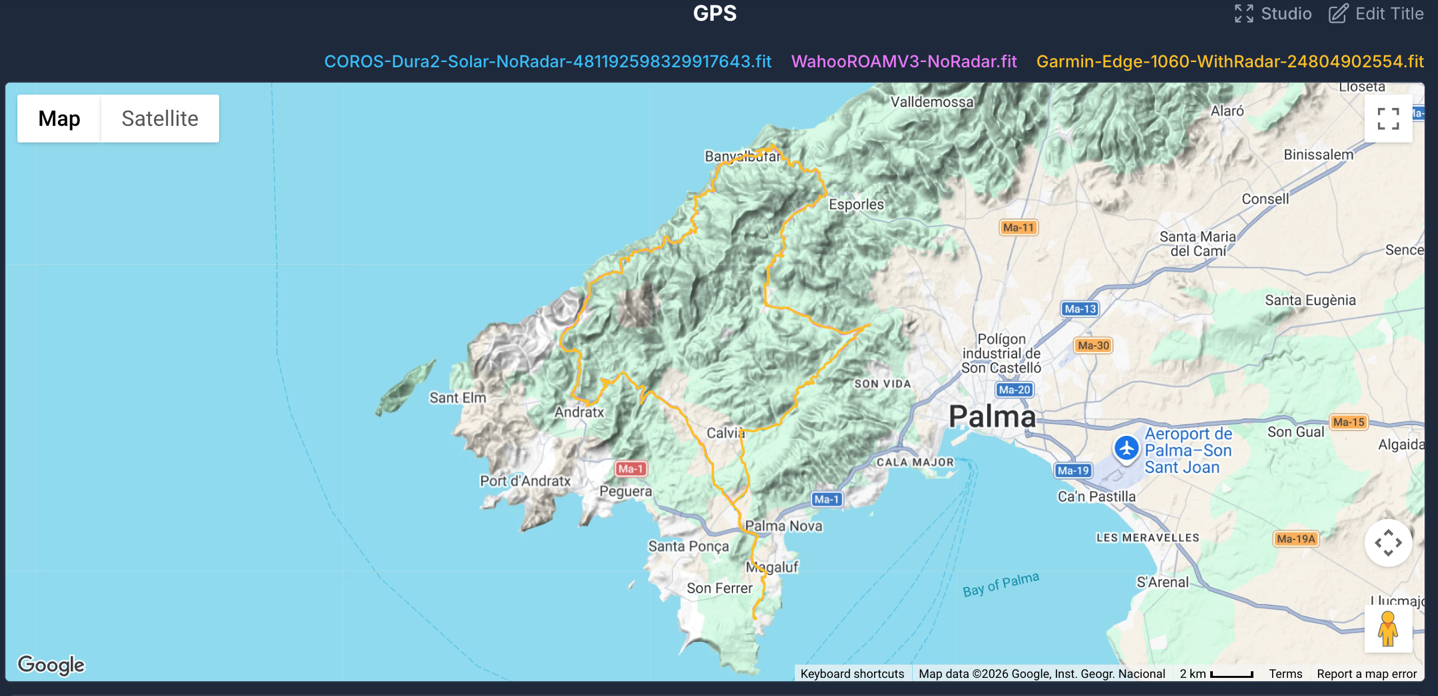
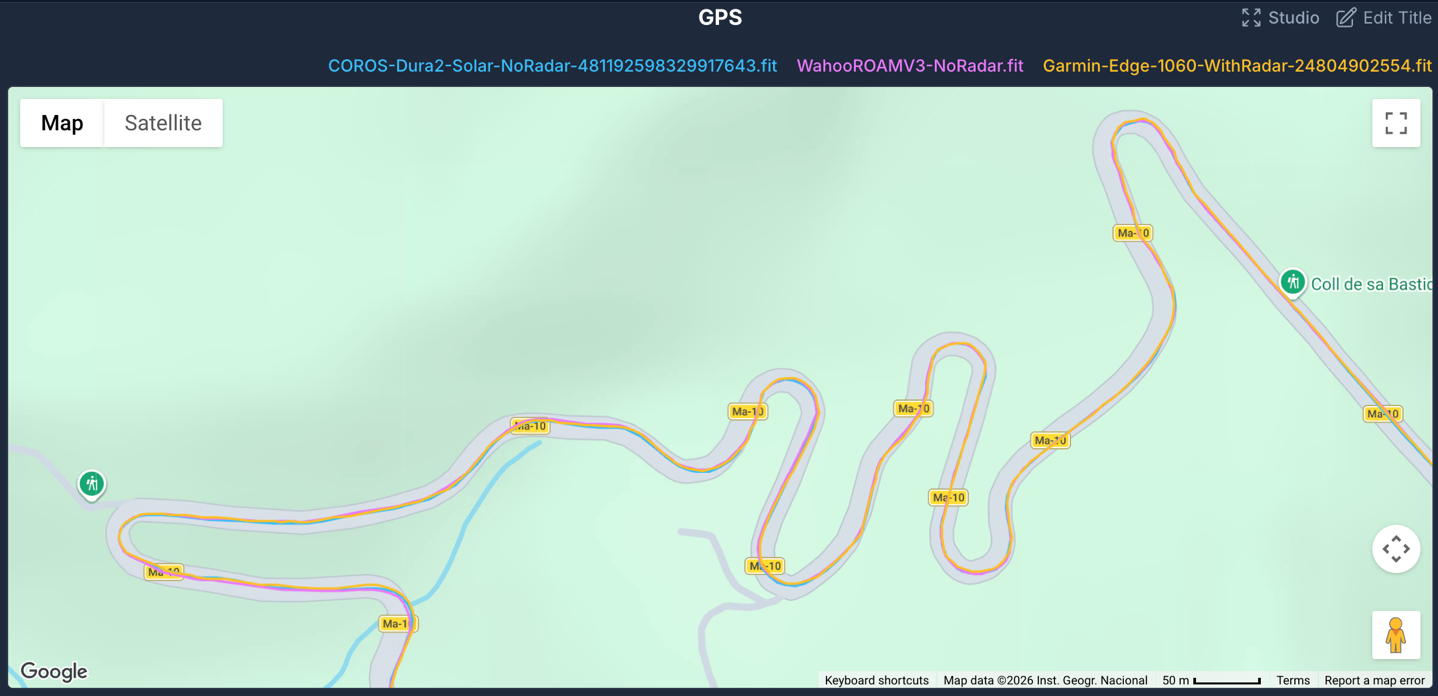
Here we can see a switchback section in the mountains, without any issues across the units.
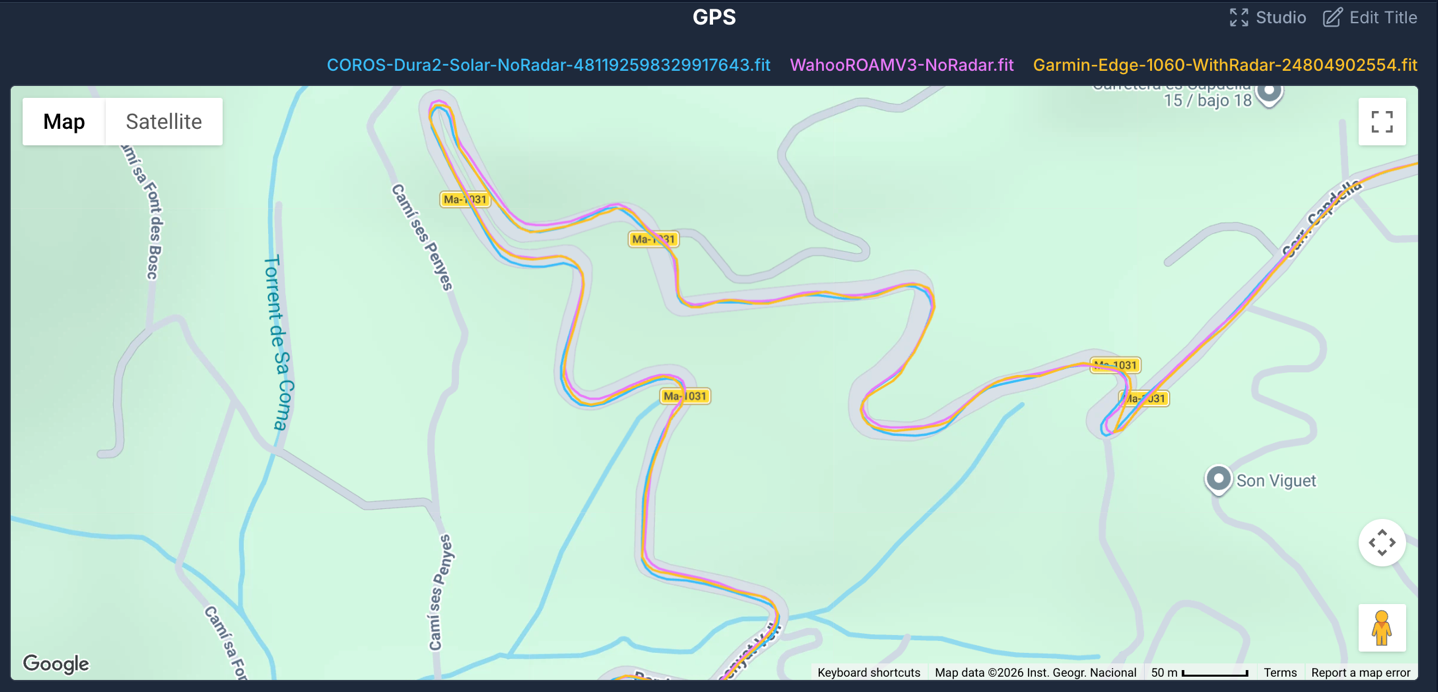
The same goes here, again – no problems at all (and I believe this section was downhill too):
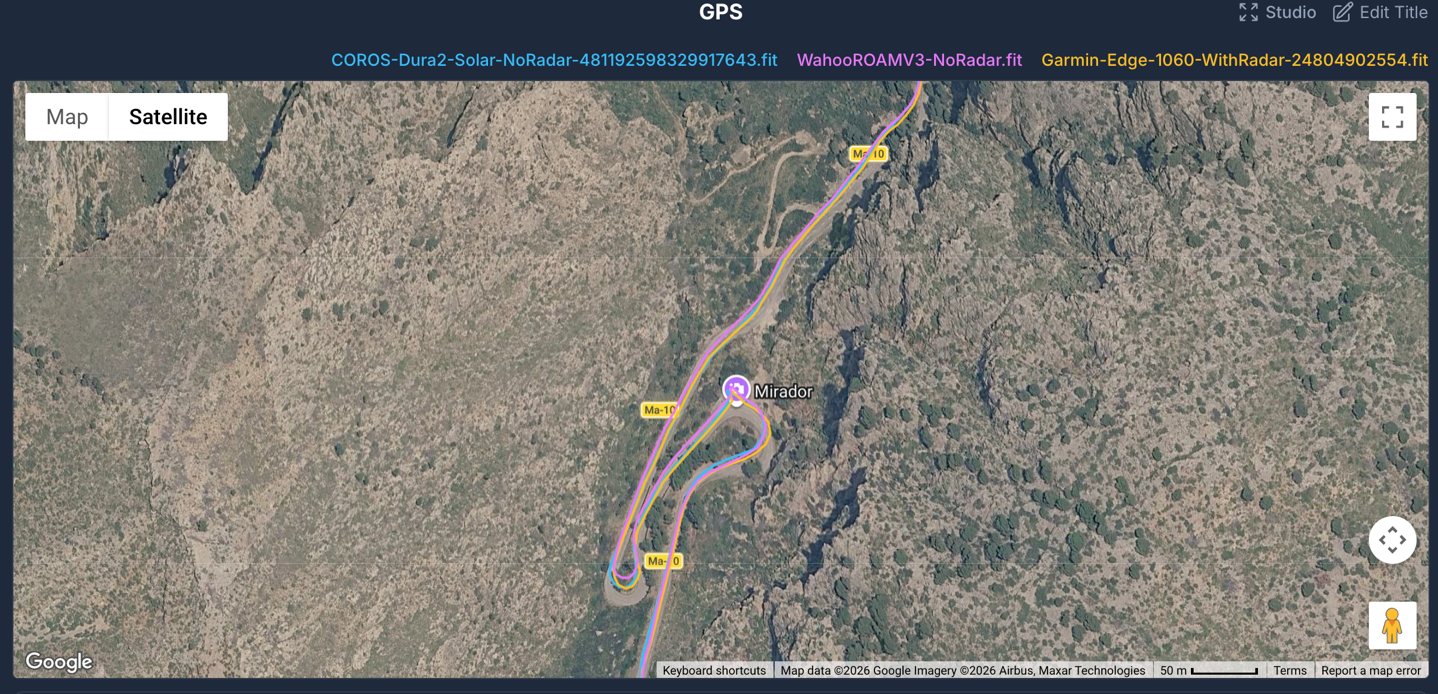
Or this section here, again, all good:
Meanwhile, a quick look at the elevation shows the COROS & Garmin units very close, though a bit of offset from Wahoo. There’s maybe a smidge of initial elevation offset from COROS in the first 10-15 minutes of the ride (it’s reading too high), but it stabilizes quickly.
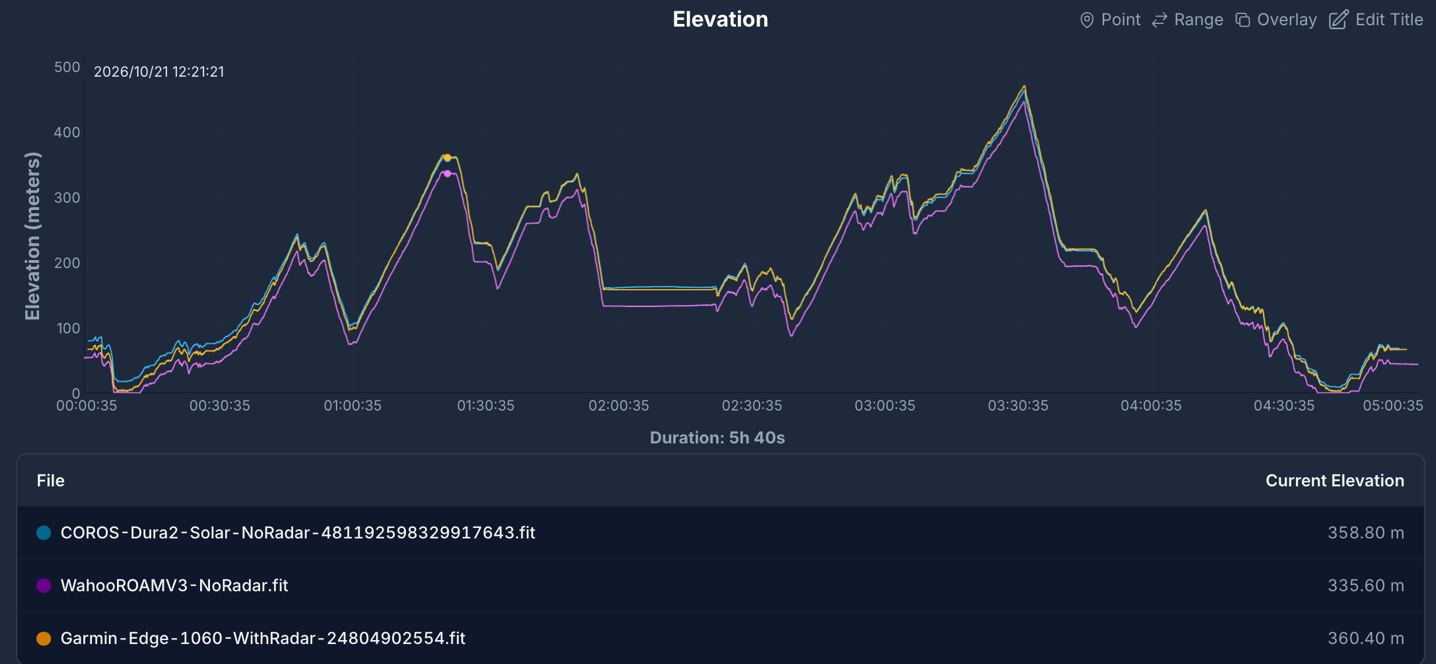
Anyways, all my other rides look pretty good across the board, nearly always matching the Garmin Edge units and other barometric altimeter devices.
The Bugs:
As has been the pattern this year, companies are getting more and more iffy with their product launches. Thus, I’m going to keep hammering it here until morale…err…quality, improves. As always, my general line in the sand is that if I include a dedicated bugs section, then things were pretty rough. Whereas otherwise, I’ll pull those (usually minor) bugs into the rest of the review as needed.
In the case of COROS, they delivered an updated firmware just last night that claims to fix a number of the issues I’ve been seeing. But upon delaying my review to re-test all of the issues, they’re all still here.
My main issue here is that this is *exactly* the hot mess of a product launch Dura 1 had. Where they pushed back/delayed the production ship date (just as they did here for Dura 2) to theoretically fix issues, but in reality it took far longer for issues to actually be resolved. And none of these are ‘quirky’ hard-to-find bugs. They’re fundamental things that just don’t work.
– Voice control is entirely useless, it just can’t figure out anything you’re saying
– Constant ANT+ dropouts of sensors & phone connections
– Climb metrics just not showing useful information on the climb page (e.g., not actually showing distance remaining or ascent remaining, just showing current distance within the climb)
– Navigation re-routing rarely works properly, suggesting mountain-climbing (like with ropes) routes for cyclists
– Offline re-routing also struggles, seemingly due to the Bluetooth connection issues to the phone (even when the phone says it’s connected just fine in the COROS app)
– Strava Live Segments aren’t triggering at all for any routes, even Strava Routes (apparently by design)
Here’s an example of the ANT+ dropouts during my ride yesterday. This is with an ANT+ HR strap that was also connected to both a Wahoo & Garmin unit without issues. Further, it was totally fine until I connected a Bluetooth power meter to the head unit, then it fell apart. I re-tested this earlier this morning on final firmware, and still the same issue. If I connect via Bluetooth, then it stays fine.
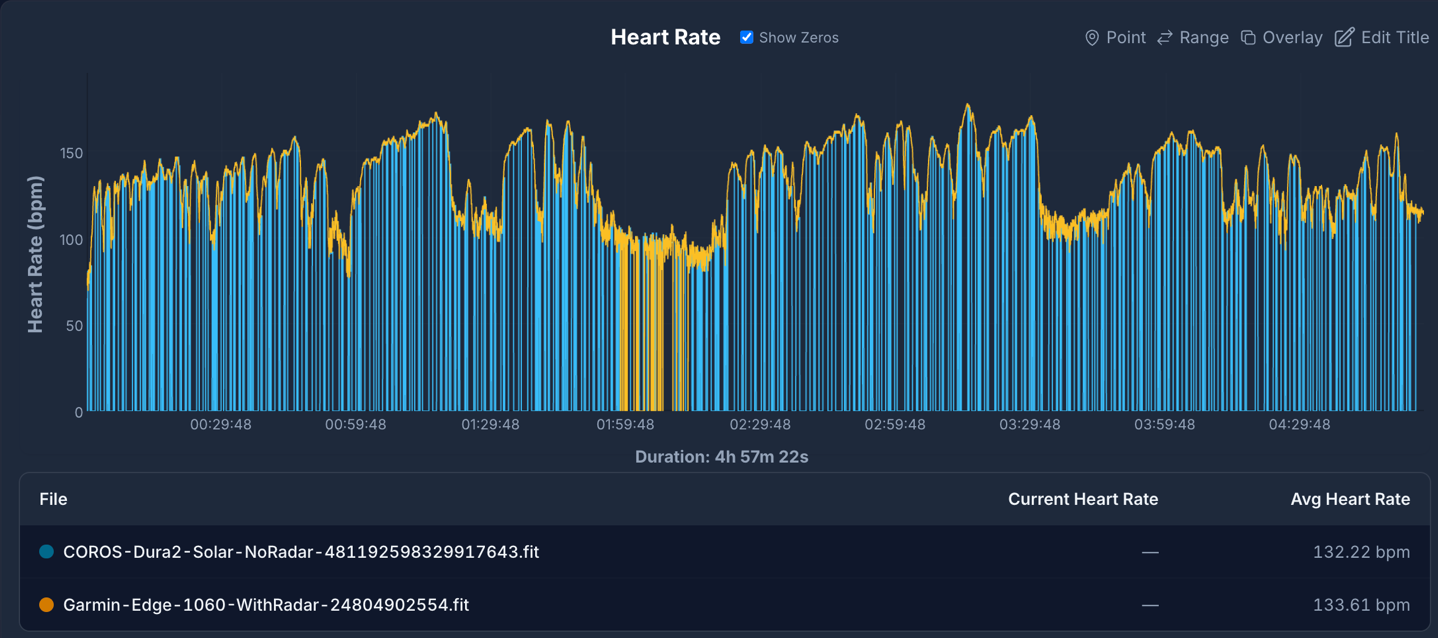
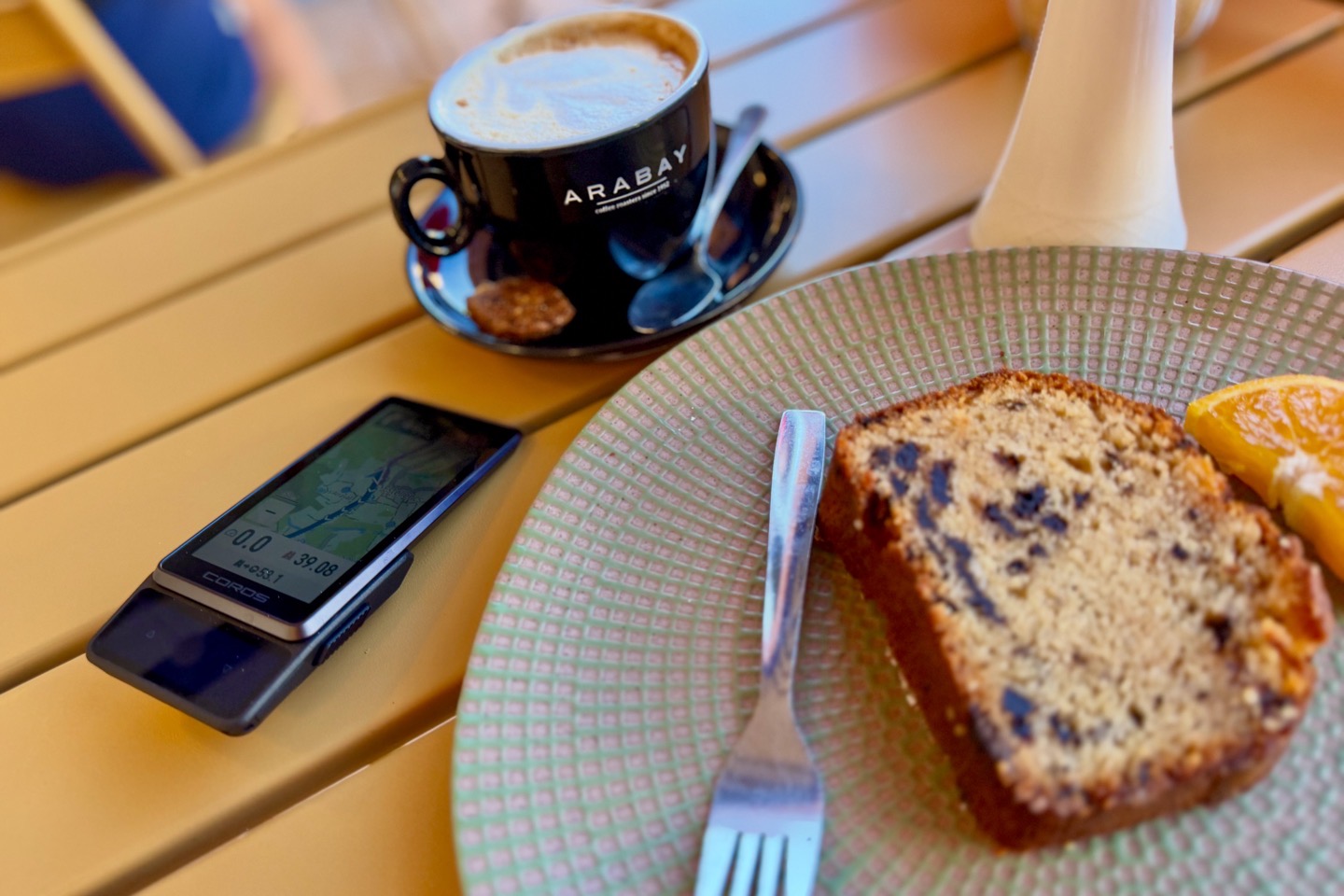
(Note the drops you see at the ~2hr marker on the Garmin are when I was in a cafe, and the bike was across the street a bit)
Either way, every reputable reviewer has pointed out in their reviews reporting numerous issues with the unit, all to receive a firmware update the night prior. Note, COROS says this final firmware that I tested on above is what users are receiving in 10 days when the unit launches. Again, I’m sure some of these will be fixed eventually, but did we not learn anything from the Dura 1 launch?
Wrap-Up:
COROS has developed a very loyal fan base of users, both runners and now also a segment of the cycling population. And in particular, that segment became friends with the COROS brand under the Dura 1-era, which had exceptional battery life with even more exceptional pricing. The brand’s positioning was to undercut the competition on price, and deliver the core cycling functionality with amazing battery life. And sure, things got off to a rocky start, but for long-life battery-needing folks, the trade-offs were mostly easy to make. And over that first year, COROS eventually sorted out most of the bugs.
This time around, COROS is aiming to compete head-on with the well-established premium players at their premium markets. The problem is, COROS isn’t delivering a premium device. Sure, it looks premium on the outside (seriously, I think it looks great), but both the software features and the stability of those features aren’t worth anywhere near $549. Even if everything had worked, it’s still far from what Hammerhead, Wahoo, and Garmin deliver at $499. Sure, they all show your speed and distance accurately, but that’s not really the bar for success here, is it? The others have had on-device mapping, navigation, and re-routing for a decade now. And it works.
Had COROS come in at $349-ish, that would have been a very reasonable price increase over the $249 of the past. At that price you could still give them a pass on phone-dependent re-routing (as long as it worked). Sure, they’d still need to get the other bugs fixed, but at least the pricing would have been semi-logical. Oh, and some rubber band mounts too. But at $549?
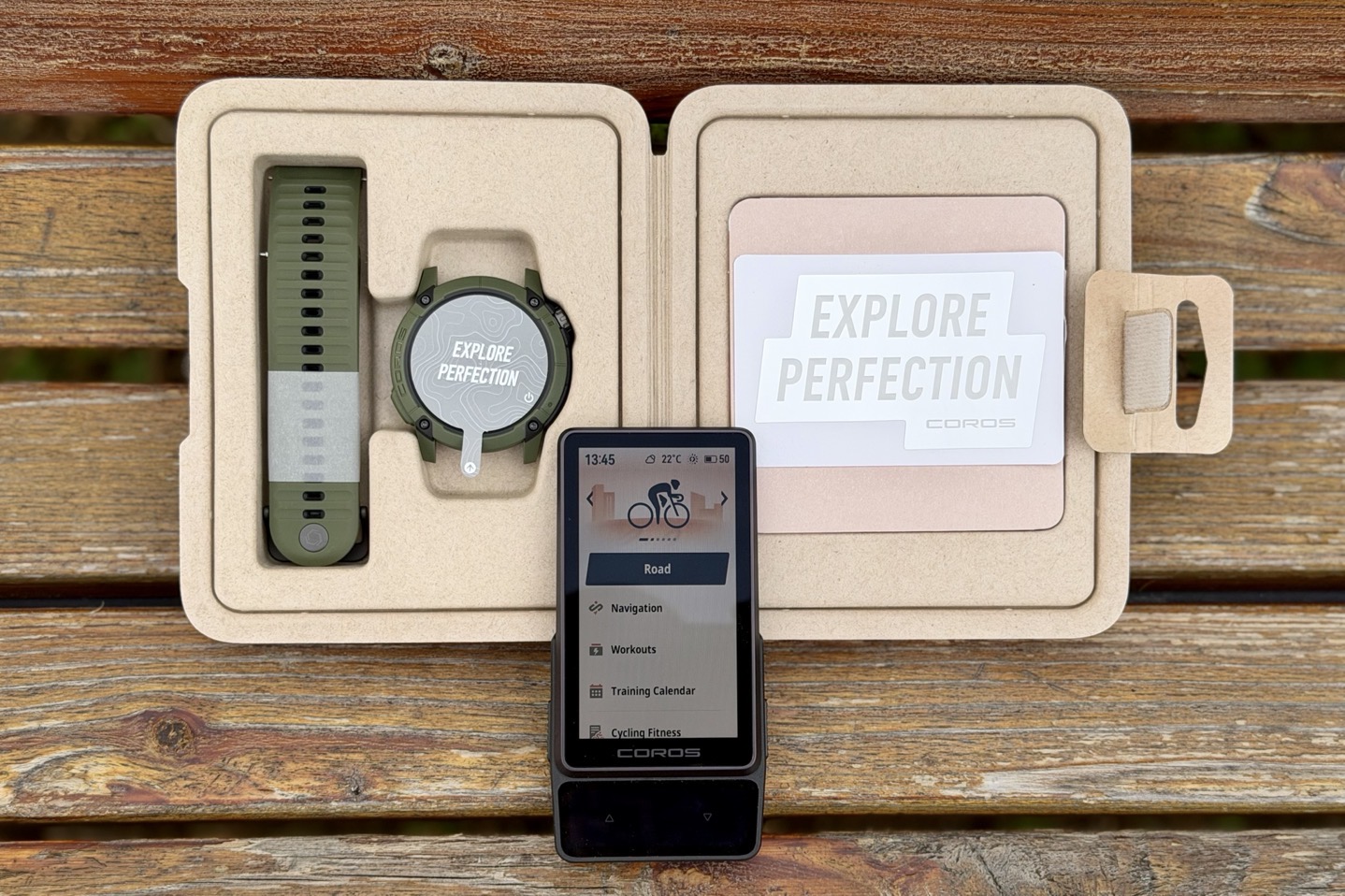
Ironically, included in every COROS wearable box is a sticker that says “Explore Perfection”, along with another sticker that protects the watch display, and also says “Explore Perfection”…Neither was included in the Dura 2 box.
With that, thanks for reading!
FOUND THIS POST USEFUL? SUPPORT THE SITE!
Hopefully, you found this post useful. The website is really a labor of love, so please consider becoming a DC RAINMAKER Supporter. This gets you an ad-free experience, and access to our (mostly) bi-monthly behind-the-scenes video series of “Shed Talkin’”.
Support DCRainMaker – Shop on Amazon
Otherwise, perhaps consider using the below link if shopping on Amazon. As an Amazon Associate, I earn from qualifying purchases. It doesn’t cost you anything extra, but your purchases help support this website a lot. It could simply be buying toilet paper, or this pizza oven we use and love.