iOS 26.4 adds new features to six iPhone apps, details here
iOS 26.4 is currently available in beta, and it is packed with many new features. Here’s everything new coming to six iPhone apps in iOS 26.4.
Apple Music
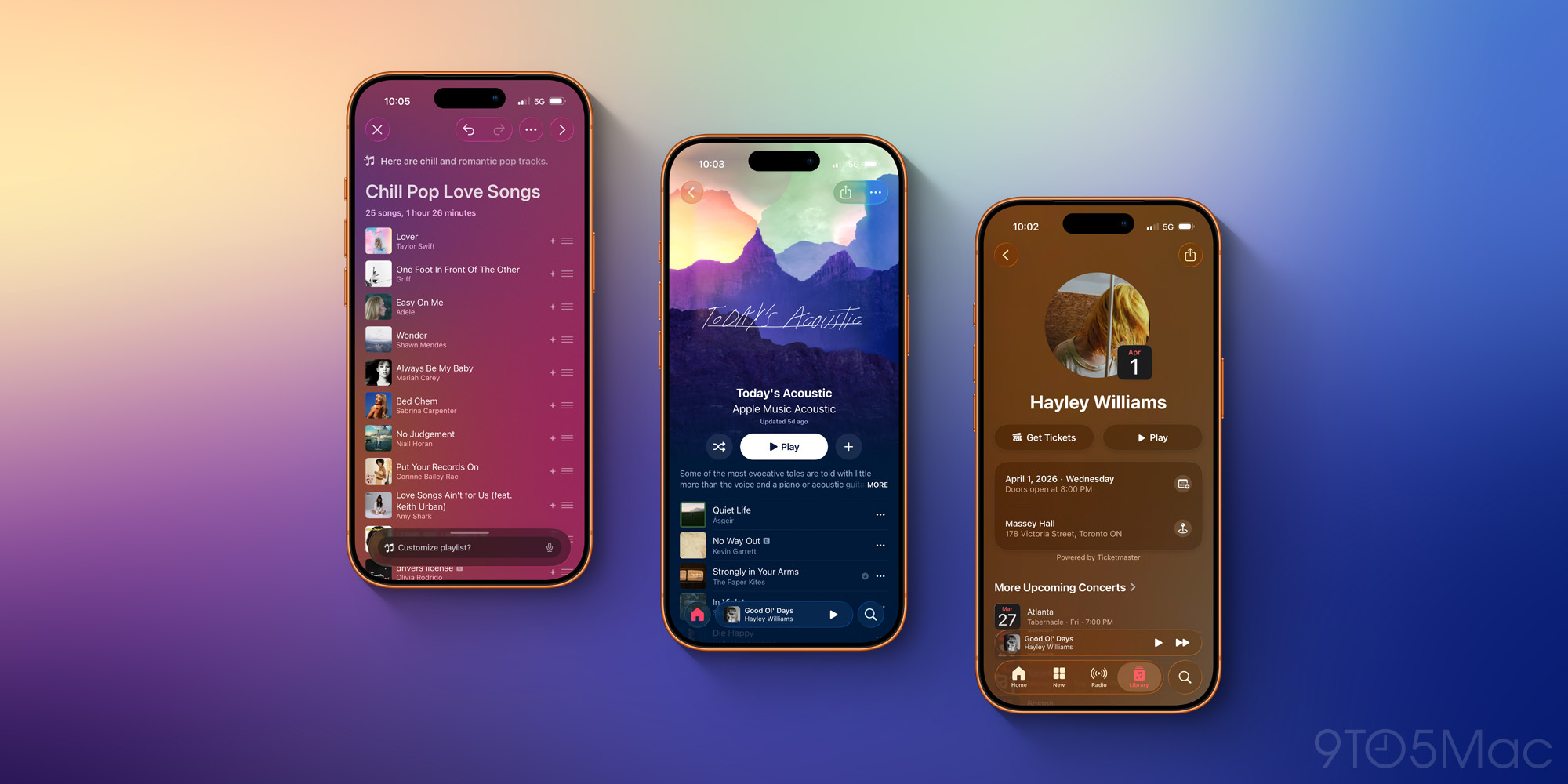
Apple Music gets five new features in iOS 26.4, making it one of the biggest app updates in the release.
New features include:
- Playlist playground, AI playlist creation tool
- Beautiful new full-screen design for albums and playlists
- Ambient music widgets for home screen
- Concert information for local artists and venues
- Ability to add songs to multiple playlists at once
My personal favorites so far are the new full-screen design for albums and playlists, and the Playlist Playground. The latter feature requires an AI-compatible iPhone, however.
Reminders
Late last year in iOS 26.2, the Reminders app gained one of my favorite new features: ‘urgent’ reminders.
The idea is that you can now mark any time-based reminder as ‘Urgent,’ and when you do, the app will send more than just a regular app notification when it’s due.
‘Urgent’ reminders trigger an alarm when they arrive, and stay on with a special lock screen UI and Live Task until you mark the task as complete. They also offer an option to snooze the alarm.
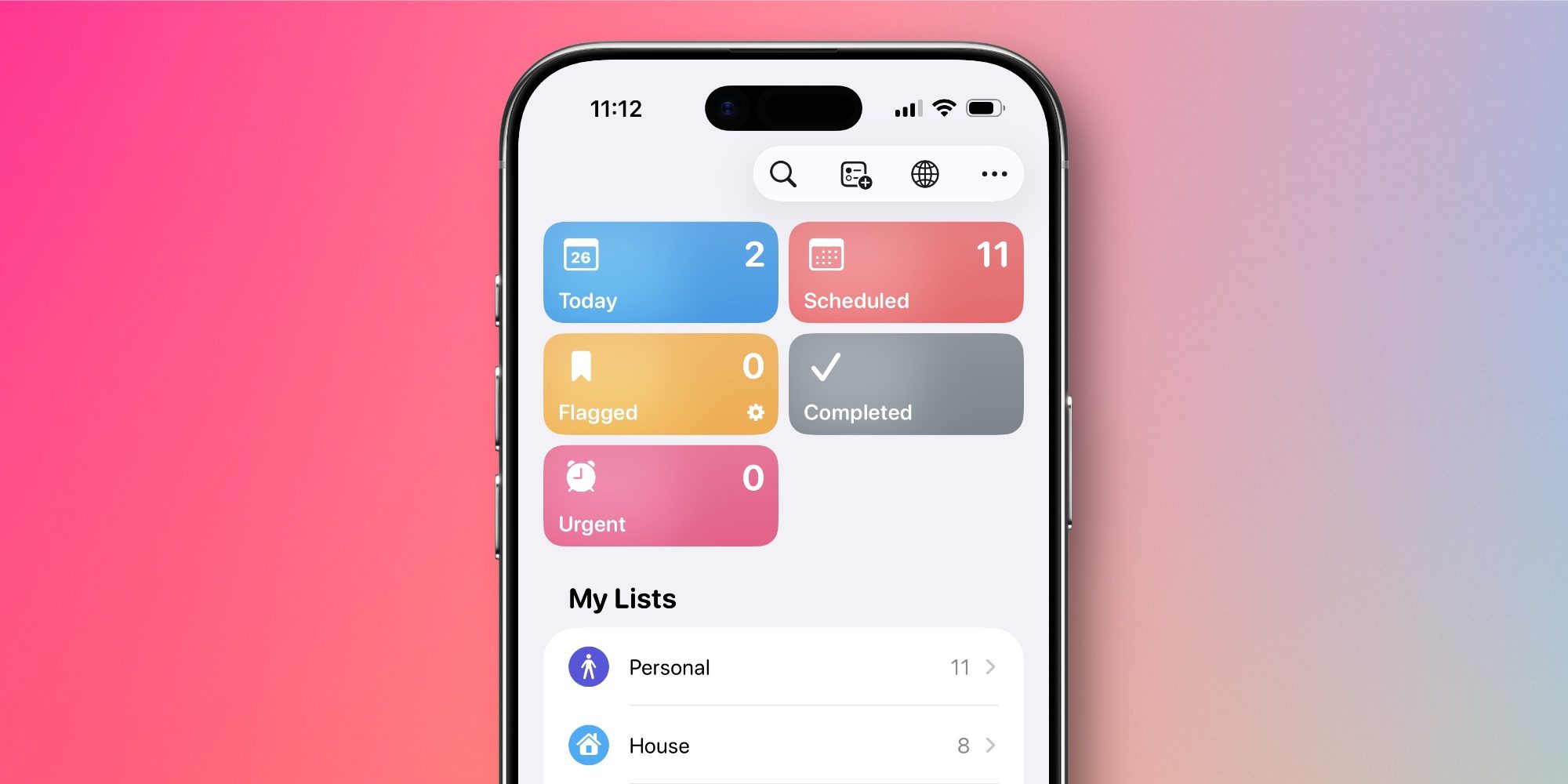
In iOS 26.4, Apple adds a new feature touch: now all your ‘Urgent’ reminders are available in a special ‘urgent’ list at the top of the app. This new list makes it easy to see your most important, time-sensitive tasks in one place.
Apple Podcasts
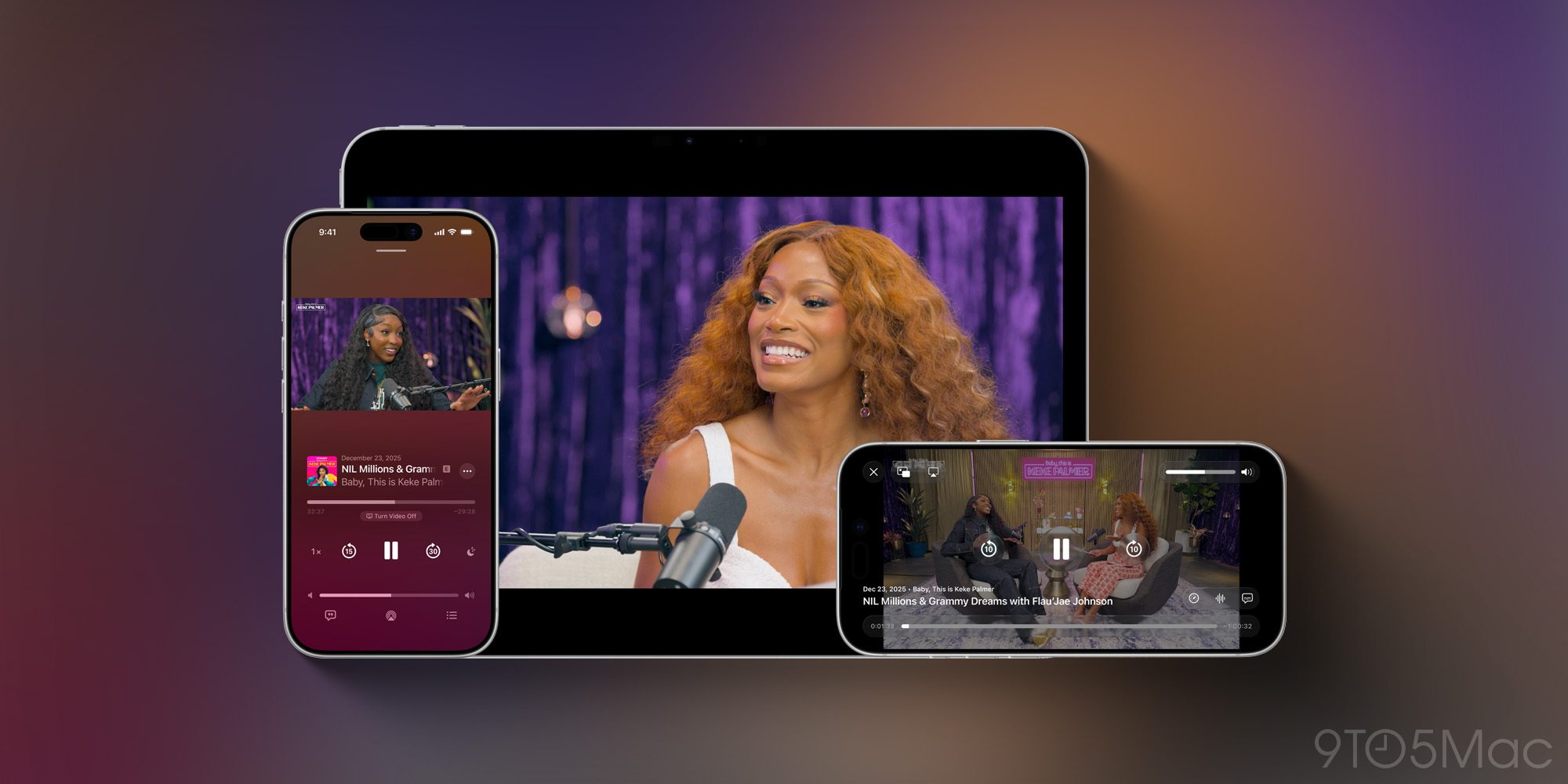
Apple Podcasts supported video podcasts long before YouTube and Spotify became popular. But the legacy feature needs some improvement, and iOS 26.4 delivers.
Starting in iOS 26.4, the Podcasts app will get an “improved video podcast experience.”
Here’s what that means, according to Apple’s report:
In the Apple Podcasts app, users will be able to seamlessly switch between watching and listening to shows, making the experience of finding and watching video podcasts as easy and enjoyable as listening to podcasts has always been. Users can watch video within the app and go to full horizontal display, and download videos to watch offline. And the automatic quality adjustment powered by HLS technology ensures optimal playback in all network conditions, delivering the best possible experience whether listeners are on Wi-Fi or with a mobile connection.
The number of video podcasts currently available on Apple Podcasts is limited, but hopefully this update will go a long way toward changing that.
Apple TV
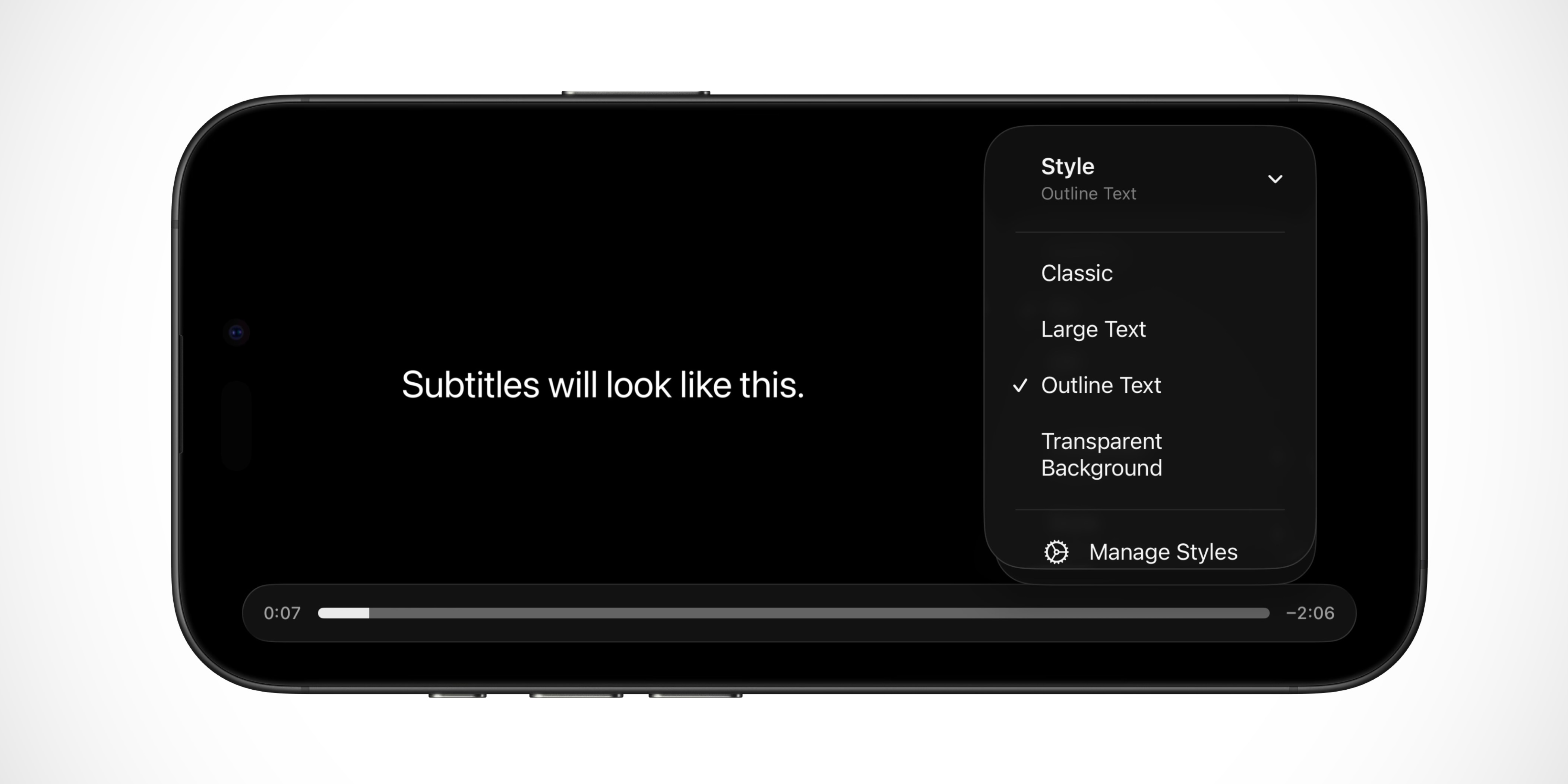
The Apple TV app makes it easy to change the style of subtitles in iOS 26.4.
When watching a video, press the Subtitles button and you’ll get a new Style menu.
Available styles include Classic, Large Text, Outline Text, and Transparent Background. But you can also click the ‘Manage Styles’ button to customize the subtitle style even more.
This feature was previously available through the accessibility settings, but it’s nice to see it more prominently within the Apple TV app.
Life
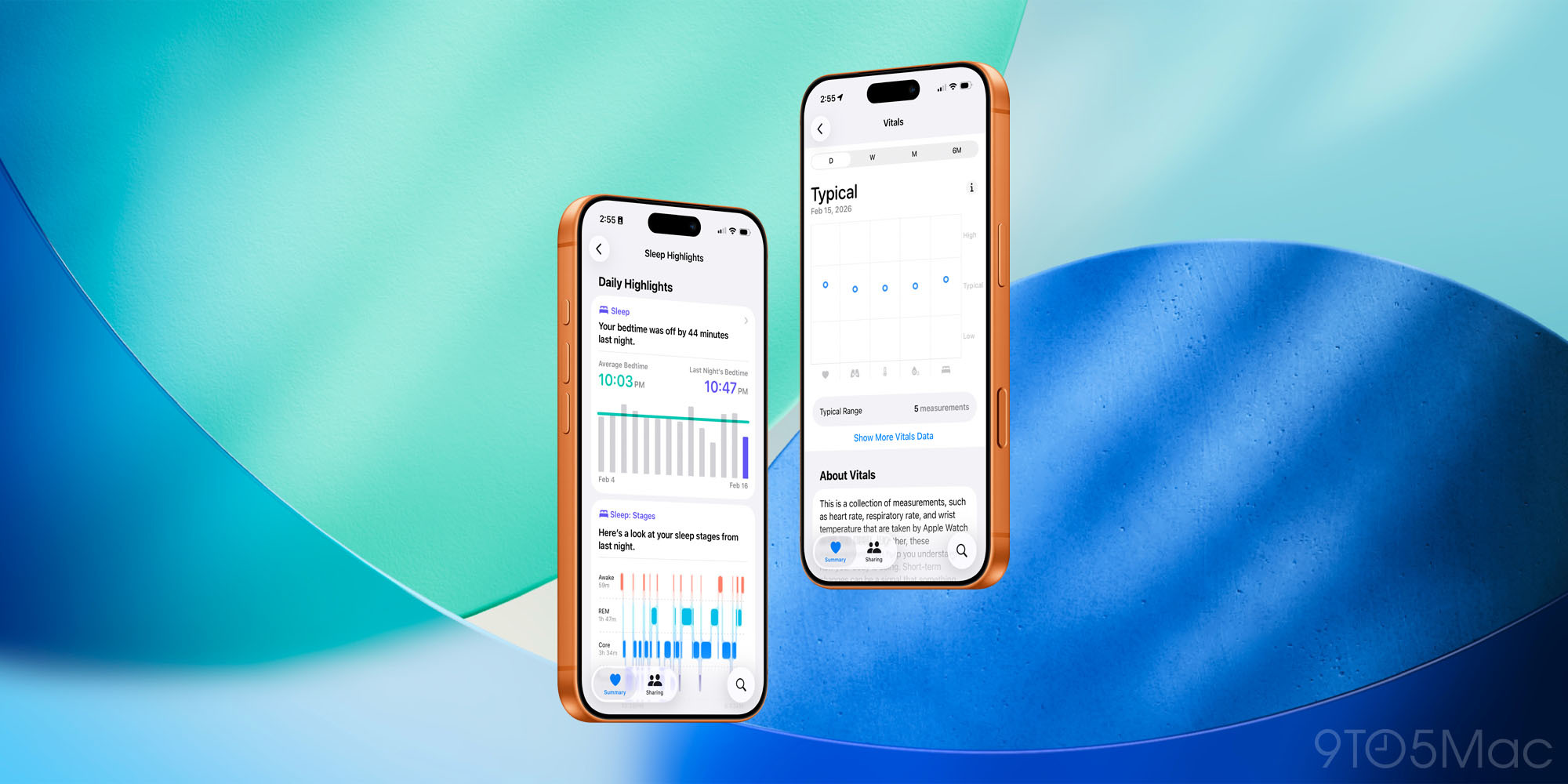
One of my favorite features of the Apple Health app is Highlights, which show trends in your data over time.
iOS 26.4 adds a new sleep data highlight: sleep time. It provides a quick overview of your sleep time for the past two weeks, giving you an average, bar chart, and highlighting previous sleep time.
The update also restores Blood Oxygen readings to the Vitals graph. That reading was removed from Vitals following Apple’s Masimo saga. But now that Blood Oxygen is back for Apple Watch users, iOS 26.4 brings data back to Vitals.
Freeform
Last month when Apple Creator Studio launched, it offered subscribers new ‘premium’ features in Pages, Keynote, and Numbers.
Apple promised at the time that premium features would come to Freeform later in the year. And iOS 26.4 fulfills that promise.
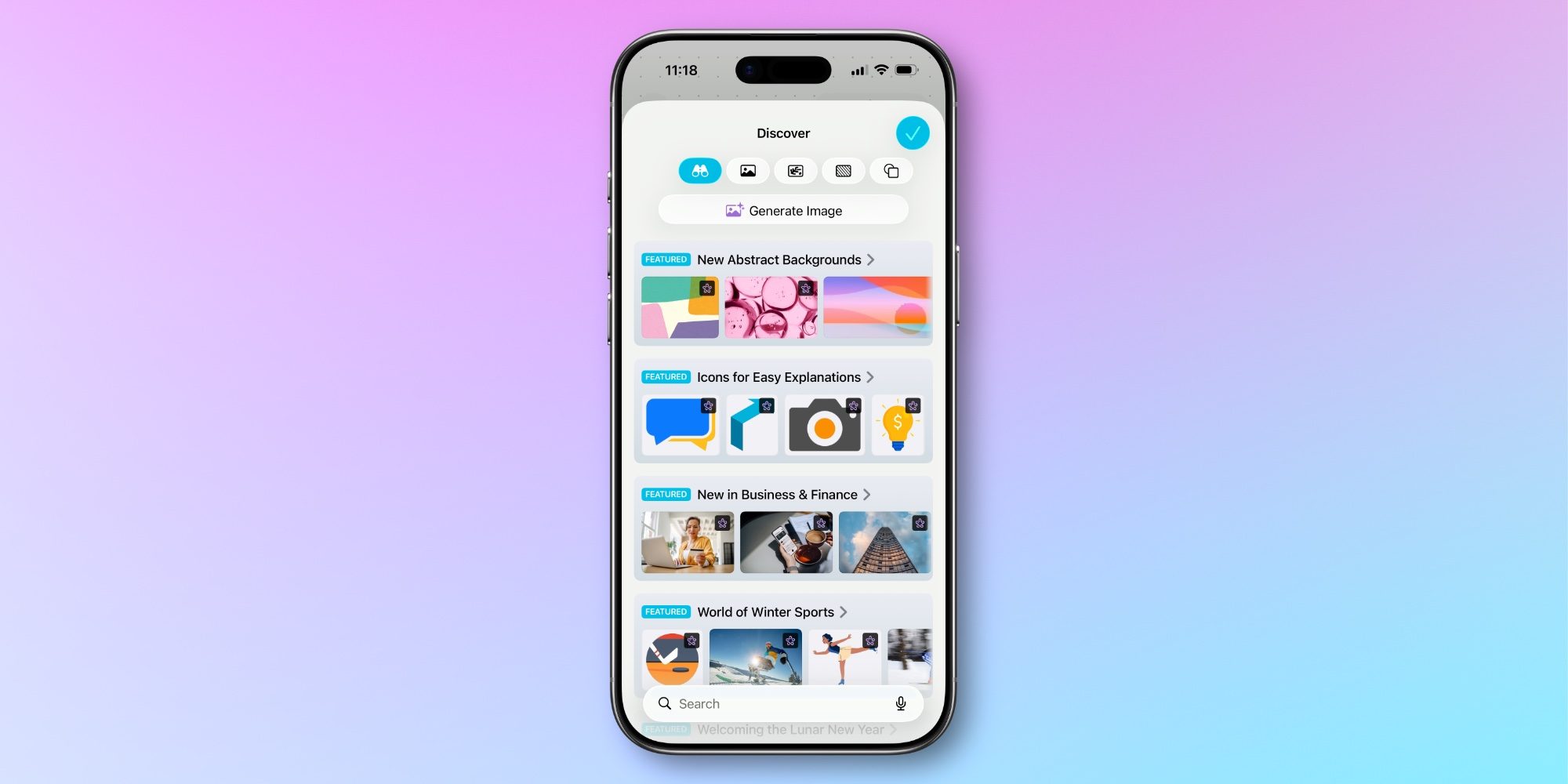
Freeform now includes the Content Hub seen in other iWork apps, which provides access to selected Apple images, graphics, and backgrounds. The app also allows you to generate new AI images using OpenAI image models.
What new app features in iOS 26.4 are you most excited about? Let us know in the comments.
Best iPhone accessories


FTC: We use auto affiliate links to earn income. More.