5 best apps to remove duplicate photos on iPhone
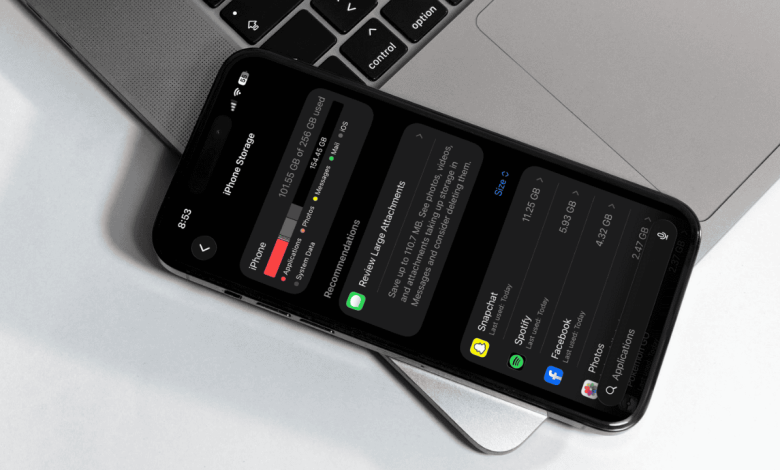
Managing iPhone storage can be a daunting task depending on how long you’ve been in the Apple ecosystem. If you’ve gone through a few devices, you probably have hundreds or thousands of old photos and videos. Even if it’s your first iPhone, great photos can still take up space — especially if you’re trying to get the perfect photo.
No matter how often you take pictures, they will grow over time, and quickly. That’s why I want to look at five of the best apps to remove duplicate photos from your iPhone.
1. Cleaver Cleaner by CleverFiles
Designed specifically for iPhone users to help them identify and remove duplicate or similar photos, Clever Cleaner by CleverFiles focuses on thorough gallery cleaning with an emphasis on removing duplicates and visually similar photos. Duplicate images, duplicate images, and old screenshots are easy to remove with Clever Cleaner. Best of all, it’s free with no ads or in-app purchases.
As a free iPhone cleaning app, Clever Cleaner scans your photo library and stacks your virtual photos for review. Easy to use, designed to be accessible, and incredibly straightforward, users can rely on Clever Cleaner with its features such as Smart Cleanup, which removes similar photos from the iPhone gallery and keeps only those that the application believes are the best photos of the group. You can also review them yourself, allowing you to keep only what you like while discarding the rest.
For those looking for truly free iPhone cleaning apps, Clever Cleaner takes an approach that makes it easy to remove duplicate photos. There are also options to help compress very large videos and other media – something iOS can’t do natively – and Swipe Mode can be a fun way to eliminate duplicates. With a clean design and focus on performance and privacy, Clever Cleaner empowers users to recover their iPhone storage with just a few taps.
2. CleanerGuru: Free Up Storage

One of the cool features of Clean Guru: Free Storage is that along with duplicate image detection, CleanGuru also focuses on contact management – it offers the ability to scan duplicate contacts and contacts with missing or outdated information. It offers a wide range of storage options on the iPhone, and the app can even compress videos and search for large files.
Along with the ability to recover your iPhone space, there is even the ability to create private folders for your private photos and videos. The folder is accessible only to you, and can be password protected. There are also options to personalize your device, such as adding animations to your charging screen
Although this method is extensive, many of the services it offers are paywalled after registration. There are options for managing subscriptions, including an auto-renew option, and there’s also a free trial if you want to test it out through the Apple App Store. While this one may have a modern look that feels polished, it may be too much of a subscription for someone looking for a truly free app.
3. Boost Cleaner – Clean Smart

Staying in the third place is Boost Cleaner – Clean Smart, which offers various tools for managing iPhone storage, including the ability to filter and search photos by data or location for a refined experience. As well as being able to remove duplicate photos, Boost Cleaner also targets unnecessary selfies as well as animated GIFs and live images.
This also includes options for managing contacts, such as deleting duplicate contacts or deleting duplicates in one simple process. Boost Cleaner can also backup and restore contacts if you need it, and there are options to merge contacts. The app itself is easy to navigate, and has a polished look that makes finding the right tools easy.
While this one is free and has a solid 4.5 star rating on the Apple App Store, this one is also subscription-based. If you want all the features and everything Boost Cleaner has to offer, you’ll need a weekly subscription. However, it also offers a free trial period so you can test it before investing. The tools may do the job and the presentation is smooth, but some may require a weekly subscription to access all features.
4. CleanMyPhone: Storage Cleaner

Developed by MacPaw (the people you may know as the creators of CleanMyMac), CleanMyPhone: Cleanup Storage has a rating of 4.6 stars on the Apple App Store. This app is powered by artificial intelligence to clean up your duplicate photos, providing a photo management service that can help declutter your iPhone. No matter how you feel about AI these days, CleanMyPhone offers you many solutions to free up space on your device.
Another way AI helps is by grouping images into several different categories, such as pets and food. Like other apps, you can choose which images you want to keep or delete, and there are options to compress video and convert live images to still images to get the most out of your space. MacPaw has also included a network speed test capability, which is great for checking how fast your internet is running.
Like other apps, this one also comes with a free trial and subscription options, or you’ll pay annually. The free trial is good for three days before you’re charged, and there are options to manage or cancel your subscription. CleanMyPhone has tools, but some users may want more customization options.
5. Remo Duplicate Photos Remover

Promising a user-friendly and simple interface, Remo Duplicate Photos Remover also aims for accurate and powerful scanning with its algorithms. This also includes iPad compatibility, which is another Apple device where users can often worry about storage. You can get this through the Apple App Store.
What might help this app stand out is the fact that it takes a more focused approach to storage management. To target images that look exactly the same or similar, users can easily mark their duplicates within a group of images while automatically saving the ones they think are worth keeping. One good feature about the app is that it also takes the one it deems best from the selected images and saves it for safe keeping.
With drag and drop options, people can find this one easy to use. This one is also available without registration, or users may find themselves looking for an app that offers more features. For those looking for something a little more straight forward, Remo is worth checking out, but don’t be surprised if you find yourself longing for something more.
Conclusion – Choosing the Right Application for You
With the almost endless number of apps available in the Apple App Store, finding the right cleaning tool – or any app, for that matter – can be a real challenge. Although there are a variety of cleaning applications available, only a few will offer a tool that works well and is available for free. For us Clever Cleaner is the best app available right now to remove duplicate folders and other junk media from iPhone.
Even after reviewing the list, there is a reason Clever Cleaner by CleverFiles reaches the top, as few can offer the same amount of features and functionality while offering a free experience without ads. In terms of storage, the iPhone can still fill up very quickly – especially if you like to take a lot of photos. Fortunately, there are tools that can help you reclaim your space.