Colorful MacBook Neo Released by Apple, Starting at $599


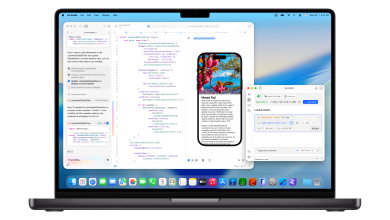
Apple has introduced the highly anticipated MacBook Neo, a colorful and affordable 13″ Mac laptop, starting at $599 retail, or just $499 for students.
The MacBook Neo runs on the A18 Pro chip, which is the same chip that the iPhone 16 Pro runs on, which is obviously faster than the M1 chip. Base models include 256GB of storage, but for an extra $100 you can get 512GB of storage and a Touch ID keyboard.
All MacBook Neo models include 8GB of non-upgradable RAM, which is truly a huge limitation for a Mac laptop, because you need at least 16GB of RAM to run most high-end applications, including Apple’s Xcode.
The Neo has an anti-reflective 13″ Retina LCD display at 2408 × 1506 resolution and has no notch (!). While it doesn’t have the ugly notch, the Neo does include a 1080p front-facing camera. You’ll also find two USB-C ports, and a 3.5mm audio port.

MacBook Neo weighs 2.7lbs and is available in four colors to choose from, including silver, indigo (dark blue), blush (pink), and citrus (bright yellow).

You can pre-order the MacBook Neo starting today for $599 (or $499 for students through Apple’s education site), and it will ship next week.

The MacBook Neo will ship with macOS Tahoe pre-installed.
You can read Apple’s press release on the MacBook Neo here, and order one here.
This new Mac laptop will undoubtedly be very popular, both fun colors and a good price point, just remember that the 8GB RAM limit will limit heavy multitasking, heavy games, and power user type usage. If you need more RAM for those tasks and mid-to-pro use, you’ll want to jump to the excellent MacBook Air series instead, which was recently updated with an M5 chip and 512GB base storage, or the even more powerful MacBook Pro series, which also recently received a series of M5 chip updates.
What do you think of the all new MacBook Neo? Would you consider getting one? Do you see use case for yourself or your household? Share your thoughts and ideas in the comments, as always.
MacBook Neo vs MacBook Air
The MacBook Neo includes a more capable A18 Pro chip, but the MacBook Air features a more powerful M5 chip, which is 20% faster in single-core tasks, and 80% faster in multi-core tasks. If you need processing power and multitasking capabilities for any mid-level to professional workflow position, you’ll want a MacBook Air.
The MacBook Neo includes 8GB of RAM, while the MacBook Air includes 16GB of RAM and can be upgraded to 32GB. More RAM makes everything feel faster, improves multitasking a lot, and is necessary for many professional-level applications (including Xcode which requires 16GB or more), so the MacBook Air easily wins this competition if you need more RAM.
The MacBook Neo starts at $599 for 256GB storage, or $699 for 512GB and a Touch ID keyboard, while the MacBook Air starts at $1099 for 512GB storage and a Touch ID backlit keyboard.
MacBook Neo vs iPad Air
Because the MacBook Neo and iPad Air start at the same price of $599, there will undoubtedly be many users comparing the two in their purchasing decisions.
The iPad Air has a powerful M4 chip, but that chip is limited to iPadOS and an 11″ display (the 13″ iPad Air starts at $799, making it more than the MacBook Air 13″ competitor).
The MacBook Neo features an A18 Pro chip, which is not as powerful as the M4 chip, and is limited to only 8GB of RAM.
Therefore, for general computing, the MacBook Neo is very powerful and efficient, despite having less RAM and a less powerful chip. First, there’s a keyboard and trackpad included in the Neo’s base price, as well as two USB-C ports, and it runs macOS. This makes the MacBook Neo a nonsensical choice for users who need a traditional computing experience when comparing the MacBook Neo to the iPad Air, unless you want a touchscreen, Apple Pencil support, or if you prefer the iPadOS experience and app options.
However, if you’re shopping for an iPad, the iPad Air is still the best choice for most users in the entire iPad lineup.