Apple Automatically Upgrades Some M4 Max MacBook Pro Orders to M5 Max MacBook Pro
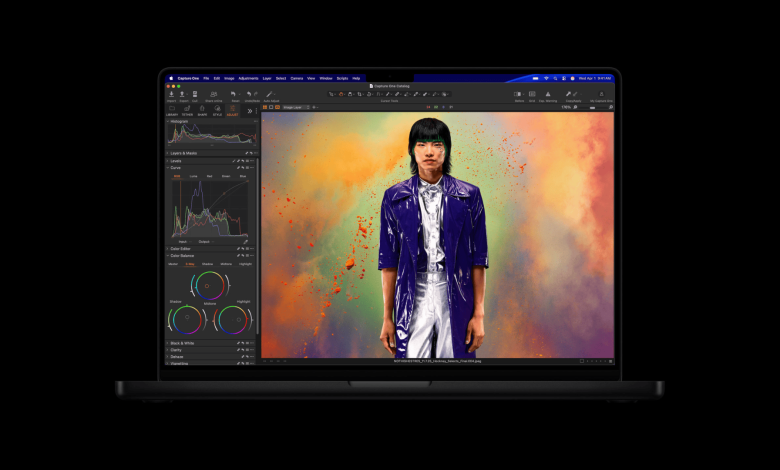
Apple recently opened pre-orders for its new MacBook Pro lineup with the new M5 Pro and M5 Max chips, but some customers have already placed orders for the more expensive M4 Max configuration a few days before the announcement. Often, that time can be frustrating for consumers who suddenly find their order has expired. However, several customers are now reporting that Apple has canceled their initial orders for the M4 Max MacBook Pro and replaced them with similar M5 Max models at the same price.
Reports suggest that Apple has reviewed pending orders that have not yet been shipped, meaning some consumers will receive new hardware without paying extra. This was a high-end configuration that included a large amount of integrated memory and powerful GPU options, so customers were already committed to premium machines before Apple revealed the new generation.
Users on Reddit first noticed the change when their order status suddenly changed. A customer using the username “TheBaHa” explained that Apple canceled the M4 Max configuration and placed a new order for the M5 Max without warning.
“I ordered a 14 inch MacBook Pro (M4 Max) last week with 16-core CPU, 40-core GPU, 64GB unified memory, 1TB SSD and standard display (non-nano). I noticed yesterday that they canceled my new build order but now I see that my order has been canceled and the M5 order has been placed but I will get the M5 first. MacBook? I don’t see it doc respectively.
Another Reddit user with the username “_o2b_” shared a similar experience after placing an order in early February. The customer noticed that the order suddenly changed from the M4 Max model to the M5 Max version while the price remained the same.
“I placed an order for M4 Max with 48GB/16-core CPU and 40-core GPU with 1TB SSD in the middle of February. Until 30 minutes ago, the order was still being processed, and the delivery estimate was from March 3rd to 10th. Now, suddenly, my M4 Max order has been canceled, and the delivery of M5 in March with Apple Max 1 is being processed. unimaginable, or it’s a mistake I haven’t received an email about this and the prices show what the m4max was.”
Customers Report Free Upgrades on M5 Models
The post on X also describes the same situation. Some customers received notices that Apple upgraded their order automatically because the original configuration had not been shipped.
“My MacBook Pro M4 Max order automatically upgraded to the M5 Max. 🙌 I’m still on the M1 and was trying to decide whether to go with the M4 or wait for the M5. I ended up giving up on the M4. However, today they announced the M5s and changed my order so I can get it on launch day.”
One customer highlighted what he described as “great customer service” after Apple replaced the old configuration at no extra charge.
“Thanks to Apple and Tim Cook! I had ordered an M4 MacBook Pro in February but the spec I had would take a month to get inventory… I was devastated when I saw the announcement about the M5 chips yesterday! I just got a notice that they upgraded me at no cost b/c my laptop was still working. That. GREAT. Customer service.”
Apple introduced the new Fusion Architecture with the M5 Pro and M5 Max chips, which allows each CPU and GPU die to sit in the same package. This design lowers electrical resistance, improves heat dissipation, and helps reduce manufacturing costs while improving performance and efficiency.
Some customers also reported that Apple replaced pending M4 MacBook Air orders with new M5 MacBook Air models. Based on these early reports, Apple seems to be upgrading some orders that remain in the processing stage instead of shipping old hardware.
If Apple continues this way, customers who ordered late M4 models just before the announcement will receive the latest versions of the M5 at no additional cost. If you recently ordered an M4 MacBook Pro or MacBook Air and your order has not yet shipped, check the status of your order and let us know if Apple has updated it.