Windows 11 KB5079473 is here with some really GREAT improvements – here’s what’s being released this Patch Tuesday
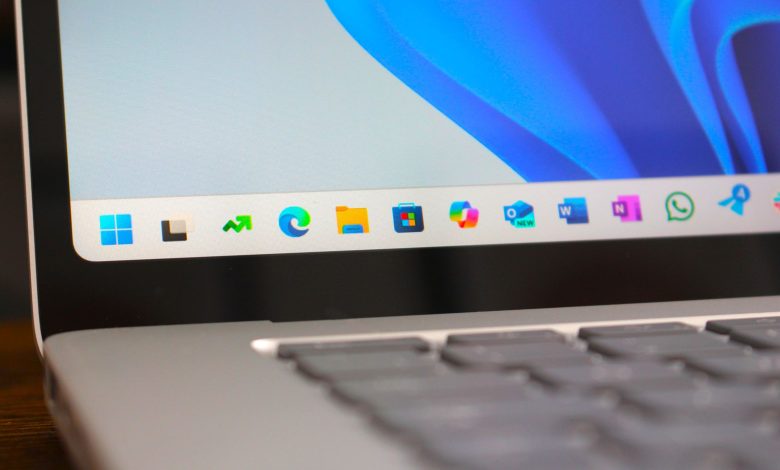
The March Tuesday updates for Windows 11 are now available, and this month’s release actually includes some great improvements that you’ll be happy to have. Starting with this update, Windows 11 now has better wake to sleep functionality, a new built-in shortcut for checking internet speed, more camera settings, improved emoji, and more!
Microsoft started testing the update with a non-secure preview release last month, but it is now rolling out to everyone as of this month’s Patch Tuesday updates that are available now. For Windows 11 version 24H2 and 25H2, this is update KB5079473.
There’s also a new Widgets Panel coming out alongside this update, which redesigns the interface and puts your widgets in a different view so you can ignore the MSN feed if you don’t want to.
The full changelog for today’s update can be found below. Keep in mind that many features use Microsoft’s “controlled feature rollout” system, which means that even after you install an update, you may not see some of these features right away.
- [Emoji] New! The Emoji 16.0 release introduces a carefully selected subset of new emoji, one from each major category. Each emoji carries timeless symbols and functional versatility. These new emojis now appear in the emoji panel.
- [Backup & Restore] New! The original sign-in restore experience is now part of Windows Backup for Organizations, bringing this restore capability to more types of devices. This experience restores user settings and Microsoft Store apps automatically at first sign-in on Microsoft Entra hybrid devices, Cloud PC, and multi-user environments. This capability helps create a consistent setup process during device updates, upgrades, or migrations.
- [Quick Machine Recovery] New! Quick Machine Recovery (QMR) now opens automatically on Windows Professional devices that are not joined and not registered in enterprise endpoint management. These devices get the same recovery features available to Windows Home users. On domain-joined or enterprise-managed devices, QMR is always disabled unless enabled by the organization.
- [Taskbar & System Tray]
- New! A built-in network speed test is now available in the taskbar. You can turn it on from Wi-Fi or mobile quick settings, or by right-clicking the network icon in the system tray. The speed test opens in the default browser and measures Ethernet, Wi-Fi, and cellular connections. This feature helps to check network performance and troubleshoot problems.
- Improved: If the taskbar is set to unstacked and you have an app open with multiple windows, they no longer move as set to overflow when there is not enough space on the taskbar. Only non-parallel windows go to the menu for everything. This change prevents the overflow menu from appearing with too much unused space.
- [Accounts] New! The account menu in the start menu now includes a new option that directs you to the benefits page, making it easier to check and manage your Microsoft account benefits.
- [Camera Settings] New! You can control pan and tilt on supported cameras in the Settings app. The controls appear below Settings > Bluetooth and devices > Camerasin the “Basic Settings” section of the camera you selected.
- [Built-in Sysmon] New! Windows now brings System Monitor (Sysmon) functionality to Windows. Sysmon helps you capture system events to detect threats, and you can use custom configuration files to filter the events you want to monitor. Windows writes captured events to the Windows Event Log, which allows security tools and other applications to use them.
- .[Widgets] New! Widget Settings now opens as a full-page experience in the Widgets app instead of opening a dialog.
- [Desktop Background] New! You can set WebP images (.webp) as your desktop background from Settings > Personalization > It’s the backgroundor by right-clicking the image in File Explorer.
- [Search on Taskbar]
- New! Group titles now show the number of results, so you can quickly see if more results are available. Select a group header to see all results for that group and hide results from other groups.
- New! You can preview the search results by hovering over the result and selecting Watch first to see content without opening it.
- .Improved: Updated the Search process icon in Task Manager to now display a magnifying glass
- [Storage Settings] Storage Settings Upgrades include:
- Some of the dialogs in Storage Settings have been updated with a more modern design.
- Improved performance of scanning temporary files.
- [Remote Server Administration Tools (RSAT)] New! This update adds support for Remote Server Administration Tools (RSAT) on Windows 11 Arm64 devices. IT administrators can now install and use tools such as Active Directory Domain Services and Lightweight Directory Services tools, Active Directory Certificate Services tools, Server Manager, Group Policy Management tools, DNS Server tools, and DHCP Server tools. These tools are available as optional features and can be installed through Settings > System > Optional Features or in Control Panel > Programs > Turn Windows features on or off.
- [Windows Update Settings] Improved: Responsiveness of Windows Update settings page.
- [Login and lock screens] Improved: Reliability of login screen.
- [Nearby Sharing] Improved: Reliability when sending large files with Nearby Sharing.
- [Projecting] Improved: Reliability of displaying the project menu after pressing the Windows logo key + P.
- [Printing] Improved: Windows print service functionality (spoolsv.exe) to help print more efficiently and reduce downtime during high-volume printing.
- [File Explorer]
- Improved: You can now reliably open a new File Explorer window. Holding down the Shift key and selecting the File Explorer icon on the taskbar, or using the middle mouse button, now opens a new instance of File Explorer instead of the current one.
- Improved: File Explorer now includes an Extract All option in the command bar when browsing non-ZIP archive folders.
- Improved: Reliability of displaying devices on the Network page in File Explorer.
- [Display]
- Improved: This update improves reliability when your PC wakes from sleep.
- Improved: Performance improvements related to the display to help reduce the time for the PC to resume from sleep, especially when the system is under heavy load and in other situations.
- [Other] Improvements: This update improves visual consistency across Windows, including the taskbar when auto-hide is turned on, the confirmation fields in the Windows Security dialog, and the print dialog.
- [Secure Boot] With this update, Windows quality updates include additional device-targeted high-trust data, which increases the coverage of devices that are eligible to automatically receive new Secure Boot certificates. Devices receive new certificates only after showing sufficient signals for successful renewal, maintaining a controlled and phased rollout.
- [File Explorer] Improved: This update improves the reliability of File Explorer searches when searching across multiple drives or “This PC”.
- [Windows Defender Application Control] Improved: This update improves the way Windows Defender Application Control (WDAC) handles COM object enablement policies. COM objects were blocked when the endpoint’s security policy was set higher than the whitelist policy. With this update, COM objects are enabled as expected…
- [Windows System Image Manager] Improved: This update improves the reliability of selecting reliable catalog files. Adds a warning box that helps you verify that the file you are selecting is from a trusted source. .
Check out our in-depth look at the 9 new features and improvements rolling out as part of this March Patch Tuesday update.
💬 What are you most looking forward to in this update?
This update packs a lot of nice improvements as well, and so far it doesn’t look like there are any display bugs or issues to worry about. Let us know in the comments what you are most looking forward to in this update!

Join us Reddit at r/WindowsCentral to share your information and discuss our latest news, reviews, and more.