Garmin brings back Android DND sync with a switch this time
Do Not Disturb syncing between Android phones and Garmin watches is back in Garmin Connect 5.22, but this time it comes with a proper off switch. Now you can decide whether your watch should track your phone’s DND status or ignore it completely.
What exactly has changed in version 5.22
Garmin first introduced DND sync in Connect 5.18. When your Android phone went into Do Not Disturb, your watch followed suit and stayed silent. For most people, this was the way things should have worked all along.
Then came 5.19 and the behavior disappeared. The clock is back to working independently, even if your phone was set to silence everything. Garmin didn’t provide a detailed explanation, but the change made sense. Some users rely on their watch to keep sound while their phone is on silent.
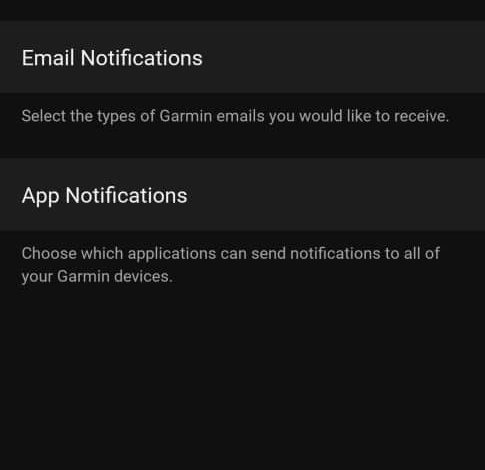
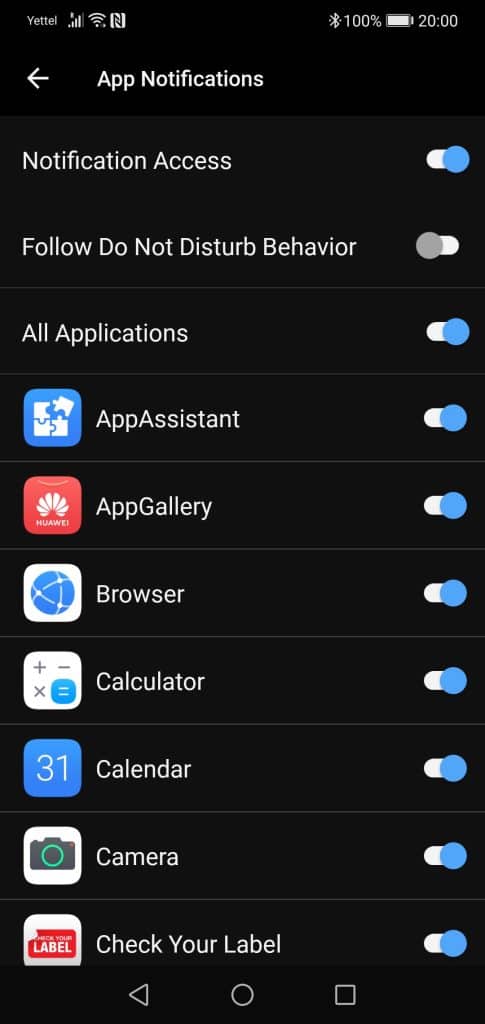
At 5.22, Garmin comes up with an obvious plan. DND synchronization is now optional. To access it, open the Garmin Connect app on your Android phone and go to Settings, then Notifications, App Notifications, and finally Track Do Not Disturb Behavior. Flip the switch if you want to sync, or leave it to control separately. It’s that simple.
Why did this take so long for Android
For years, Android users have lived with strange inconsistencies. On the iPhone, Garmin watches have a Do Not Disturb mirrorless system. On Android, they never did. Even if your phone is on full mute, your watch will still ring your arm with every notification.
Many people treated this as a bug. The forum post requesting the correction goes back over half a decade. The anticipation was easy. If the phone is silent, the watch should be silent too.
When Garmin flipped the switch, the reaction showed why the situation was so different than it looked. When 5.18 was released, a different group of users got frustrated. They liked to have independent control. Phone with DND for meetings, watch it still works for urgent messages or workouts. The sudden change shattered that setup overnight.
The response was high enough that Garmin pulled the feature at 5.19. That version restored the old behavior completely. At the time, it felt like a step backwards, especially given how long ago the original complaint was. What users really wanted was choice. 5.22 finally delivered that.
Our takeaway
This movement is seen as an intelligent response to user input. It offers flexibility without forcing a one-size-fits-all approach.
If you rely on your watch for smart alerts during work or sleep, syncing can make things smoother, aligning your devices the way Apple handles you. But if you like the clock ringing anyway, just turn off the toggle and continue as before. Either way, it’s good to see Garmin listening after the initial hiccup of the release.
The update is rolling out globally now, so check your app store if you don’t see it yet
Sign up for our monthly newsletter! Check out our YouTube channel.
And of course, you can follow Gadgets & Wearables on Google News and add us as a favorite source to get our expert news, reviews, and opinions in your feed.
The post Garmin brings back Android DND sync with this change appeared first on Gadgets & Wearables.