The Galaxy S26 Ultra camera has new video features that will make creators happy
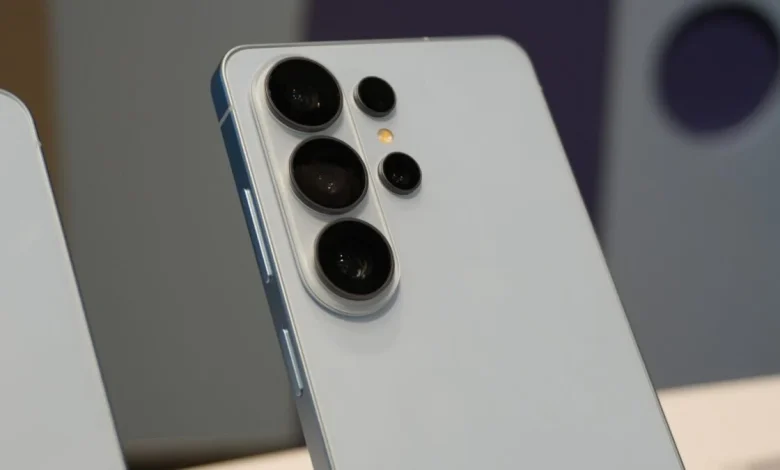
Samsung may not have introduced major camera hardware upgrades with its latest flagship phones, but it has added a few software features that improve the usability of existing features. With the Galaxy S26 Ultra, the company introduced three new video features that will make content creators and vloggers happy.
1. APV videos offer great editing flexibility
The Galaxy S26 Ultra is the first smartphone to support the Advanced Professional Video (APV) codec. This new format enables devices to record almost lossless HDR video up to 8K resolution at 30fps (or 4K 120fps). APV is designed to maintain high image quality while remaining efficient enough for use on mobile devices.
Compared to traditional formats like HEVC, APV files are optimized for professional workflows and can be easily handled by advanced video editing software. Samsung says the codec maintains high visual quality while using storage space efficiently. Videos recorded in APV can be edited in popular applications such as CapCut, DaVinci Resolve, and LumaFusion.
APV is an intra-frame codec, meaning that each frame is encoded independently rather than relying on data from surrounding frames. This feature makes browsing or scrubbing between images and making editing smoother and more responsive. It also reduces latency during programming.

The format supports HDR10 and HDR10+, as well as wide color gamuts in 10-bit and 12-bit color. Even after multiple export cycles, the video quality is said to be unchanged.
Software-level support for APV was introduced in Android 16, and both Exynos 2600 and Snapdragon 8 Elite Gen 5 chipsets support it at the hardware level. The Blackmagic Camera app for Android also supports APV recording.
2. Real-time LUT preview for log video recording
With the Galaxy S25 Ultra, Samsung introduced Samsung Log, a flat color profile designed to capture dynamic range and detail for later color grading. However, on that phone, users could not preview their selected lookup table (LUT) while recording videos. You can think of LUTs as color profiles.
On the Galaxy S26 Ultra, that limitation has been removed. Users can now use LUT and preview its color correction in real time while recording log video. This makes it easy to check the final look of the video without waiting for it to be imported into the video editing application.
Samsung has also enabled LUT editing directly within the Gallery app, allowing creators to use presets on the device without transferring footage to a computer.
3. Built-in cinema LUT profiles

Samsung has added a cinema-style LUT preset to log videos recorded on the Galaxy S26 Ultra. These presets are designed to simplify color grading and provide a unique stylistic look.
Available LUT categories include:
- Basics: Accurate colors and balanced exposure
- Blockbuster
- Coming of Age
- Romance
- Thriller


Each type includes three variations, providing more flexibility when fine-tuning images. However, those three variations are only available in editing programs (DaVinci Resolve or LumaFusion) on desktops.
Videos can be saved directly to a connected external storage device, such as an SSD. This feature was first released in the Galaxy S25 series.
Together, these new features make the Galaxy S26 Ultra a very capable tool for video creators. With advanced recording formats, real-time LUT preview, and built-in color grading options, users can capture and edit high-quality video without the need to carry a dedicated professional camera.