Amazon Users Call This $50 Mouse a ‘Game Changer’ for Hand Pain
We may receive a commission on purchases made through links.
Wrist pain can be seen as an inevitable consequence of working on a computer. After all, it’s easy to just chalk it up to your long work hours or your poorly set up workspace. But while these factors contribute to the comfort of your arm, what may also play a large part in it is the mouse you use. A regular mouse often puts your wrist at wrong angles, and before long, your wrist starts to ache with every movement. To solve this, you can try switching to an ergonomic mouse like the Logitech Ergo M575S Wireless Trackball Mouse. Ergonomic mice reduce hand pain, especially for those suffering from carpal tunnel syndrome.
They are designed to keep your hand in a natural position, so your wrist is less stressed even during prolonged use. Based on user feedback, the Ergo M575S works like a charm in this department. One user said that the Ergo M575S does not cause their carpal tunnel. One reviewer praised the mouse’s ergonomic design, saying it reduced arm strain, especially as he worked long hours. As of this writing, the mouse has a 4.5 rating on Amazon with over 1,500 reviews. Here’s what makes it a remarkable addition to your work setup.
A wrist-friendly way to click and scroll on your computer
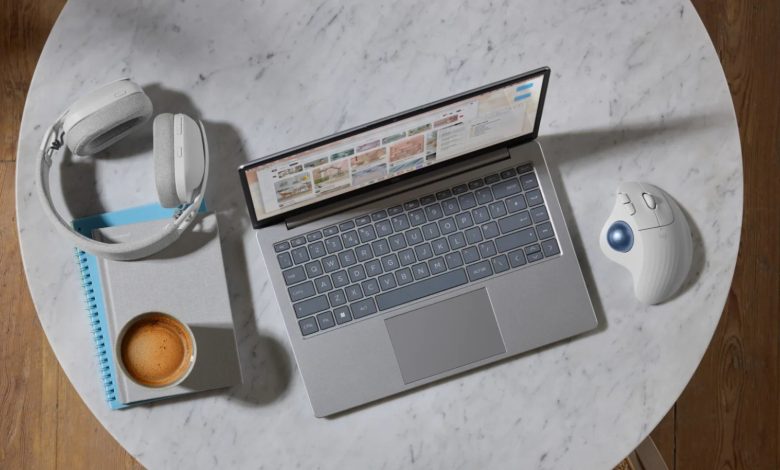
The Logitech Ergo M575S Wireless Trackball Mouse is an essential USB gadget for remote workers, and its biggest selling point is its design. For one, it comes in a sculpted ergonomic shape. This gives a better arm position and leaves your hand free. In turn, it puts a good 25% less strain on your muscles than conventionally shaped mice like the Logitech M650. The Ergo M575S is also built with a simple six-control trackball. Instead of moving the mouse to move the cursor, you simply roll the trackball with your thumb. It provides smooth tracking and a sensitivity range of 400 to 2,000 dots per inch (DPI) for precise control. These thoughtful design features are certified by US Ergonomics itself, which means that the Ergo M575S has been tested by ergonomists to ensure comfort and usability.
What makes this mouse so attractive is that it saves space. Since you can keep it in one place, it becomes the perfect accessory for workspaces that don’t have a lot of space. You can use it on a lap, bed tray, or small desk. It works on any surface, too, so you won’t really need a bulky pad. Using software, the Ergo M575S connects to your Windows or macOS computer via Bluetooth or a dongle. Like any other Logitech mouse, you can pair it with the Logi Options+ App, where you can access additional controls. For example, you can change the cursor speed or customize the middle click and back and forward buttons with your own shortcuts. The mouse already includes one removable AA battery and can last up to 18 months.