5 of Reddit’s Funniest iOS 26 Roasts (And 5 Fixes for the Problems That Sparked Them)
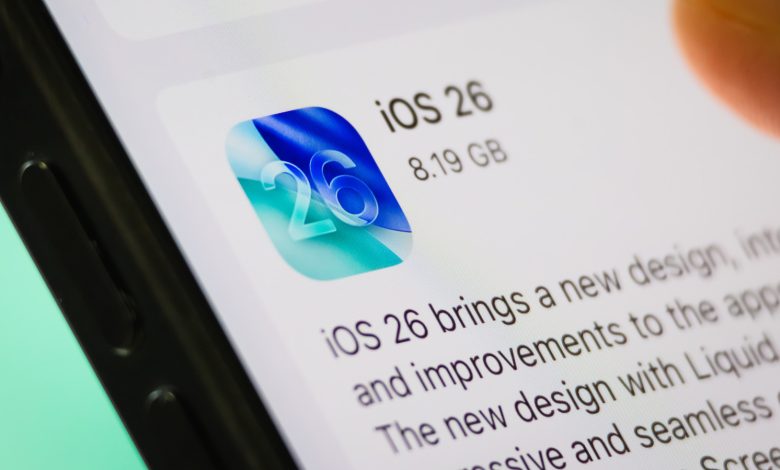
Every year, Apple introduces a new operating system for iPhones. And every year, there are mixed bags of criticism and praise for a new mobile OS and its features. With iOS 26, the story is no different. Sure there are features of iOS 26 that we love, like the live rendering and preview app, but there are also a lot that we (and the rest of the community) hate a bit, like Liquid Glass—at least in its current form.
If you spend any time on the r/ios26 subreddit, you know that iPhone users are not shy about sharing their experiences, good or bad. Sometimes, the posts are innocent, involving minor annoyances with a random bug that another Redditor is able to quickly address in the comments. Sometimes, the iOS 26 roasts are great, with topics and descriptions of bugs or issues that make you laugh out loud. Those iOS 26 grills on Reddit are what we gathered today, and if there’s a fix out there for the issue, we’ll tell you everything we know.
The Mysterious Case of the Lost Keyboard
New apps will have a few bugs, but major issues shouldn’t make it to the public release. One Redditor encountered one of these major quality-of-life issues with iOS 26 involving the keyboard. According to the post, the iPhone user had gone two full days before posting with a completely empty keyboard. This iOS 26.3 bug correctly displays the white box characters that should be inside, but not the actual characters.
A funny comment sarcastically argues that it’s not a bug but a feature, saying, “it forces you to pause to think about what you’re going to type when the keyboard is unresponsive for 3 seconds.” One Reddit user reported that he encountered the same rare bug multiple times with the last few iOS updates and said that, in their case, a reboot fixed the problem. Unfortunately, this fix didn’t work for the OP, but other suggestions include trying to downgrade the OS or simply waiting for a patch from Apple.
This isn’t the only problem iPhone users are having with the keyboard in iOS 26, either. A frustrated Redditor describes the keyboard as “creepy” and posts a video as proof, showing the phone incorrectly registering the “V” key input as the “H” key. It doesn’t look like the OP tried any of the suggestions in the comments, but possible fixes include changing the keyboard to just EN, typing less, and resetting the keyboard dictionary.
iOS 26 likes to play with app locations
One of the most common problems we’ve seen with iOS 26 is that the home screen has trouble arranging apps and widgets in the right place. Those who recently updated to iOS 26 are reporting buggy home screens galore. This Redditor, in a 16-second video, shows apps and app folders moving places multiple times, and sometimes getting stuck behind the weather widget before settling where it should be. Like the old one, ‘it’s a feature, not a joke’, one comment calls it “an icon of self-editing[s].”
One Reddit user running iOS 26.3.1 is able to replicate this problem, showing misplaced apps and the weather widget moving in the background and on top of other apps for a few seconds after turning on the phone. In the comments on both of these posts, some say that the error only happens when you go ahead and quickly force home, but the most popular argument is that the error shouldn’t happen in the first place.
Also, one Reddit user shared a photo of multiple apps completely disappearing from the home screen, explaining how this problem “happened a few times since I installed from 26.0 to 26.3.1.” In this particular issue, the OP says that sometimes a full reboot fixes it, while sometimes a quick app launch does the trick.
Adding an app to a folder is like a little game
In a 22-second screen recording, the Redditor shows the tedious process of trying to add a flight app to a folder called Travel. Spoiler: The app never accesses the folder. OP joked that “They tried to sneak into the folder” to no avail. The hilarious comment read, “[I] treat it like a little game,” and honestly, that’s what you need to do to stay sane with all these iOS 26 bugs.
A few commenters reported having the same problem with the latest OS update, but many said it had been a problem since before iOS 26, with one comment saying, “I swear it’s been a problem since at least iOS 12.” The strongest workaround suggested in the comments is to hold down the app you’re trying to move with one finger and use a finger from your other hand to “click on the folder and release.” Other recommendations include simply approaching the folder from above or slightly closer to it, although some comments suggest that the problem gets worse the slower you go.
Huge (understandable) hatred of Liquid Glass
There are some great features in iOS 26, but most people don’t consider Liquid Glass as one of them. In a post titled “Why is it freezing,” a Reddit user shared what his iPhone looks like when he tries to turn it off, grilling the UI “[deciding] to be overly wet.” Under a comment asking if the bug was real, the OP shared another screenshot and jokingly called the feature “Giquid Lass” rather than Liquid Glass. Other users in the comments are as smart as the OP, with many referring to it as molten glass, lava glass, or liquid *ss.
Some Redditors are experiencing inconsistencies with Liquid Glass, with features that seem unreadable or too blurry for some users and fine for others. One user even goes so far as to question whether Apple’s new Liquid Glass UI ignores basic accessibility principles and says there should be some sort of system-level option to disable the feature.
Liquid Glass is such a hated feature of iOS 26 that when one Reddit user shared a photo showing their control center sans Liquid Glass and asked if it was a bug, the comment section was flooded with iPhone users hoping for the feature. Unfortunately, Apple has not announced any plans to remove Liquid Glass or allow users the option to disable it. Currently, there is only an iOS 26 setting that you can change to minimize its effects. Open Settings, tap “Display and Text Size,” then toggle “Reduce Transparency.”
Everything is insanely laggy among iOS 26 users
There are a number of Reddit posts complaining about the general lag present in iOS 26. One Redditor says “the scrolling lag is excruciating,” and comments on this second post and reports that, in addition to the lag, their iPhones are getting ridiculously hot with the battery “draining like crazy.”
This is not a new problem for iOS 26 either. At the launch of iOS 26 (September 2025), one Reddit post detailed seemingly “permanent” issues, dropped frames, and jumpy animations with the notification center, home screen, and lock screen. Unfortunately, there is no fix for this today. Apple has released many iterations of iOS 26 since its launch, but many iPhone users are still struggling to sleep.
A recent video posted by this Redditor shows how bad the lag is when opening the keyboard on their new iPhone 17 Pro Max. One useful comment suggests turning off Reduced Transparency as a possible fix; although the OP didn’t respond to this comment, many other Redditors said they tried with success. That said, one Reddit user shared a video showing the UI and camera app lagging and failing miserably, and there are no recommendations to fix this problem yet.