
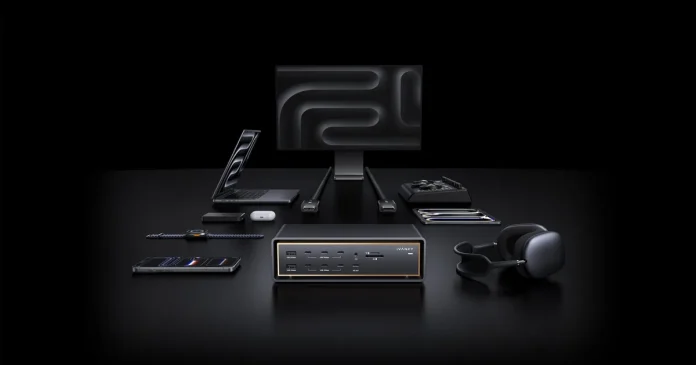

For Mac users, there’s a frustration that can’t be talked about enough, and I’ve seen it firsthand. You invest in a MacBook with its Apple Silicon power, sleek design, and undeniably “cool” mobility that allows you to work from a sofa or a small cafe. But sooner or later, you are caught in the dongle mess. The MacBook Pro has never been more powerful, but only one cable is needed to make it a complete desktop workstation. Thunderbolt 5 docks have gotten bigger in 2026, and the best ones now support multiple 6K displays, blazing SSD speeds, and enough ports to ditch all the dongles on your desk forever. Whether you’re planning a multi-industry monitoring studio or just looking for a cleaner, faster one-cable solution, these are the Thunderbolt 5 docks worth your money right now.
1. VANKY FusionDock Ultra
Amount: $649.99
The iVANKY FusionDock Ultra is built around what the company describes as the industry’s first dual-chip Thunderbolt 5 architecture, designed to exceed the limitations of traditional single-controller docks. Instead of routing all traffic through a single chip, it distributes display output, data transmission, and global traffic over two channels, delivering bandwidth of up to 120Gbps with improved performance under heavy, multi-device loads.
FusionDock Ultra requires macOS 15.1 or later and is only compatible with Apple Silicon Macs. Not compatible with Intel Macs, Windows PCs, or Chromebooks. On compatible Apple Silicon Macs, this design enables native support for multiple displays without DisplayLink or additional drivers. The high-end configuration can support four external monitors up to 6K resolution, while other models support fewer, depending on the chip. Display capabilities vary by Mac model.
The dock acts as a 26-in-1 pro-grade expansion hub, which includes multiple Thunderbolt 5 connections and USB-C and USB-A ports, as well as DisplayPort 2.1, HDMI 2.0, UHS-II SD and MicroSD card readers, and optical audio. For heavy network workflows, it includes 10GbE high-throughput Ethernet, while 140W host charging ensures optimal power delivery for the most demanding MacBook Pro models.
A flexible thermal design with dual fan cooling helps maintain stability during extended use, increasing only when necessary and remaining invisible from normal desk distances.
For users who work across multiple displays, fast storage, and high-speed networking, the FusionDock Ultra is one of the most powerful Thunderbolt 5 docks available today, and one of the few designed to scale to all the demands of a high-performance Mac workstation.
2. CalDigit TS5
Amount: $399
CalDigit has spent over a decade building Thunderbolt enclosures with a reputation for reliability, and the TS5 is the latest manifestation of that heritage. It offers 15 ports, three Thunderbolt 5 ports, 140W host charging, SD and MicroSD card readers at UHS-II speeds, 2.5GbE Ethernet, and a 3.5mm audio combo jack, all in the brand’s signature aluminum chassis that can be used vertically or horizontally.
The TS5 is slightly cooler and completely silent in operation. It supports dual 6K displays at 60Hz on the Mac and delivers up to 140W of power even when simultaneously powering all of its ports. The TS5 Plus model is also available for $499 for users who need 20 ports and a 10GbE network.
3. Sonnet Echo 13 Thunderbolt 5 SSD Dock
Amount: $479

The Sonnet Echo 13 is a Thunderbolt 5 dock with a Kingston NVMe SSD built into the box, making it the only dock in this range that comes ready to use as a connectivity hub and high-speed external drive from day one. Connected to a Thunderbolt 5 Mac, the built-in SSD reaches speeds of up to 6,000 MB/s, fast enough to handle 4K and 8K video editing workflows directly from the dock.
The Echo 13 offers 13 ports, including four bottom-facing Thunderbolt 5 ports, 140W host charging, 2.5GbE Ethernet, USB-A ports, and SD plus microSD card readers. Supports dual 6K displays on compatible Macs. Sonnet ships the dock with an included Thunderbolt 5 cable and supports the product with Apple-certified compatibility with all M-series Mac computers.
4. VANKY FusionDock Max 2
Amount: $399.99

The iVANKY FusionDock Max 2 is purpose-built for Apple Silicon MacBook Pro users who want multi-display functionality without the premium price tag. Like the Ultra, it’s designed specifically for M-series Macs, meaning all aspects of its functionality are designed for macOS and Apple Silicon instead of being split between platform compromises.
The Max 2 brings native triple-display support, running two 6K displays via Thunderbolt and one 4K display via HDMI simultaneously, without the need for drivers or DisplayLink. In the M5 Max MacBook Pro, that extends to four screens. It offers 23 ports in total, including three Thunderbolt 5 downstream ports at 120 Gbps, 2.5GbE Ethernet, SD 4.0, and reading microSD 4.0 cards placed on the front panel for easy access, virtual audio, and a dedicated 30W USB-C charging port for a second device drawn on a separate MacW available in a full power pool,14
The floating aluminum chassis and hybrid cooling system, which includes a copper core, high airflow structure, and built-in fan, keep temperatures much lower than standard Thunderbolt 5 docks under heavy loads. The design also features IVANKY’s Magnetically Articulated Connectors, which accommodate both the compact port layout of the MacBook Pro and the wider port space found on the Mac Studio and Mac mini.
FusionDock Max 2 is not compatible with Windows laptops, Intel-based Macs, or Chromebooks. For Apple Silicon Mac users looking for a dock that treats macOS as a first-class platform rather than an afterthought, the Max 2 delivers at a price that directly competes with the world’s best docks on the market.
5. Kensington SD7100T5 EQ Pro
Amount: $449.99

The Kensington SD7100T5 EQ Pro is a 19-port Thunderbolt 5 dock designed for professionals who need connectivity options beyond what most docks offer. It includes a CompactFlash card slot alongside full-size SD and microSD readers, uncompressed TOSLINK digital audio output, two programmable keys on the top panel that can be configured for iPhone photo backup or Do Not Disturb mode with Kensington’s Konnect software, and a lockable M.2 SSD slot for storage expansion.
The dock brings three Thunderbolt 5 ports, 140W host charging, 2.5GbE Ethernet, and dual 6K display support for Mac. Its chassis is made from 97% recycled consumer aluminum and works with fanless cooling. Two Kensington lock slots are built in for physical security in shared or business environments.
6. TBT-UDT3 connector
Amount: $299.95
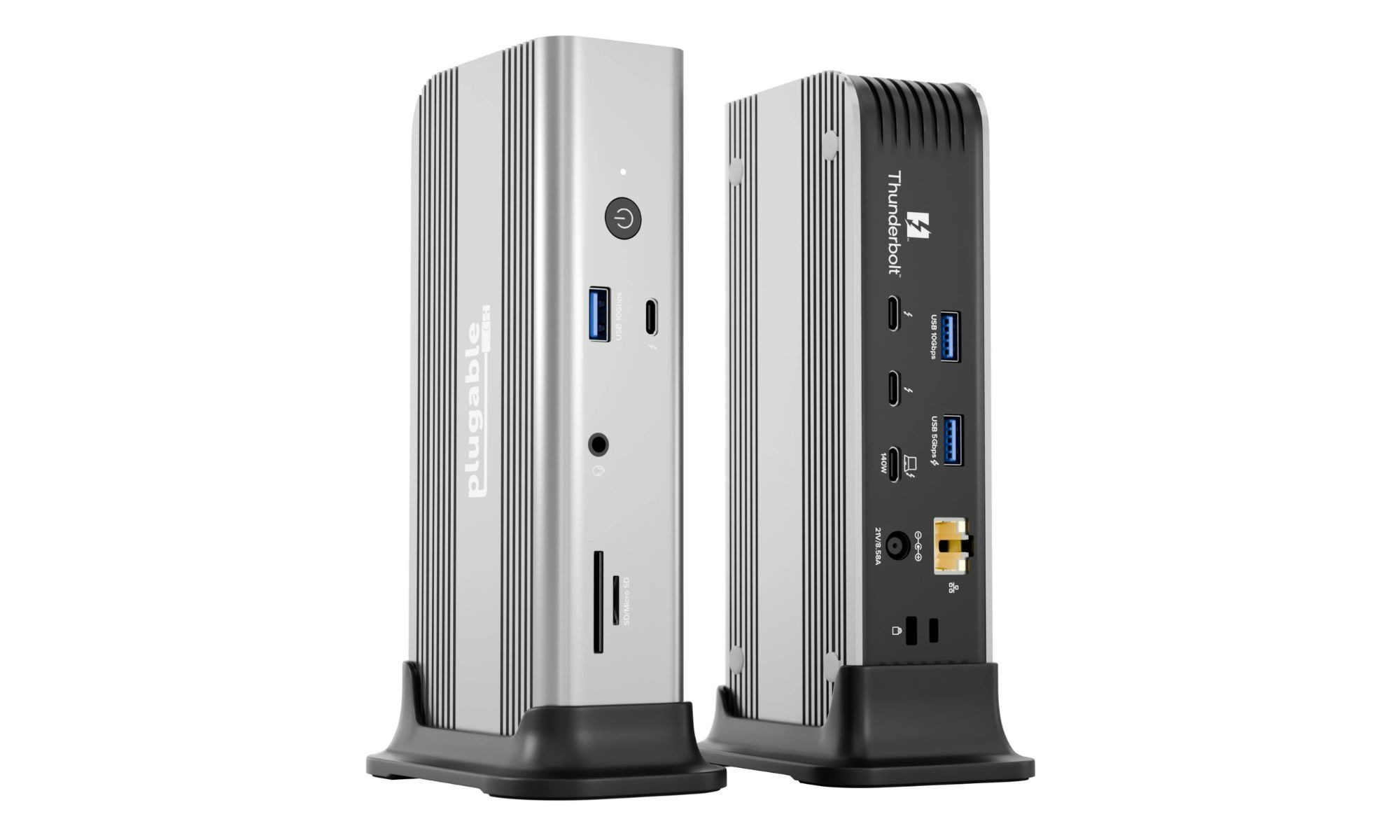
The TBT-UDT3 ePlugable is an accessible Thunderbolt 5 dock, offering a simple feature set at a much lower price than most premium docks. It’s an 11-in-1 Thunderbolt 5 dock, built around a functional combination of ports instead of high-end expansion.
It includes three Thunderbolt 5 ports, 140W charging, 2.5GbE Ethernet, USB-A and USB-C connectivity, and UHS-II SD and MicroSD card readers. On the Mac, it supports up to two 6K displays, which combines multiple productivity and creative setups without pushing into multiple monitors.
Here the focus is on recovery and value. Compared to high-end docks, it skips features like integrated storage, advanced cooling systems, or high port counts, but delivers the basic functionality of Thunderbolt 5 in a compact and affordable package. It is also widely compatible with all Thunderbolt 5, Thunderbolt 4, and USB4 systems.
For users looking to get into Thunderbolt 5 without committing to a full desktop dock, the TBT-UDT3 offers a balanced mix of performance, connectivity, and price.
7. Anker Prime TB5 Dock
Amount: $399.99

The Anker Prime TB5 Dock is designed to facilitate a more efficient setup without getting in the way. Powered by Thunderbolt 5, it enables super-fast data transfer of 120Gbps, so large files can be moved in seconds and the workflow you want feels remarkably smooth. With full compatibility across Thunderbolt 4, Thunderbolt 3, and USB4, it fits into new and existing setups equally well.
Its 14-in-1 hub is designed to feature fewer adapters and a clutter-free desk, which means a cleaner and more efficient workspace. Its two bottom Thunderbolt 5 ports also make it easy to connect high-speed peripherals, while USB-C and USB-A options ensure that everything from modern devices to legacy devices work easily. Whether you’re designing or gaming, it supports dual 8K@60Hz or 4K@240Hz displays via HDMI/DisplayPort, for sharper visuals and immersive experiences.
With up to 140W charging, it keeps your laptop powered through big tasks, eliminating the need for separate chargers. Integrated active cooling maintains stable performance under pressure, so you can work or play without your system slowing down. Features like SD3.0 and UHS-I card readers speed up the transfer of media files, while 2.5GbE Ethernet provides fast and reliable connectivity.
Overall, the upgrade improves system speed, reduces friction, and helps you do more work, without skipping settings.
How to choose
The right Thunderbolt 5 dock depends on your Mac model, your display setup, and what exactly you plug in every day. Thunderbolt 5 ports are available on the M4 Pro, M4 Max, M5 Pro, and M5 Max MacBook Pro models; all other current Macs use Thunderbolt 4, which remains fully compatible with each dock on this list at its native speed. Display support varies by dock and Mac chip, so it’s worth checking how many external monitors your particular MacBook supports before you buy. Port count, network speed, built-in storage, and charging capacity all vary across this list, and the best dock is more likely to match your actual day-to-day use than the one with the highest specs on paper.