
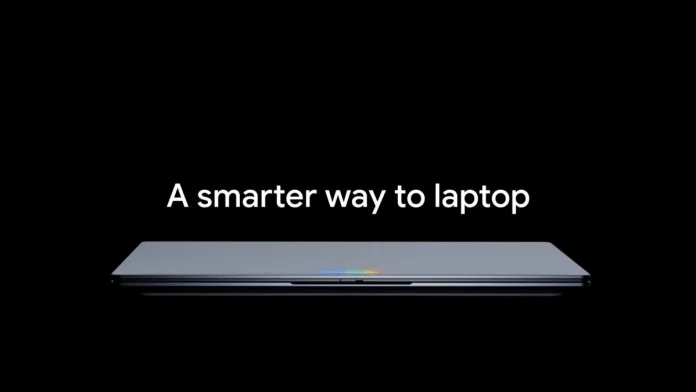

Google introduced a new category of laptops called Googlebooks during the Android Show presentation. These laptops run Android-based ChromeOS, which combines advanced Gemini AI features with premium hardware. The company claims that Googlebooks are the first laptops designed with Gemini Intelligence at their core.
Googlebooks runs ChromeOS based on Android and features Gemini Intelligence
Googlebook logo next to the keyboard – Source: Google

Fingerprint reader power button and USB C port on Googlebook – Source: Google
Googlebooks will use premium hardware, including metal structures, high-resolution screens, and powerful chips. Intel, MediaTek, and Qualcomm chipsets will power these laptops. All Googlebooks will also include an RGB light bar called Glowbar. Although Google has not officially revealed the name of the new operating system, it uses the Android base with an interface similar to ChromeOS.

Googlebook’s HDMI, USB C, and 3.5mm headphone jacks – Source: Google

Glowbar design for Googlebook – Source: Google
Gemini Intelligence will be a key part of the experience. It may use information from the web and data from your Google account and services to provide you with personalized, effective help to complete tasks. Some of the key features that Google displays include:
The Magic Pointer

Magic Pointer’s Ask Anything feature – Source: Google
When you move the advanced mouse pointer, it displays several options based on what you’re pointing at. When it receives a date in an email, it suggests creating a calendar event or scheduling a video call. If you select multiple images, it suggests merging them into one AI-generated image using Gemini. If you point to the text in the text box, it can suggest better language development and clarity.

Related suggestions for Magic Pointer images on Googlebook – Source: Google
- If you point to a PDF, it can generate a bullet point summary that you can paste anywhere.
- If you point to a statistical table, it can create a pie chart version of the data.
- You can point to a recipe for two and ask it to double all the ingredients if you want to cook for a family of four.
Create My Widget

Create a My Widget app in Googlebooks – Source: Google
You can use text prompts to tell Gemini what you want in a widget, and it will build a custom widget for you. You can change its size and design and place it on the home screen. This feature is also available in Android 17.

Widgets created using the Create My Widget app on Googlebooks – Source: Google
For example, if you’re cycling, you can create a widget that shows the current weather, air quality, wind speed, and chance of rain at a glance.
Access applications from Android phones
Your smartphone’s apps can be accessed from Googlebook by clicking the phone-shaped icon on the taskbar. Any app can be streamed from the Android phone to the Googlebook screen to help you get things done, like ordering food while you work.

List of apps on Android phone linked to Googlebooks – Source: Google

Googlebook desktop streaming smartphone app – Source: Google
This saves time and keeps distractions at bay. You can also access your phone’s notifications on a laptop.
Access files from anywhere

Googlebooks File Manager app with phone files and Google Drive integration – Source: Google
The built-in File Manager can access your files whether they are stored in Google Drive or on your paired Android smartphone or tablet.
How is Googlebook’s UI design?

Googlebook home screen and Windows UI design app – Source: Google
Depending on the UI design, Googlebooks features a continuous taskbar below the Google Search box, a phone shortcut, and shortcuts to your favorite apps.
The time and date appear in the top left corner of the screen, while the Quick Settings panel can be accessed in the top right corner. The status bar shows important indicators such as battery level, Wi-Fi, and notifications. It looks like you can customize the look of the operating system, including app icons, by choosing colors of your choice, just like you can on modern Android phones.
You can access apps from the app drawer icon on the taskbar. Similar to Windows, all windows applications have three buttons in the upper right corner: Minimize, Maximize, and Close.
Googlebooks includes native, big-screen-optimized apps for Chrome, Gmail, Google Calendar, Google Drive, Google Gemini, Google Photos, Google Play Store, and YouTube. It is possible that users will be able to install any application or game from the Google Play Store on the Googlebook as it is based on the Android platform.
When will the first Googlebooks be launched?
Acer, ASUS, Dell, HP, and Lenovo will launch Googlebook laptops in Fall 2026. Although Google didn’t mention Samsung, we recently published an exclusive report about a South Korean firm developing Galaxy-branded laptops with Android and One UI 9 on board, and they could be part of the Googlebook category.

Products that will make Googlebook laptops – Source: Google
In an interview with ChromeUnboxed, Google VP John Maletis said that we should expect more hardware partners in the future, possibly suggesting that Samsung jump on the Googlebook bandwagon.