
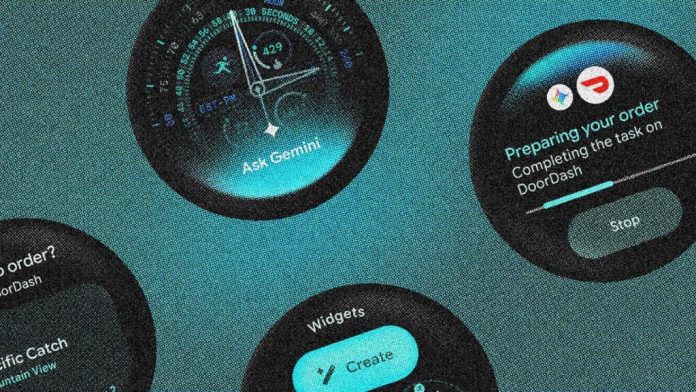

Everything you need to know about the software update coming later this year
Following its first preview at Google I/O 2026, Wear OS 7 is now officially rolling out to several Android smartwatches.
Much of the talk of this latest update is focused on turning smartwatches from simple notifications into active assistants.
However, while the update relies heavily on situational AI – powered by Google Gemini – it also brings changes to the long-running (and surprisingly basic) connector on the wrist.
If you’re looking for a complete breakdown of what’s changing, you’re in the right place.
This is your cheat sheet for all things Wear OS 7: we explain the latest release status of the update for all devices from Samsung, Xiaomi, OnePlus, and Oppo, and the key improvements you can expect.
Wear OS 7 rollout tracker: Pixel Watch gets it first
Google has officially begun the consumer rollout of Wear OS 7, with the software first arriving on the Pixel Watch 4, Pixel Watch 3, and Pixel Watch 2.
By running the software in June alongside Android 17, Google broke its long-standing tradition of aligning (non-Samsung) releases with its autumn hardware updates.
However, with major third-party partners such as OnePlus, Oppo, and Xiaomi still completing their respective Wear OS 6 releases, we expect the non-Google hardware revolution to reach next year.
We will continuously update the device list below as OEM roadmaps are confirmed. The next standard cab is probably Samsung. The Korean brand is expected to deliver One UI 9 Watch—based on Wear OS 7—in July, but we’ll have to wait to see which specific hardware will support the new update.
Which smartwatches can get Wear OS 7 now?
Seven key improvements are available in Wear OS 7
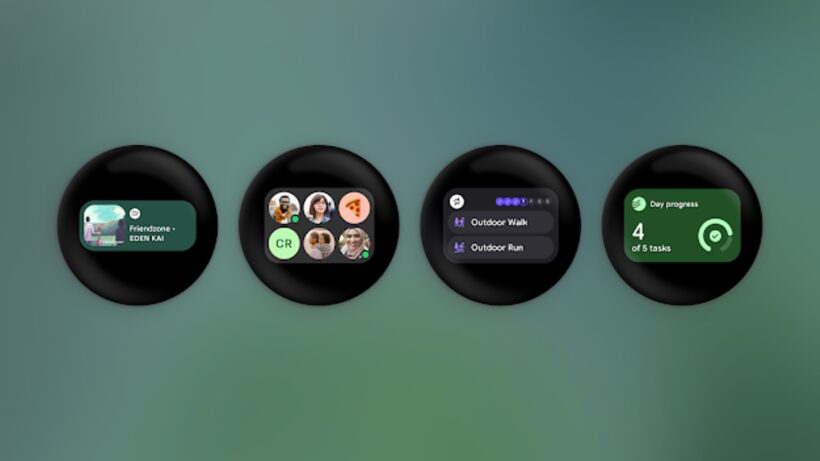
1. Wear Widgets instead of Tiles
Google is doing away with the old linear Tile system in favor of a flexible, grid-based configuration called Wear Widgets. Supporting a combination of 2×1 and 2×2 dimensions, these new architectures enable the highest on-screen data density.
Google also confirmed that the upcoming winter update will integrate Gemini directly into this layer, allowing users to create custom widgets with voice commands.
2. Live updates on your arm
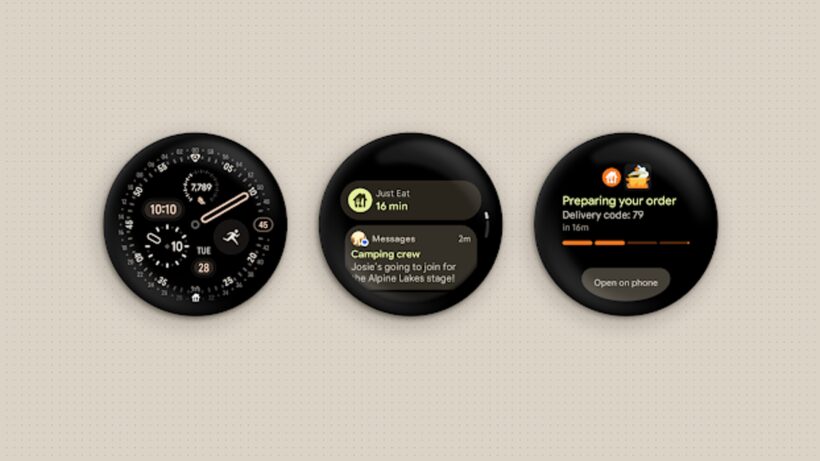
Borrowed from the latest lock screen features on Android phones, Live Updates brings continuous, real-time updates to your fingertips. This allows users to monitor the real-time progress of food delivery, rideshare arrivals, or live sports scores without opening a dedicated app.
It delivers a clean, visual status check right when you need it—just like Apple’s live tasks, from the watchOS Smart Stack.
3. Gemini Intelligence & automatic function
Wear OS 7 integrates the latest version of Google Agent AI right on the wrist to automate common, multi-step tasks with voice. Users will be able to initiate complex phone actions—such as reordering takeout or forwarding an email to compile a shopping list—through their smartwatch.
4. Combined workout tracking
To address inconsistent metrics across fitness platforms, Google is introducing a standardized Workout Track experience. Third-party apps can use this unified framework, ensuring that core UI properties, media controls, and heart rate tracking work the same way across apps. This should give the entire ecosystem a welcome injection of uniformity.
5. Optimized battery life
Under-the-hood system optimization ensures that the extra processing power required for AI features won’t deplete your daily power. Google promises that the average user can expect up to a 10% improvement in battery life when jumping from Wear OS 6.
6. Automatic presentation of media for each program
Wear OS 7 finally gives users more granular control over where media controls take over the smartwatch screen. So, instead of forcing the media player UI to open for every sound on your phone, you can change the auto-launch settings on a per-app basis.
For example, you can choose to automatically launch the Spotify playback UI while blocking it from normal video scrolling. A very small change, obviously, but one that took an incredibly long time to add.
7. Remote output switch
On the same note, audio routing is also simplified thanks to a new tool: System Media Controls. When streaming media using a paired handset, you can now change the sound source from your arm. This allows you to easily switch audio between Bluetooth headphones, your smartwatch speaker, or your smart home setup.